SlidesAI Alternative for PowerPoint Users
SlidesAI is built for Google Slides. Deckary works inside PowerPoint—with consulting-style AI slides, charts, icons, and no presentation limits.
TL;DR
SlidesAI excels at AI slide generation in Google Slides with multilingual support but Google Slides focused with presentation limits, no consulting features. Deckary offers PowerPoint-native with unlimited presentations, consulting structure, and charts. Choose SlidesAI if you work in Google Slides and don't need PowerPoint. Choose Deckary if you work in PowerPoint and need consulting-quality output.
14-day free trial. No credit card required.
Our users work at companies like
Deckary helps consulting & industry firms to build better presentations








Google Slides-first vs PowerPoint-native
SlidesAI is designed for Google Slides with limited PowerPoint support. Deckary is built for PowerPoint from the ground up.
SlidesAI approach
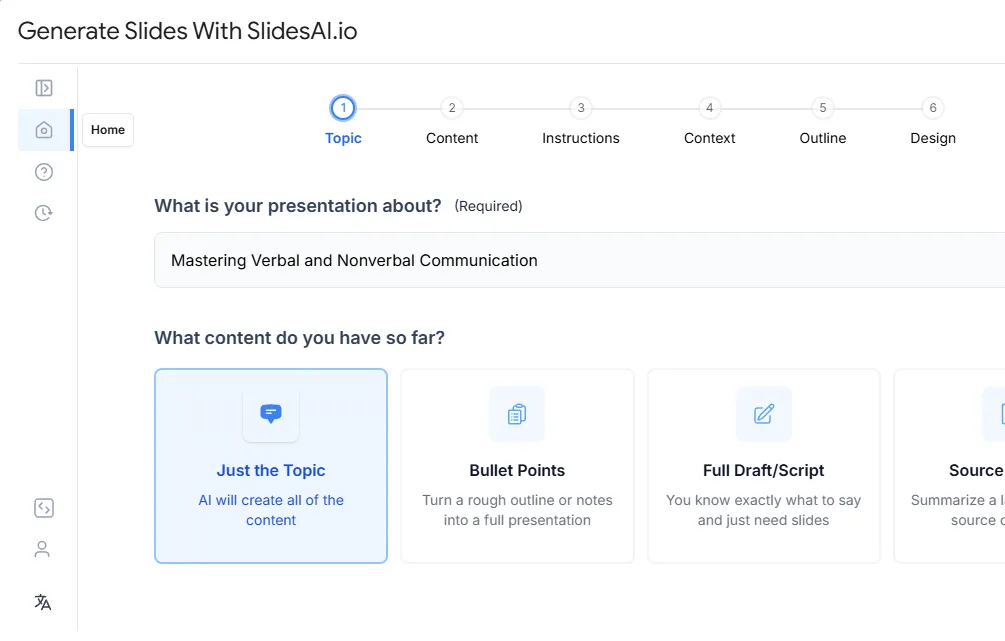
- AI text-to-slide generation
- Works in Google Slides
- Presentation limits on lower tiers
- Character limits on input text
- No consulting charts or icons
Deckary approach
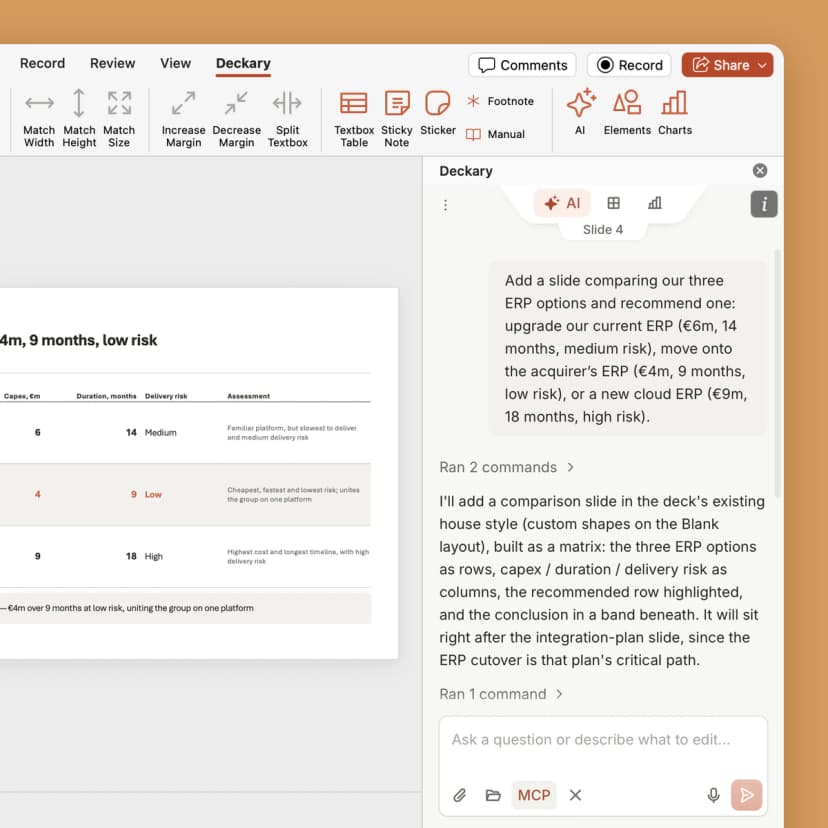
- AI slide generation (consulting-tuned)
- Works natively in PowerPoint
- Unlimited presentations
- Waterfall, Mekko, Gantt charts
- 1000+ icons, flags & visuals
How Deckary compares to SlidesAI
Both use AI—but Deckary works in PowerPoint with consulting-grade features
| Feature | Deckary | SlidesAI |
|---|---|---|
| Features | ||
| Works natively in PowerPoint | Yes | No |
| Works in Google Slides | No | Yes |
| Consulting-style slide structure | Yes | No |
| Consulting charts (waterfall, Mekko) | Yes | No |
| Excel-linked charts | Yes | No |
| AI text polish (consulting tone) | Yes | No |
| 1000+ icons, flags & visuals | Yes | No |
| Keyboard shortcuts | Yes | No |
| Unlimited presentations | Yes | Partly |
| Higher input limits | Yes | No |
Feature comparison based on publicly available information as of March 2026. Verify current features at SlidesAI.
Why PowerPoint users choose Deckary over SlidesAI
AI slides are just the start—Deckary is an AI slide editor built for PowerPoint
The honest comparison
SlidesAI is a solid tool for quickly generating presentations in Google Slides. It's affordable and easy to use for teams that work primarily in Google Workspace.
Where SlidesAI works well: Fast text-to-slide conversion in Google Slides. Affordable pricing starting at $100/year. Good for quick drafts and internal presentations. Supports 100+ languages.
Where Deckary wins: Works natively in PowerPoint—no Google Slides required. No presentation limits on paid plans. Consulting-style structure with Pyramid Principle. Consulting charts (waterfall, Mekko, Gantt) with Excel linking. 1000+ icons and visuals. Keyboard shortcuts for productivity. AI text polish for refining existing slides.
The bottom line: If you work in Google Slides and need quick AI-generated decks, SlidesAI works. But if you work in PowerPoint, need unlimited presentations, or require consultant-grade output with charts and icons, Deckary is purpose-built for that workflow.
- Google Slides users
- Users needing quick AI-generated decks
- Teams working in Google Workspace
- Non-consultants building presentations
- PowerPoint users
- Consultants needing structured deliverables
- Teams needing unlimited presentations
- Users who need consulting charts
Pricing comparison
Transparent pricing vs SlidesAI's approach
| Plan | Deckary | SlidesAI |
|---|---|---|
| Free tier | 14-day free trial | Yes |
| Starting price | $15/month or $120/year | $100/yr |
| Premium tier | $19/month or $180/year | $100/yr |
| Enterprise | From $19/seat/month | Contact sales |
*SlidesAI: Basic plan with presentation limits, Pro at $100-200/yr
Pricing accurate as of March 2026. Competitor pricing may change — verify at www.slidesai.io.
Switching from SlidesAI
- Export Google Slides to PowerPoint
- Continue using SlidesAI for Google Slides work
- Use Deckary for PowerPoint deliverables
- Workflow shift to PowerPoint-native
- Different platform approach
- New keyboard shortcuts to learn
Our recommendation
If you work in PowerPoint, try Deckary. Keep SlidesAI for Google Slides work if needed.
Ready for AI slides in PowerPoint?
Start Deckary's 14-day free trial. Get AI-powered slides with consulting-style structure and native editing—all inside PowerPoint.
Also compare
- Office TimelineGantt charts & timelines
- Mekko GraphicsMarimekko & waterfall charts
- MacabacusFinance & banking add-in
- Plus AIAI slide generation
- Beautiful.aiAI presentations
- GammaWeb-based AI slides
- SlidesgoTemplate library
- UpSlideProductivity add-in
- TwistlyAI PowerPoint add-in
- GenPPTAI presentation generator
- GensparkAI workspace & slides
- CopilotMicrosoft AI for PowerPoint
- ChatGPT for PowerPointOpenAI PowerPoint add-in
- Grok for PowerPointxAI PowerPoint add-in
- PPT ProductivityShortcuts & formatting
- Claude for PowerPointClaude's PowerPoint plugin
- CanvaDesign platform AI slides
Frequently asked questions
Common questions about SlidesAI vs Deckary