Canva Alternative for PowerPoint Users
Canva creates beautiful designs—but exports to PowerPoint can lose formatting. Deckary works inside PowerPoint with consulting charts, icons, and structure.
TL;DR
Canva excels at beautiful visual design with a massive template library but exports poorly to PowerPoint and lacks consulting features. Deckary offers PowerPoint-native with consulting charts, structure, and shortcuts. Choose Canva if you need social graphics and don't care about PowerPoint. Choose Deckary if you need consulting deliverables in editable PowerPoint format.
14-day free trial. No credit card required.
Our users work at companies like
Deckary helps consulting & industry firms to build better presentations








Design platform vs PowerPoint add-in
Canva is a visual design platform. Deckary is a consulting toolkit that works inside PowerPoint.
Canva approach
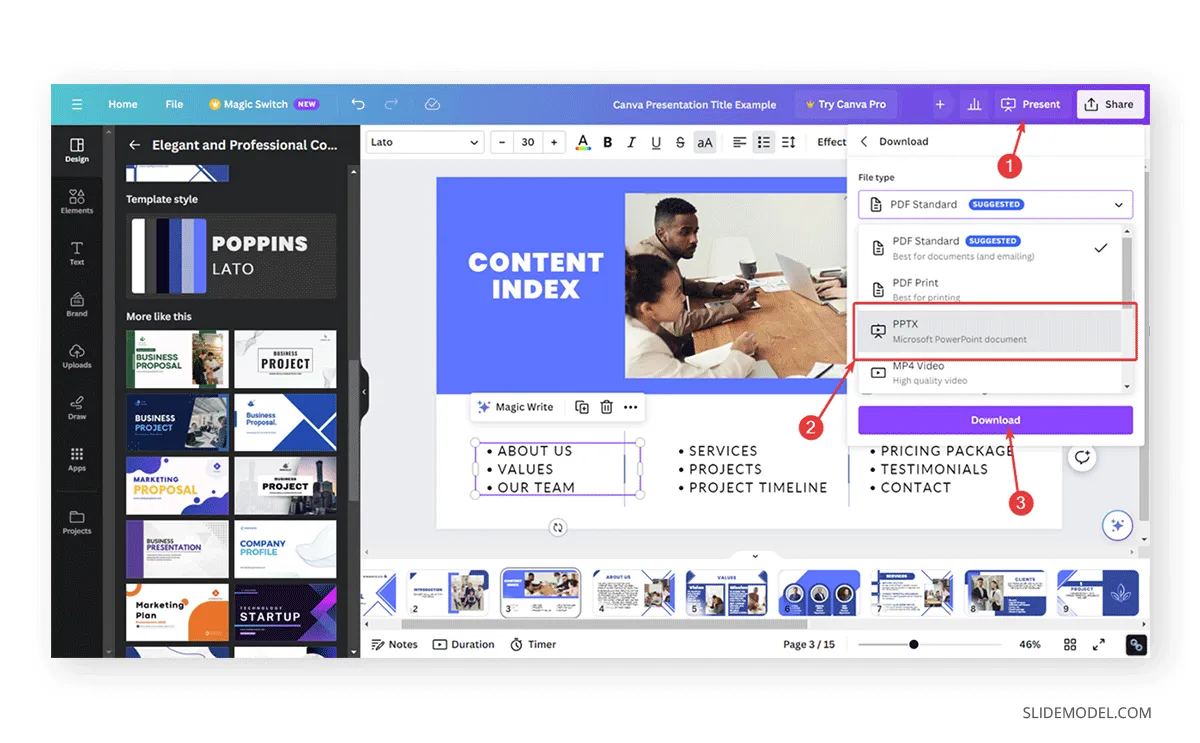
- AI presentation generation with Magic Design
- Beautiful templates and design assets
- Export to PowerPoint (formatting may break)
- Animations don't transfer
- No consulting charts or structure
Deckary approach
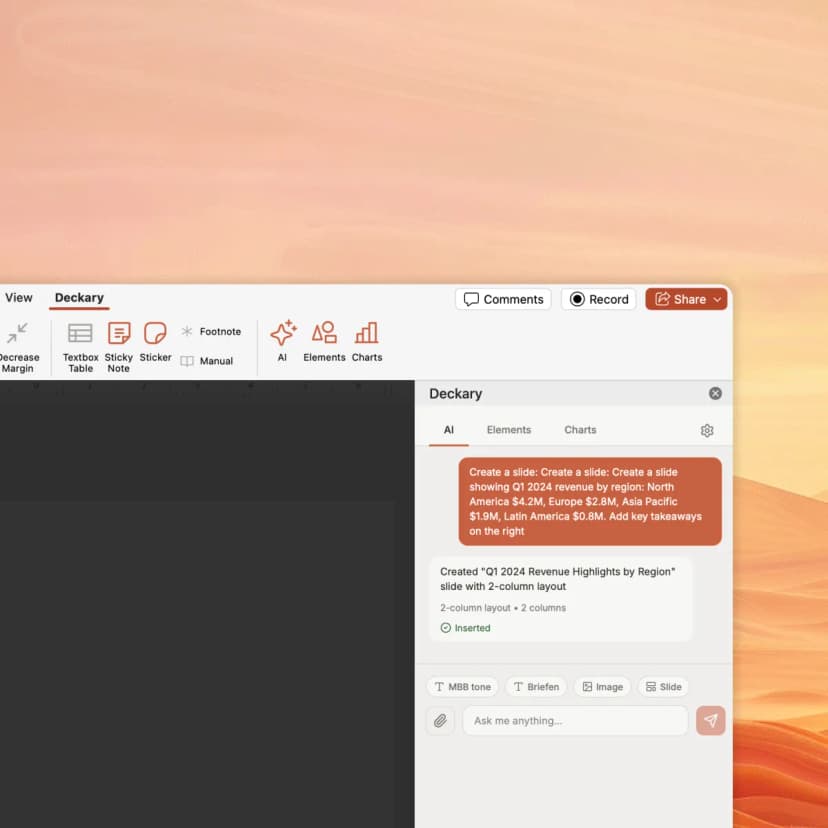
- AI slide generation (consulting-tuned)
- Works natively in PowerPoint
- Waterfall, Mekko, Gantt charts
- 1000+ icons, flags & visuals
- Keyboard shortcuts for productivity
How Deckary compares to Canva
Both use AI—but Deckary works in PowerPoint with consulting-grade features
| Feature | Deckary | Canva |
|---|---|---|
| Features | ||
| Works inside PowerPoint | Yes | No |
| Consulting-style slide structure | Yes | No |
| Consulting charts (waterfall, Mekko) | Yes | No |
| AI text polish (consulting tone) | Yes | Yes |
| Excel-linked charts | Yes | No |
| Beautiful visual design | Yes | Yes |
| 1000+ icons, flags & visuals | Yes | Yes |
| Keyboard shortcuts | Yes | No |
| Animations transfer to PowerPoint | Yes | No |
| Fonts preserved on export | Yes | No |
Feature comparison based on publicly available information as of March 2026. Verify current features at Canva.
Why consultants choose Deckary over Canva
Canva is great for design—Deckary is built for consulting deliverables
The honest comparison
Canva is a powerhouse for visual design. With Magic Design, it can generate presentations quickly, and its massive template library makes it easy to create polished-looking slides. It's wildly popular with marketers, small businesses, and creatives.
Where Canva wins: Beautiful visual design. Massive template and asset library. Easy drag-and-drop interface. Good for social media graphics. Magic Design generates presentations fast. Brand Kit keeps things consistent.
Where Deckary wins: Works inside PowerPoint—no export needed. Consulting-style structure following the Pyramid Principle. Consulting charts (waterfall, Mekko, Gantt) with Excel linking. 1000+ professional icons. Keyboard shortcuts. No lost animations or font substitutions.
The bottom line: Canva is excellent for visual content creation and quick presentations you'll present from Canva itself. But if you're a consultant delivering to clients who expect editable PowerPoint files, need proper slide structure, or use specialized charts, Deckary is purpose-built for that workflow. Canva's PowerPoint exports often lose animations, substitute fonts, and shift layouts—problems you don't have when working directly in PowerPoint with Deckary.
- Marketers creating social media graphics and presentations
- Small businesses needing quick visual content
- Teams that present from Canva directly (no PowerPoint needed)
- Users who prioritize visual design over structure
- Consultants who need PowerPoint deliverables
- Teams needing waterfall and Mekko charts
- Users who require consulting-style structure
- Enterprise clients expecting editable .pptx files
Pricing comparison
Transparent pricing vs Canva's approach
| Plan | Deckary | Canva |
|---|---|---|
| Free tier | 14-day free trial | Yes |
| Starting price | $15/month or $120/year | $120/yr |
| Premium tier | $19/month or $180/year | Custom |
| Enterprise | From $19/seat/month | Custom |
*Canva: Canva Pro $120/year or $15/month per user
Pricing accurate as of March 2026. Competitor pricing may change — verify at canva.com.
Switching from Canva
- Export Canva presentations to PowerPoint
- Continue using Canva for social media graphics
- Use Deckary for consulting deliverables
- Animations won't transfer (recreate in PowerPoint)
- Some fonts may be substituted
- Layout spacing may shift slightly
Our recommendation
Use Deckary for consulting presentations that need to be delivered as PowerPoint. Keep Canva for social graphics and internal visual content.
Ready for PowerPoint-native AI slides?
Try Deckary free for 14 days. Get consulting-style slides with charts and icons—all inside PowerPoint.
Also compare
- Office TimelineGantt charts & timelines
- Mekko GraphicsMarimekko & waterfall charts
- MacabacusFinance & banking add-in
- Plus AIAI slide generation
- Beautiful.aiAI presentations
- GammaWeb-based AI slides
- SlidesgoTemplate library
- UpSlideProductivity add-in
- TwistlyAI PowerPoint add-in
- SlidesAIGoogle Slides AI tool
- GenPPTAI presentation generator
- GensparkAI workspace & slides
- CopilotMicrosoft AI for PowerPoint
- ChatGPT for PowerPointOpenAI PowerPoint add-in
- Grok for PowerPointxAI PowerPoint add-in
- PPT ProductivityShortcuts & formatting
- Claude for PowerPointClaude's PowerPoint plugin
Frequently asked questions
Common questions about Canva vs Deckary
Complete guide
Related articles
Related features
Compare alternatives