Copilot Alternative for PowerPoint
Copilot generates general-purpose slides inside Microsoft 365. Deckary generates consulting-grade slides with charts, icons, and shortcuts for $120-180/year.
TL;DR: Copilot excels at native PowerPoint AI with document-to-deck and speaker notes but generates generic slides, no consulting charts, and requires eligible Microsoft 365 licensing. Deckary offers consulting-style AI slides with waterfall, Mekko, and Gantt charts at $120-180/year. Choose Copilot if your company already pays for Copilot and you need document-to-deck drafts. Choose Deckary if you need consulting-grade charts, structured slides, and better value.
14-day free trial. No credit card required.
Our users work at companies like
Deckary helps consulting & industry firms to build better presentations








General-purpose AI vs consulting-specific AI
Copilot is a general-purpose assistant. Deckary is purpose-built for consulting deliverables.
Copilot approach
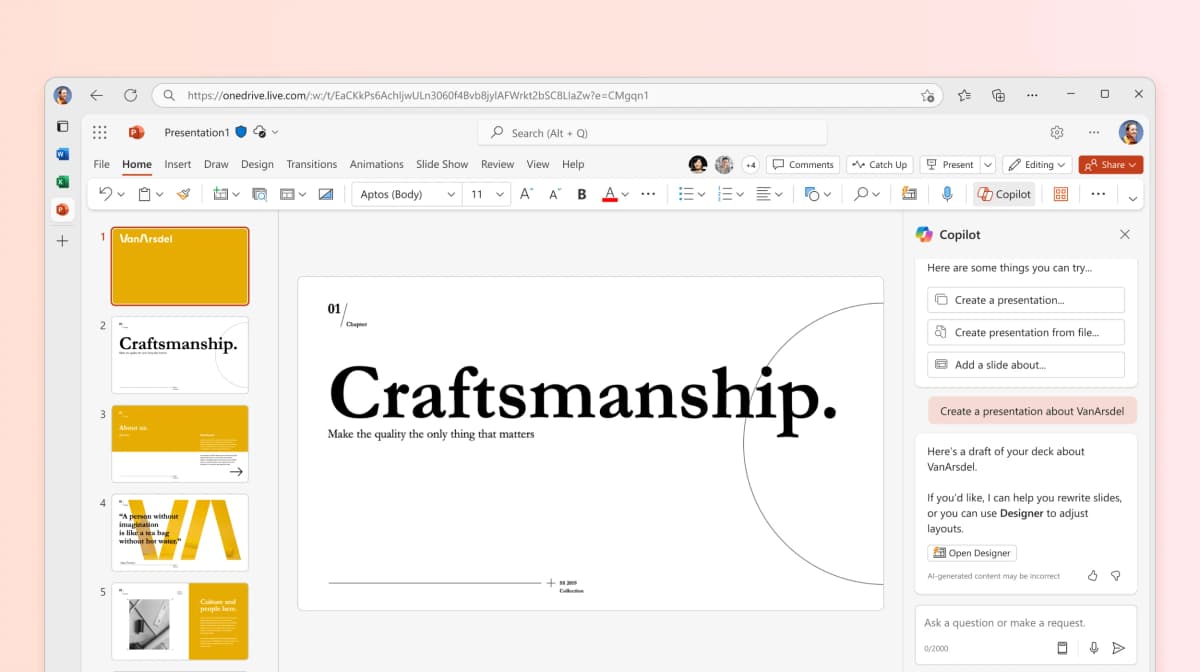
- General-purpose AI slide generation
- Create from Word documents and PDFs
- Speaker notes and summarization
- No consulting charts (waterfall, Mekko, Gantt)
- General-purpose output may need additional formatting
Deckary approach
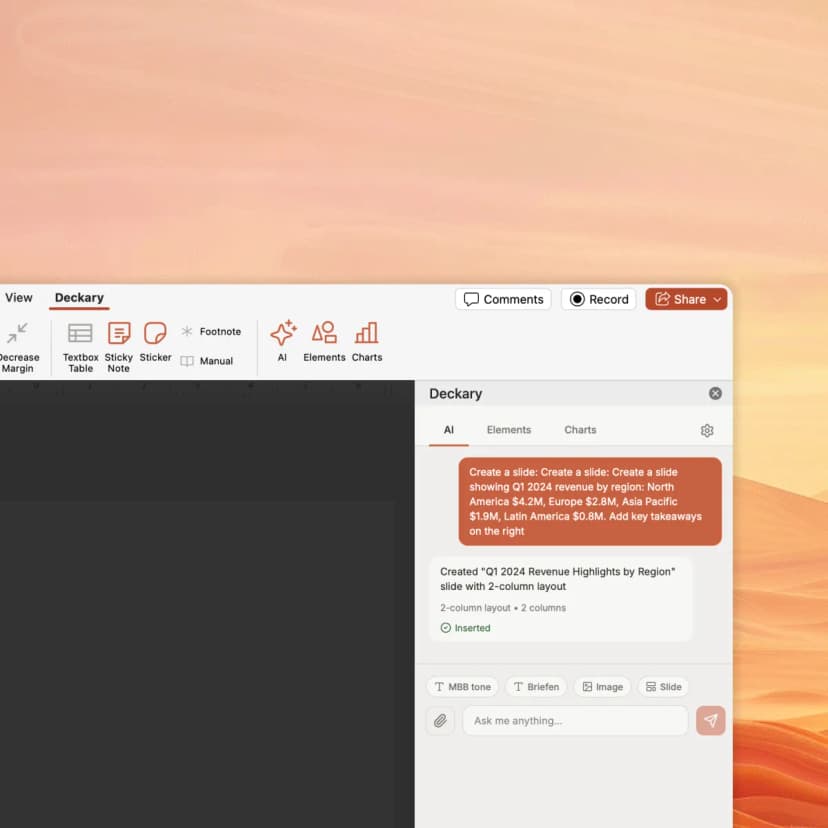
- Consulting-tuned AI slide generation
- Pyramid Principle structure built in
- Waterfall, Mekko, Gantt charts
- 1000+ icons, flags & visuals
- Keyboard shortcuts for formatting
How Deckary compares to Copilot
Both use AI—but Deckary works in PowerPoint with consulting-grade features
| Feature | Deckary | Copilot |
|---|---|---|
| Features | ||
| Works inside PowerPoint | ||
| Consulting-style slide structure | ||
| Consulting charts (waterfall, Mekko) | ||
| Gantt charts | ||
| AI-generated Excel-linked charts | ||
| AI text polish (consulting tone) | ||
| 1000+ icons, flags & visuals | Microsoft icons only | |
| Keyboard shortcuts | ||
| Create from Word/PDF | ||
| Speaker notes AI | ||
Feature comparison based on publicly available information as of July 2026. Verify current features at Copilot.
Why consultants choose Deckary over Copilot
Consulting-grade output at a fraction of the cost
The honest comparison
Microsoft Copilot for PowerPoint is a solid general-purpose AI assistant. Its native integration with PowerPoint and the broader Microsoft 365 ecosystem is an advantage no third-party tool can fully replicate. The ability to generate presentations from Word documents is genuinely useful for internal meetings.
Where Copilot wins: Native Microsoft integration. Document-to-deck conversion from Word and PDF. Speaker notes generation. Presentation summarization. Brand kit support via SharePoint. These features matter for organizations deeply embedded in the Microsoft ecosystem.
Where Deckary wins: Consulting-grade slide structure following the Pyramid Principle. Specialized charts (waterfall, Mekko, Gantt) with Excel linking. 1000+ professional icons. Keyboard shortcuts for alignment and distribution. Published self-serve pricing at $120-180/year.
The bottom line: If your company already pays for Microsoft 365 Copilot, it's a useful drafting tool for internal decks. But for consulting deliverables that need specialized charts, logical structure, and polished formatting, Deckary delivers better output at a fraction of the cost. Many consultants use both.
Choose Copilot if you:
- • Companies already paying for Microsoft 365 Copilot
- • Users who need first drafts from Word documents
- • Teams where speaker notes automation matters
- • Internal presentations where consulting-grade formatting is not required
Choose Deckary if you:
- • Consultants who need waterfall and Mekko charts
- • Teams requiring consulting-style slide structure
- • Budget-conscious users comparing all-in Microsoft 365 licensing costs
- • Users who iterate heavily on client deliverables
Pricing comparison
Transparent pricing vs Copilot's approach
| Deckary | Copilot | |
|---|---|---|
| Free tier | 14-day free trial | No |
| Starting price | $15/month or $120/year | $18-$21/mo |
| Premium tier | $19/month or $180/year | $30/user/mo |
| Enterprise | From $29/seat/month | $30/user/mo |
*Copilot: Requires eligible Microsoft 365 plan; pricing and promotions vary by plan
Pricing accurate as of July 2026. Competitor pricing may change — verify at copilot.microsoft.com.
Switching from Copilot
What transfers seamlessly
- Continue using PowerPoint as-is
- Keep Copilot for speaker notes and document-to-deck conversion
- Add Deckary for consulting charts and AI slides
What needs adjustment
- •Learn Deckary's AI Slide Builder interface
- •Set up chart templates and Excel linking
- •Adopt keyboard shortcuts for formatting
Our recommendation: You can use both tools together. Keep Copilot for document-to-deck drafts and speaker notes. Add Deckary for consulting charts, structured AI slides, and formatting shortcuts.
Consulting-grade AI slides for PowerPoint
Start Deckary's 14-day free trial. Get consulting-style slides with charts and icons—all inside PowerPoint.
Frequently Asked Questions
Common questions about Copilot vs Deckary
Related resources