Claude for PowerPoint Alternative for Consultants
Claude for PowerPoint brings Anthropic's general AI into the deck, but consulting slides need more than general AI. Deckary gives you MBB-style structure, charts, icons, and shortcuts with production-grade PowerPoint workflow.
TL;DR
Claude for PowerPoint excels at general-purpose AI reasoning and multi-step workflows beyond presentations but no consulting charts, no dedicated production shortcuts, and generated slides need formatting adjustment for consulting use. Deckary offers purpose-built for consulting slides in PowerPoint with charts, icons, shortcuts, and MBB structure—stable and unlimited at $180/yr. Choose Claude for PowerPoint if you need a general AI assistant and only make occasional presentations. Choose Deckary if you build consulting-grade PowerPoint decks daily and need charts, icons, and shortcuts.
10 free AI prompts. No credit card required.
Our users work at companies like
Deckary helps consulting & industry firms to build better presentations








General AI vs purpose-built slide editor
Claude is a general-purpose AI that can make slides. Deckary is an AI slide editor built for PowerPoint.
Claude for PowerPoint approach
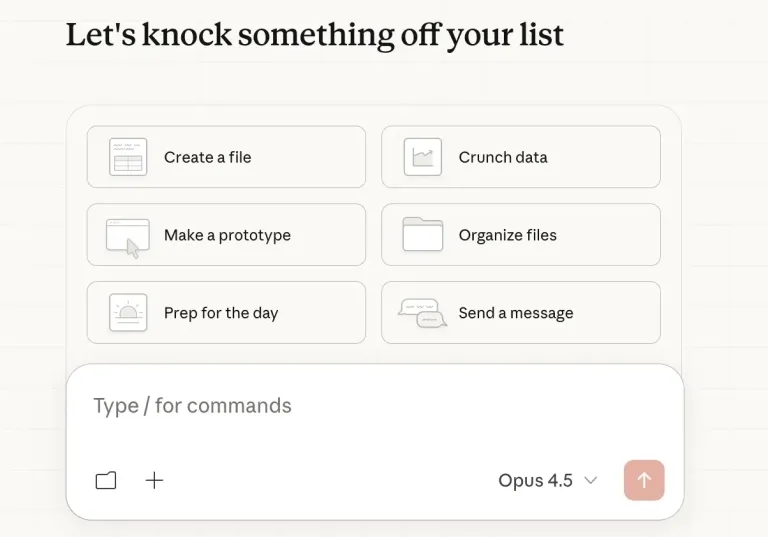
- General-purpose AI agent
- Generates PPTX files from chat or folder
- PowerPoint add-in for eligible paid Claude plans
- No consulting charts or icons
- Token usage burns fast on slide tasks
Deckary approach
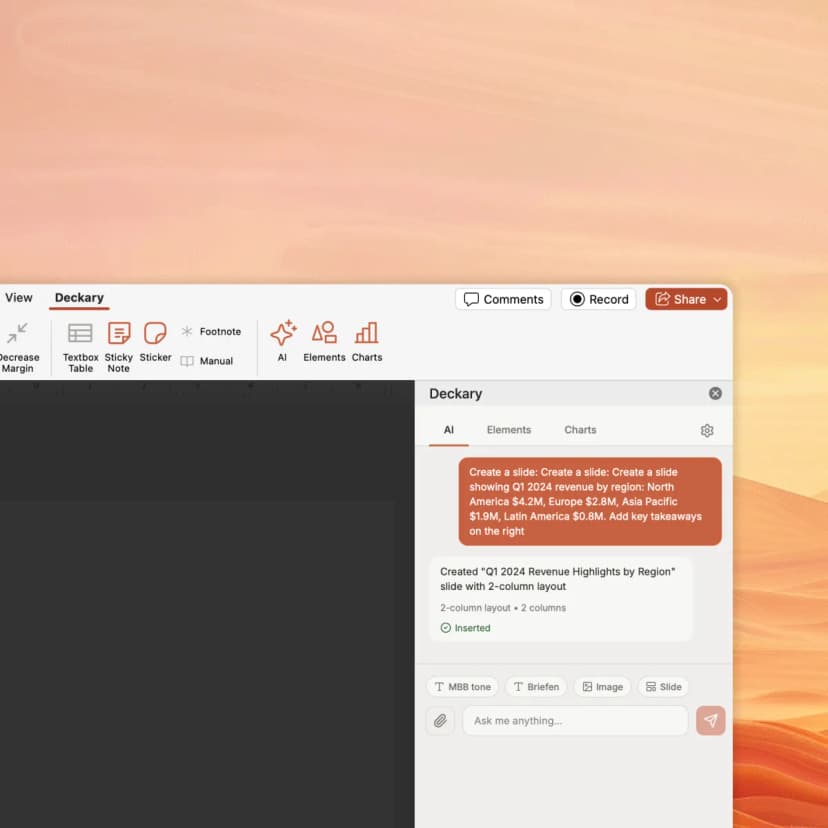
- Purpose-built for consulting slides
- Works inside PowerPoint on all plans
- Waterfall, Mekko, Gantt charts with Excel linking
- 1000+ icons, flags & visuals
- Keyboard shortcuts for daily PowerPoint work
How Deckary compares to Claude for PowerPoint
Both work inside PowerPoint—but Deckary is purpose-built for consulting deliverables
| Feature | Deckary | Claude for PowerPoint |
|---|---|---|
| PowerPoint Features | ||
| Works inside PowerPoint | Yes | Yes |
| Consulting-style slide structure | Yes | Generic structure |
| Consulting charts (waterfall, Mekko, Gantt) | Yes | No |
| Excel-linked charts | Yes | No |
| 1000+ icons, flags & visuals | Yes | No |
| Keyboard shortcuts | Yes | No |
| AI text polish (consulting tone) | Yes | General rewrite |
| AI & Workflow | ||
| AI slide generation | Yes | Yes |
| General-purpose AI reasoning | No | Yes |
| Multi-step agentic workflows | No | Yes |
| Predictable usage limits | Unlimited slides | Token-based rolling limits |
| Pricing | ||
| Starting price | $120/yr | $240/yr |
| AI features included | $180/yr | $20+/mo (add-in included) |
| Free trial | 14-day free trial | No free tier |
Feature comparison based on publicly available information as of July 2026. Verify current features at Claude for PowerPoint.
Why consultants choose Deckary over Claude
Claude is a brilliant AI—but consulting slides need purpose-built tools, not general intelligence
The honest comparison
Claude is one of the most capable AI systems available. Its reasoning, writing, and multi-step capabilities are genuinely impressive. Claude for PowerPoint can bring that general intelligence into the deck and read PowerPoint context to create or edit slides.
Where Claude wins: General-purpose AI reasoning. Multi-step agentic workflows beyond slides. Strong writing and analysis. The PowerPoint add-in reads existing templates and matches brand guidelines. Available on Pro at $20/month—a low entry point if you already use Claude. Broad enterprise plugin ecosystem for legal, finance, and sales tasks.
Where Deckary wins: Purpose-built for consulting slides in PowerPoint. MBB-style structure following the Pyramid Principle. Consulting charts (waterfall, Mekko, Gantt) with Excel linking. 1000+ professional icons and flags. Keyboard shortcuts for alignment and distribution. A repeatable production workflow for client-ready decks. $180/year with unlimited slide generation vs Claude's token-based rolling limits.
The bottom line: Claude's PowerPoint add-in is now accessible on all paid plans, making it a viable option for occasional slide creation alongside its broader AI capabilities. But if you build consulting-grade PowerPoint decks daily—and need charts, structure, icons, shortcuts, and predictable unlimited usage—Deckary is purpose-built for that workflow.
- Users who already pay for Claude and want occasional slides
- Teams needing a general-purpose AI that can also make presentations
- Users who want AI to read and match existing slide masters
- Teams on any paid Claude plan (Pro, Max, Team, Enterprise)
- Consultants who need MBB-grade slide structure daily
- Teams needing waterfall, Mekko, or Gantt charts
- Users who want a dedicated, affordable AI slide editor for PowerPoint
- Anyone who needs predictable usage without rapid token burn
Pricing comparison
Transparent pricing vs Claude for PowerPoint's approach
| Plan | Deckary | Claude for PowerPoint |
|---|---|---|
| Free tier | 14-day free trial | No |
| Starting price | $15/month or $120/year | $20/mo |
| Premium tier | $19/month or $180/year | Custom |
| Enterprise | From $29/seat/month | Custom |
*Claude for PowerPoint: Pro $20/mo, Max $100-200/mo. PowerPoint add-in available on all paid plans.
Pricing accurate as of July 2026. Competitor pricing may change — verify at claude.ai.
Switching from Claude for PowerPoint
- Keep using Claude for general AI tasks
- Use Deckary for consulting-specific slides
- Both work in PowerPoint—no conflict
- Learn Deckary's consulting-tuned AI prompts
- New keyboard shortcuts for alignment and distribution
- Different chart creation workflow
Our recommendation
Use Deckary for consulting slides, charts, and daily PowerPoint work. Keep Claude for general reasoning and research tasks.
Ready for purpose-built consulting slides?
Start Deckary's 14-day free trial. Get MBB-style slides with charts, icons, and shortcuts—all inside PowerPoint starting at $180/yr.
Also compare
- Office TimelineGantt charts & timelines
- Mekko GraphicsMarimekko & waterfall charts
- MacabacusFinance & banking add-in
- Plus AIAI slide generation
- Beautiful.aiAI presentations
- GammaWeb-based AI slides
- SlidesgoTemplate library
- UpSlideProductivity add-in
- TwistlyAI PowerPoint add-in
- SlidesAIGoogle Slides AI tool
- GenPPTAI presentation generator
- GensparkAI workspace & slides
- CopilotMicrosoft AI for PowerPoint
- ChatGPT for PowerPointOpenAI PowerPoint add-in
- Grok for PowerPointxAI PowerPoint add-in
- PPT ProductivityShortcuts & formatting
- CanvaDesign platform AI slides
Frequently asked questions
Common questions about Claude for PowerPoint vs Deckary
Related resources