Grok for PowerPoint Alternative for Consultants
Grok brings xAI research and drafting into PowerPoint. Deckary is built for consulting deliverables: structured AI slides, native charts, icons, shortcuts, and repeatable .pptx production.
TL;DR: Grok for PowerPoint excels at real-time research, X/web context, and conversational PowerPoint drafting for eligible Grok subscribers but newer add-in with plan-based limits and no specialist consulting chart, icon, or shortcut workflow. Deckary offers purpose-built PowerPoint production for consultants with MBB-style slides, native charts, icons, and shortcuts. Choose Grok for PowerPoint if you already pay for Grok and need research-heavy first drafts inside PowerPoint. Choose Deckary if you need client-ready consulting decks, repeatable charting, and fast PowerPoint editing.
10 free AI prompts. No credit card required.
Our users work at companies like
Deckary helps consulting & industry firms to build better presentations








Research assistant vs consulting slide system
Grok is compelling when current information matters. Deckary is built for the repeatable PowerPoint craft after the research is approved.
Grok for PowerPoint is built for...
- Conversational AI assistant with web and X context
- Generates, expands, and summarizes PowerPoint decks
- Useful for research-heavy current topics
- Eligible Grok plan required
- No dedicated consulting chart or shortcut workflow
Deckary is built for...
- Purpose-built PowerPoint add-in for consultants
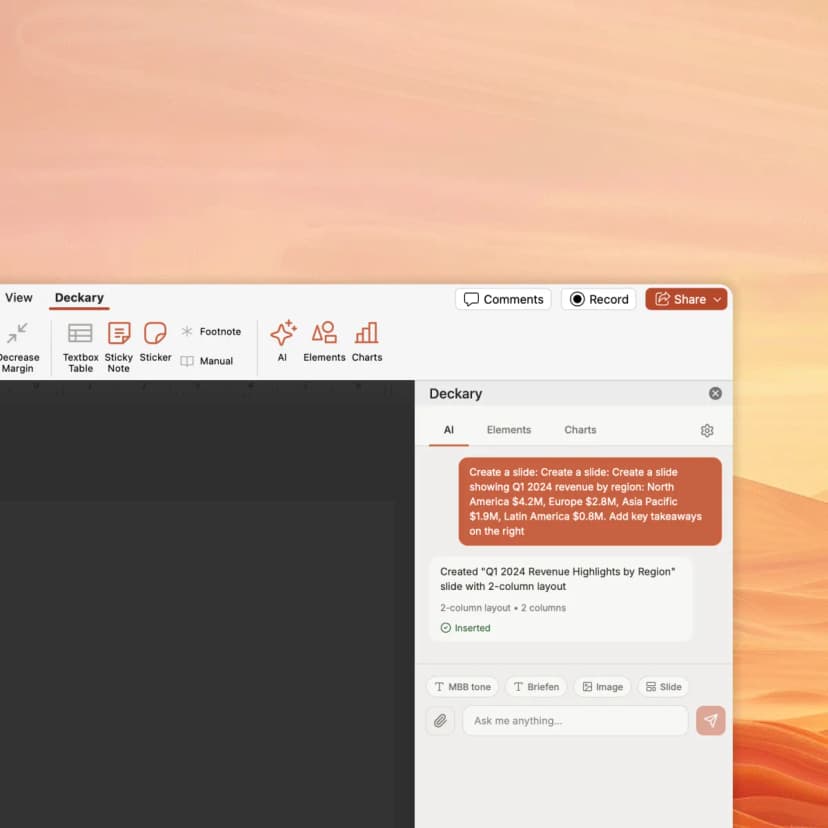
- Structured AI slide builder
- Waterfall, Mekko, Gantt, and Excel-linked charts
- Icons, flags, and shortcuts included
- Designed for client-ready .pptx production
How Deckary compares to Grok for PowerPoint
Grok is strongest for research-aware drafting. Deckary is stronger for consulting-grade PowerPoint production.
| Feature | Deckary | Grok for PowerPoint |
|---|---|---|
| PowerPoint Features | ||
| Works inside PowerPoint | ||
| AI slide generation | ||
| Theme-aware slide expansion | ||
| Consulting-style slide structure | Prompt-dependent | |
| Consulting charts (waterfall, Mekko, Gantt) | ||
| Excel-linked charts | ||
| 1000+ icons, flags & visuals | ||
| Keyboard shortcuts | ||
| AI & Workflow | ||
| Current web/X research | ||
| General-purpose AI assistant | Slide-focused | |
| Heavy deck iteration | Flat annual plan | Usage limits apply |
| Built for consulting deliverables | ||
| Pricing | ||
| Add-in install | Free trial | Free add-in install |
| AI access | $180/yr | Eligible Grok plan |
| Specialist PowerPoint tools included | ||
Feature comparison based on publicly available information as of July 2026. Verify current features at Grok for PowerPoint.
Why consultants choose Deckary over Grok for PowerPoint
Grok can draft with current information. Deckary helps you turn PowerPoint work into client-ready consulting output.
The honest comparison
Grok for PowerPoint is one of the newest entrants in the Office AI add-in market. xAI positions it around drafting full decks, expanding existing presentations, tightening narratives, and bringing current web and X context into Office work.
Where Grok wins: Current research context. Fast first drafts from prompts and outlines. A conversational workflow that can summarize, expand, and refine a deck. It is especially relevant for teams already subscribed to Grok or working on topics where recent information matters.
Where Deckary wins: PowerPoint production for consultants. Deckary includes MBB-style slide structure, waterfall/Mekko/Gantt charts, Excel-linked chart workflows, icons, flags, and shortcuts. Those are production features, not just AI drafting features.
The bottom line: Grok is worth watching and can be useful for research-aware slide drafts. Deckary is the better fit when your work is recurring consulting deck production and the final deliverable must be a polished, editable PowerPoint file.
Choose Grok for PowerPoint if you:
- • Grok subscribers who want AI drafting inside PowerPoint
- • Teams making current-events or market-research-heavy decks
- • Users who want a conversational assistant across PowerPoint, Word, and Excel
- • General business users who need fast first drafts and deck summaries
Choose Deckary if you:
- • Consultants who need proven, repeatable client-ready slide production
- • Teams needing native waterfall, Mekko, Gantt, and Excel-linked charts
- • Users who need predictable usage for heavy deck iteration
- • PowerPoint power users who rely on shortcuts, icons, and structured slide systems
Pricing comparison
Transparent pricing vs Grok for PowerPoint's approach
| Deckary | Grok for PowerPoint | |
|---|---|---|
| Free tier | 14-day free trial | No |
| Starting price | $15/month or $120/year | Included with eligible Grok plans |
| Premium tier | $19/month or $180/year | Business and Enterprise |
| Enterprise | From $29/seat/month | Business and Enterprise |
*Grok for PowerPoint: xAI describes the Microsoft 365 add-in install as free. Microsoft Marketplace lists PowerPoint access for SuperGrok, Heavy, Business, and Enterprise plans, with usage limits applying.
Pricing accurate as of July 2026. Competitor pricing may change — verify at x.ai/grok/powerpoint.
Switching from Grok for PowerPoint
What transfers seamlessly
- Keep Grok for research-heavy prompts and current-topic summaries
- Use Deckary for consulting-grade slide building and charting
- Both can be used inside PowerPoint without changing file formats
What needs adjustment
- •Use Deckary for charts, icons, and repeatable slide structures
- •Use Grok primarily for research assistance if your team already subscribes
- •Move final PowerPoint formatting into Deckary shortcuts and chart tools
Our recommendation: Use Grok when real-time research and broad AI assistance matter. Use Deckary when the deck needs consulting-specific structure, visuals, charting, and predictable production quality.
Turn approved ideas into client-ready slides
Start Deckary's 14-day free trial. Build consulting slides, charts, icons, and shortcuts inside PowerPoint.
Frequently Asked Questions
Common questions about Grok for PowerPoint vs Deckary