AI PowerPoint Tools Compared 2026: ChatGPT, Claude, Grok, Copilot, and Add-ins
Complete comparison of AI PowerPoint tools in 2026. Compare ChatGPT for PowerPoint, Claude, Grok, Copilot, Deckary, Plus AI, Gamma, Canva, and standalone builders.
Most comparisons of AI PowerPoint tools treat everything as interchangeable. Gamma, Deckary, ChatGPT, and Copilot end up in the same ranked list as if they compete for the same job. They don't.
After testing 15+ AI tools across more than 200 slide tasks, with specific attention to PowerPoint workflow integration and output quality, the clearest finding is that category matters more than feature count. Choosing the wrong category - say, a standalone web builder when you need an add-in - costs you 30-60 minutes of export cleanup every time.
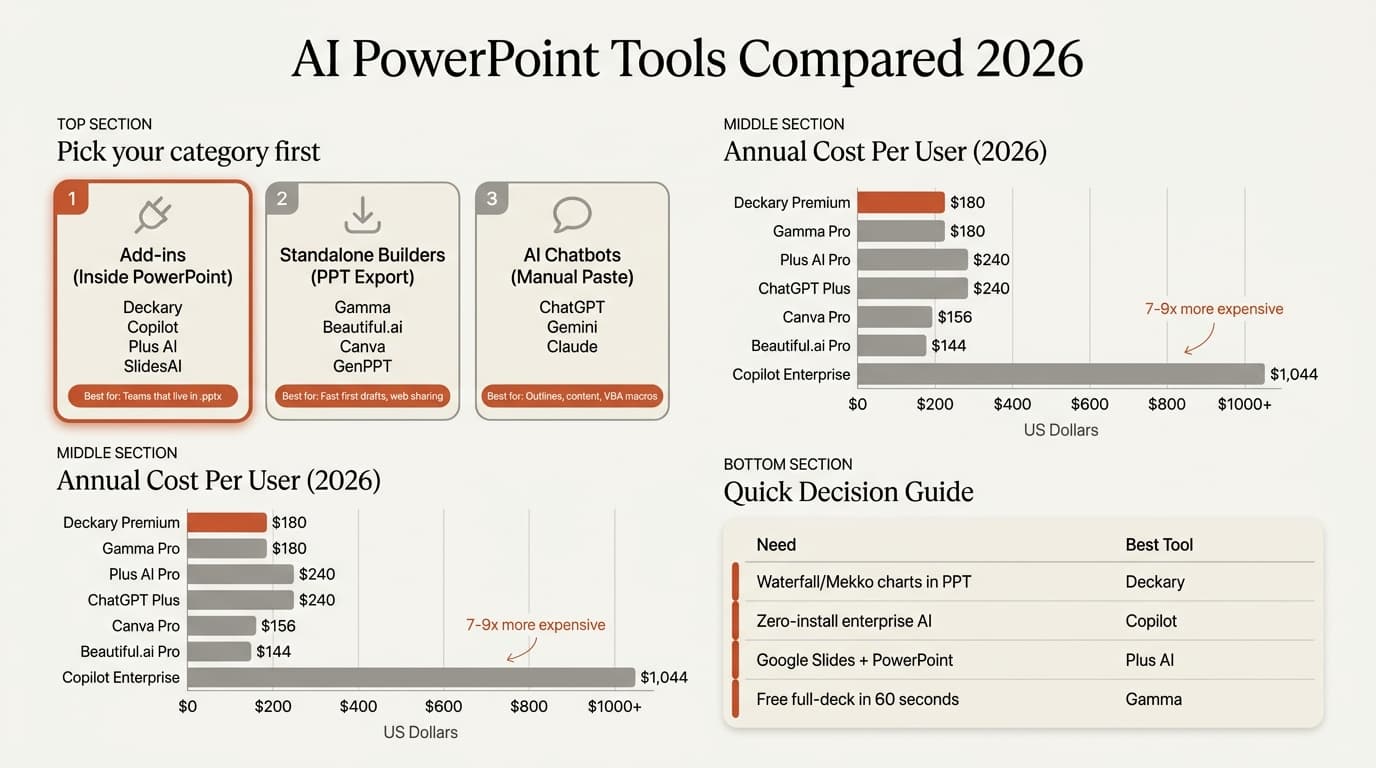
Here's what's actually competing in 2026, before we go deeper:
| Category | Tools | Best For |
|---|---|---|
| Inside PowerPoint add-ins | Deckary, ChatGPT for PowerPoint, Claude for PowerPoint, Grok for PowerPoint, Copilot, Plus AI, SlidesAI | Teams that live in .pptx |
| Standalone with PPT export | Gamma, Beautiful.ai, Canva, GenPPT, Prezi | Fast first drafts, web sharing |
| AI chatbots (manual workflow) | ChatGPT browser, Claude browser, Gemini | Outlines, content drafts, VBA macros |
If you need consulting-grade slides with waterfall charts and MECE structure inside PowerPoint, Deckary is the strongest option. If you need a general AI assistant inside PowerPoint, test ChatGPT, Claude, Grok, or Copilot based on your existing subscription. If you need a shareable web deck in 60 seconds with a free plan, Gamma is the right start.
Category 1: AI Add-ins That Work Inside PowerPoint
These tools run as task panes or ribbon commands directly in PowerPoint. No export step, no layout shifts, no reformatting. The slide lands in your .pptx file and stays there.
Deckary
Deckary is the inside-PowerPoint AI add-in built specifically for consulting and strategy workflows. The AI Slide Builder generates MBB-style slides (action title, MECE columns, auto-suggested charts) from a plain-text description in under 30 seconds. It's the only inside-PowerPoint tool that produces waterfall charts, Mekko charts, and Gantt charts natively.
- What it does well: Consulting-grade chart output (waterfall, Mekko, Gantt), framework slides, 2,000+ icon library, keyboard shortcuts for alignment, Excel-linked charts. Works on Mac and Windows.
- What it doesn't do: Document-to-slides from Word files, real-time collaboration.
- Pricing: $15/mo or $120/yr (Starter), $19/mo or $180/yr (Premium — required for AI Slide Builder)
- Best for: Consultants, strategy teams, investment banking analysts who need professional output without switching apps
Microsoft Copilot
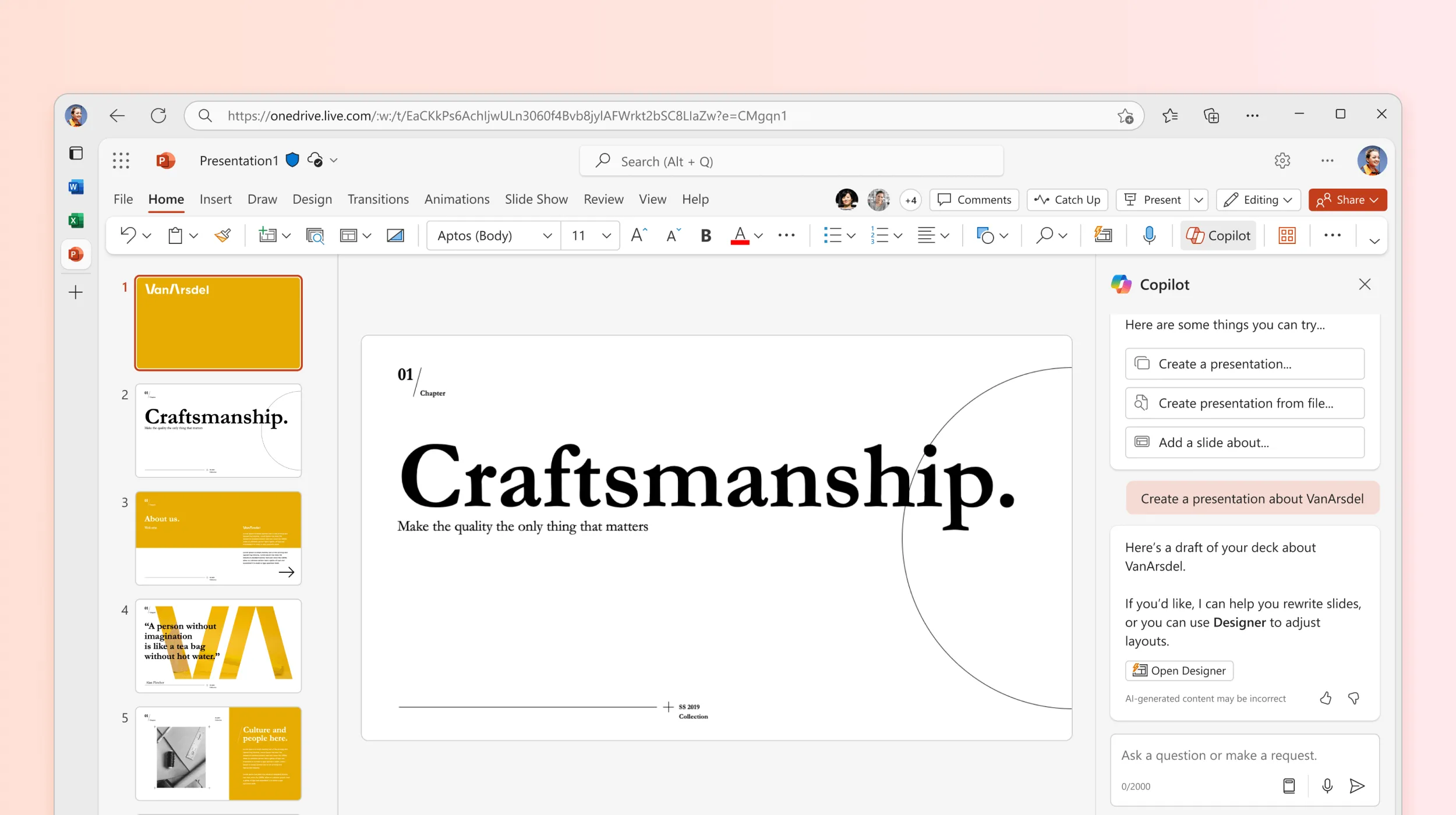
Copilot is the lowest-friction option for organizations already on M365 — it's built into the ribbon with no separate install. It handles document-to-slides (upload a Word doc, get a draft deck), generates speaker notes, and can create basic charts. Agent Mode (launched November 2025) lets it run multi-step tasks autonomously.
Where Copilot falls short: the output is generic. A slide generated from a financial model prompt returns a standard bar chart, not a waterfall. Consulting teams typically spend 15-30 minutes reformatting Copilot output to match firm standards.
The cost structure also deserves attention. Microsoft lists Copilot Business around the low-$20s per user per month before any active promotion, and enterprise seats may require an eligible Microsoft 365 plan on top. For teams, verify the full stack cost before comparing it with specialist PowerPoint add-ins.
- What it does well: Zero-install, deep M365 integration, document-to-slides, speaker notes, Agent Mode
- What it doesn't do: Specialized charts, consulting frameworks, icon library
- Pricing: $21/user/month + M365 ($792-$1,044/yr all-in for enterprise)
- Best for: Large enterprises standardized on M365, basic automation needs
ChatGPT for PowerPoint
ChatGPT for PowerPoint is OpenAI's official PowerPoint add-in. It can create, update, and polish editable slides from prompts, notes, documents, spreadsheets, or an existing deck. This removes the old copy-paste limitation for many ChatGPT PowerPoint workflows.
- What it does well: Broad AI reasoning, first drafts, rewriting, summarization, editable PowerPoint output
- What it doesn't do: Dedicated consulting charts, icon library, PowerPoint shortcut workflow
- Pricing: Available across ChatGPT plans with plan-based limits and agentic task usage
- Best for: Teams that already use ChatGPT and want general AI inside PowerPoint
Claude for PowerPoint
Claude for PowerPoint brings Anthropic's assistant into PowerPoint for paid Claude users. It is strongest for long-context deck restructuring, rewriting, and turning long documents into presentation logic.
- What it does well: Long-context reasoning, rewriting, restructuring, existing deck review
- What it doesn't do: Waterfall, Mekko, Gantt, or dedicated consulting production shortcuts
- Pricing: Included with eligible paid Claude plans
- Best for: Teams already using Claude for research, writing, and analysis
Grok for PowerPoint
Grok for PowerPoint is xAI's PowerPoint add-in. Its strongest angle is current web and X context for research-heavy presentations, plus deck generation, expansion, summaries, and speaker notes.
- What it does well: Current-topic research, fast first drafts, deck expansion, summaries
- What it doesn't do: Specialist consulting charts, icons, or shortcut workflows
- Pricing: Add-in install is free; Microsoft Marketplace lists eligible Grok plans with usage limits
- Best for: Current market updates, news-driven decks, and Grok subscribers
Plus AI
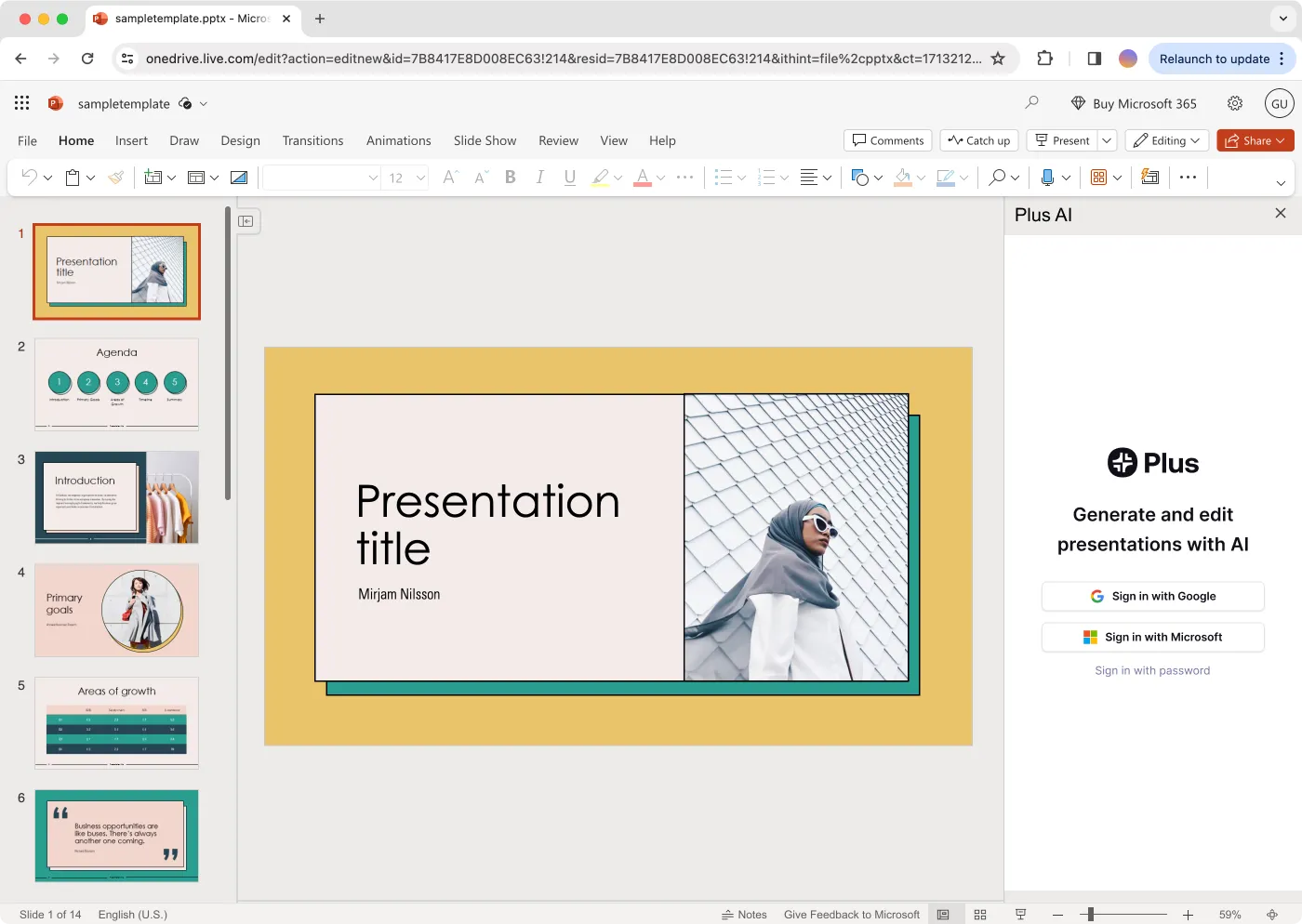
Plus AI works in both PowerPoint and Google Slides — the only inside-PowerPoint AI tool with cross-platform parity. This makes it the strongest option for teams split across Google Workspace and Microsoft 365. It is SOC 2 Type II certified, which matters for teams handling client data.
- What it does well: Cross-platform (PPT + Google Slides), template customization, SOC 2
- What it doesn't do: Consulting charts (waterfall, Mekko), Mac keyboard shortcuts
- Pricing: $10/mo ($120/yr) Basic; $20/mo ($240/yr) Pro
- Best for: Teams split across Google Slides and PowerPoint, organizations with compliance requirements
SlidesAI
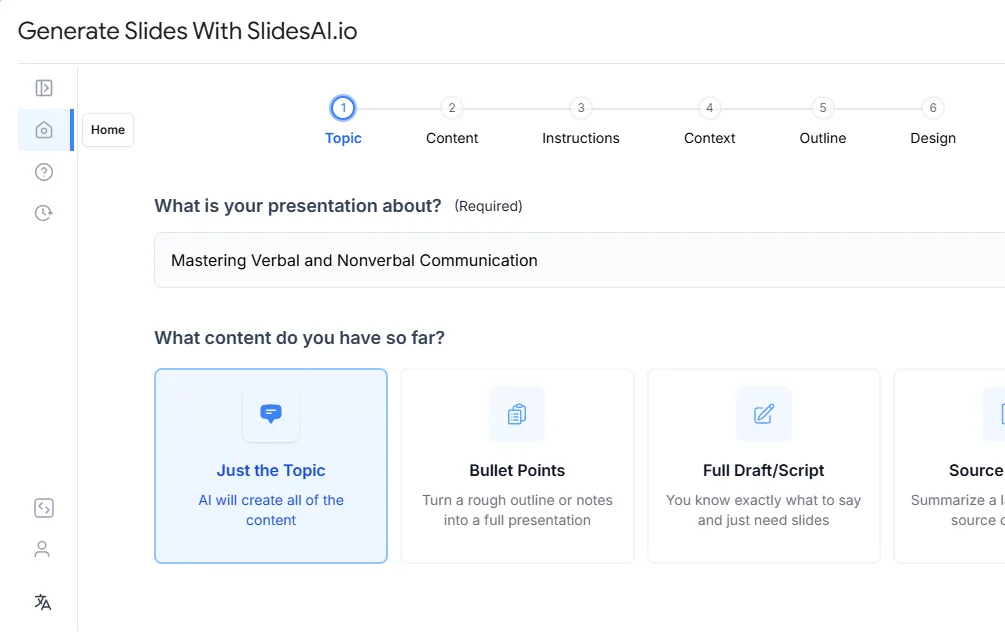
SlidesAI started as a Google Slides add-on and has over 14 million downloads on the Google Workspace Marketplace. PowerPoint support exists but the experience lags the Google Slides version. Free tier (1 presentation/month) makes it worth testing before committing.
- Pricing: Free (1 presentation/month); $10/mo ($100/yr) Pro; $20/mo ($200/yr) Premium
- Best for: Google Workspace users who occasionally need PPT output
Continue reading: Harvey Balls in PowerPoint · How to Align Objects in PowerPoint · Best AI Presentation Maker for Consultants
Create an editable presentation in your browser
Turn a prompt or source files into slides you can edit and export to PowerPoint. 14-day free trial. No credit card required.
Category 2: Standalone AI Builders with PPT Export
These tools generate decks in a web browser and let you download a .pptx file. The generation speed and visual quality at first draft are often better than add-ins — but the export introduces friction. Font substitutions, broken layouts, and non-editable elements are common.
Gamma
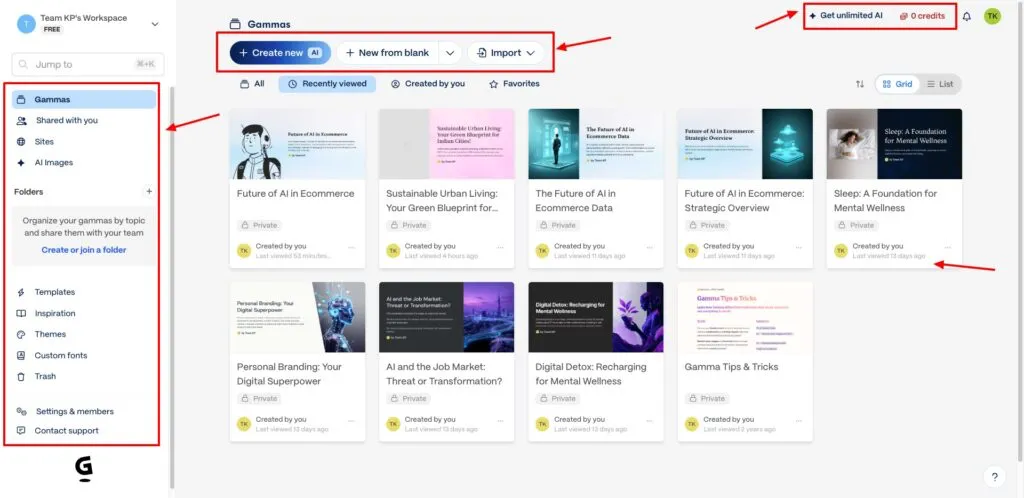
Gamma is the fastest path from prompt to shareable deck. A 10-slide presentation generates in under 60 seconds, visual quality is high, and the web-native format looks great on a browser link. Free tier includes 400 AI credits.
The tradeoff: the .pptx export degrades. In testing across 30 export sessions, font substitutions appeared in every deck, and some layouts shifted. Gamma works best when the deliverable is a web link, not a PowerPoint file.
- Pricing: Free (400 credits); $8/mo ($96/yr) Plus; $19/mo ($180/yr) Pro
- Best for: Founders and marketers who share decks as web links, not .pptx
Beautiful.ai
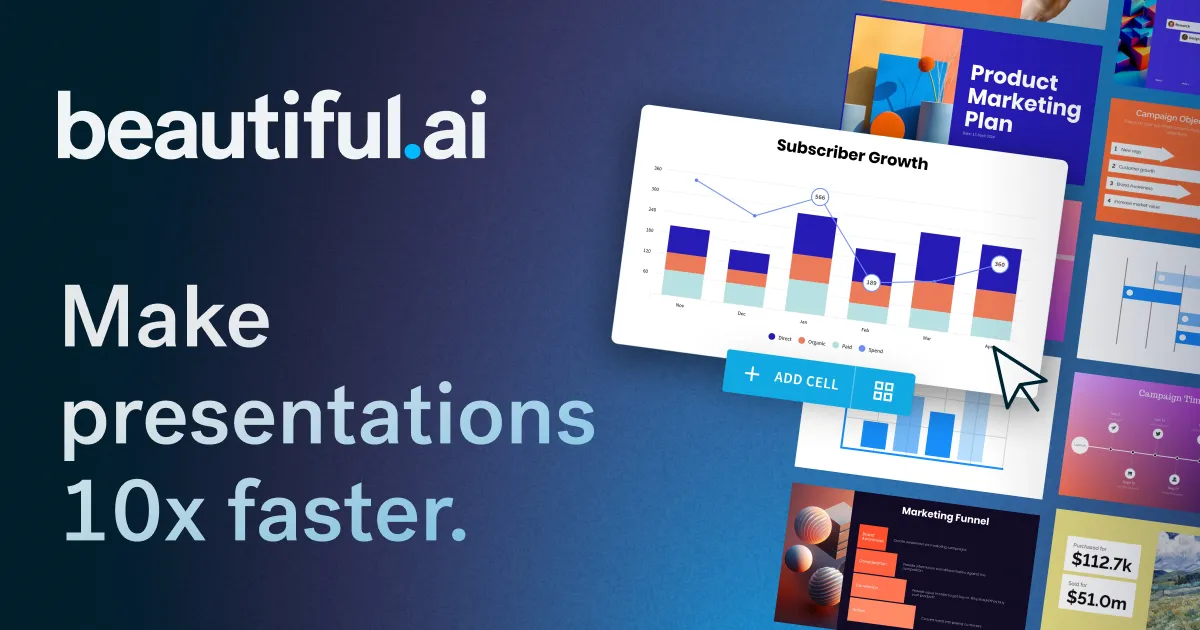
Beautiful.ai uses smart layout automation — the "smart slides" system adjusts content placement as you add text. Enterprise-oriented, SOC 2 compliant, with SSO. Strong design output. The constraint is that "smart" control reduces precise manual adjustments.
- Pricing: $12/mo ($144/yr) Pro individual; $40/user/month ($480/yr) Team
- Best for: Marketing and design teams that prioritize consistent visual quality over technical chart output
Canva (Magic Design)
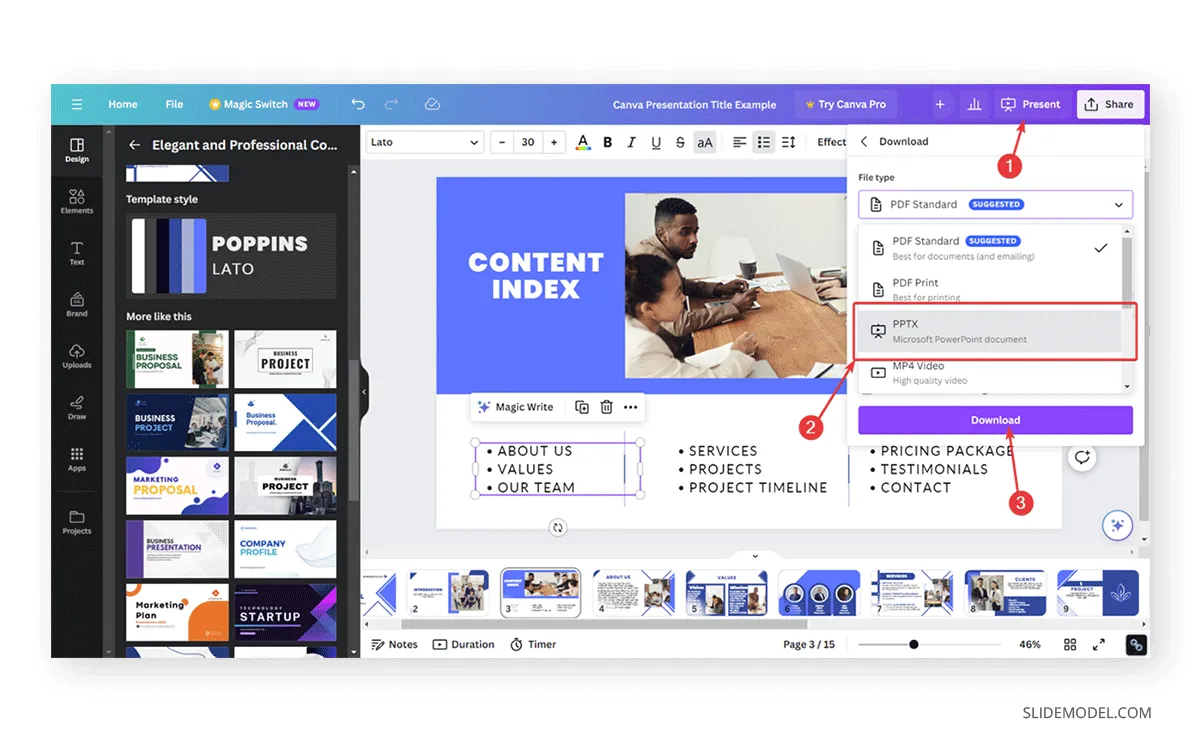
Canva's Magic Design AI generates presentations from a prompt and applies brand kit assets. The asset library is the largest of any tool in this comparison. Like Gamma, the .pptx export quality is unreliable for complex layouts.
- Pricing: Free; $19/mo ($120/yr) Pro
- Best for: Marketing-heavy decks with brand assets; teams already using Canva for other design work
GenPPT
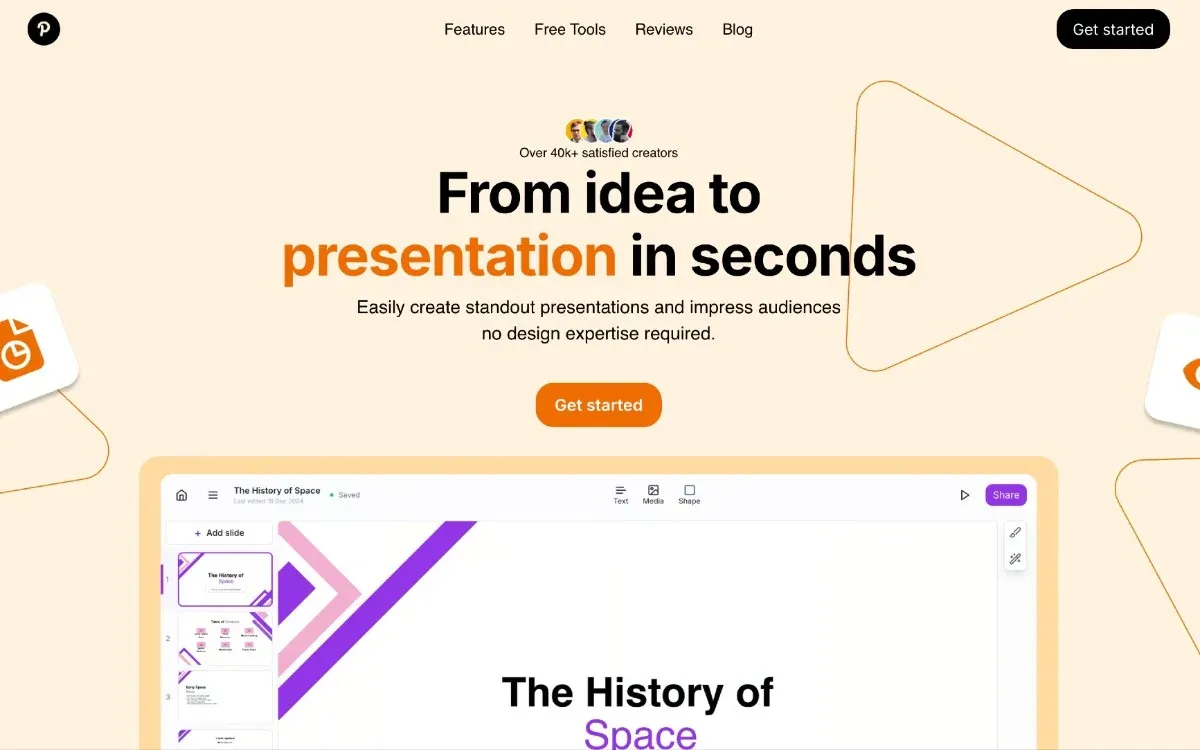
GenPPT generates a full deck in under 60 seconds using Gemini 2.5 Pro and Claude Sonnet for research integration. It's the fastest full-deck option if you only need a rough first draft — slide count runs high and manual editing options are limited (no drag-and-drop, only 15 templates). $19/mo or $99/yr.
- Best for: Rough first drafts where you'll heavily edit in PowerPoint afterward
Prezi
Prezi's non-linear zooming canvas differentiates it from every other tool here. AI generation is included. PPTX export is available but zoom effects flatten to static slides — you lose the format's core value. Niche use case; not typical for business presentations.
- Pricing: Free (500 AI credits/mo); $7/mo Standard; $50/mo Teams
Category 3: AI Chatbots for Manual Slide Content
Browser-based ChatGPT, Claude, and Gemini still help with the content that goes into slides. Practical applications: outline drafting, bullet point writing, speaker notes, rewriting action titles, and VBA macro generation for automating PowerPoint formatting tasks.
The distinction is now important: ChatGPT, Claude, and Grok have PowerPoint add-ins, but their browser versions remain useful for free-form thinking before you open a deck.
The workflow: Use a chatbot to draft an outline or rewrite a title, then paste it into your deck or your inside-PowerPoint add-in. Teams using Deckary often use Claude or ChatGPT to refine the prompt before running the AI Slide Builder.
AI PowerPoint Tools Compared: 2026 Pricing Breakdown
| Tool | Category | Free Tier | Annual Cost | Mac Support |
|---|---|---|---|---|
| Deckary | Add-in | No | $120-$180/yr | Yes |
| Microsoft Copilot | Add-in | No | $216-$360+/yr plus M365 plan | Yes (M365) |
| ChatGPT for PowerPoint | Add-in | Limited | Plan and credits vary | Yes |
| Claude for PowerPoint | Add-in | No | Included with eligible paid Claude plans | Yes |
| Grok for PowerPoint | Add-in | No | Included with eligible Grok plans | Yes |
| Plus AI | Add-in | No | $120-$240/yr | Yes |
| SlidesAI | Add-in | Yes (1 deck/mo) | $100-$200/yr | Yes (web) |
| Gamma | Standalone | Yes (400 credits) | $96-$180/yr | Yes (web) |
| Beautiful.ai | Standalone | No (14-day trial) | $144-$480/yr | Yes (web) |
| Canva | Standalone | Yes | $120/yr | Yes (web) |
| GenPPT | Standalone | No | $99/yr | Yes (web) |
| ChatGPT browser | Chatbot | Yes (limited) | $240/yr for Plus | Yes |
| Claude browser | Chatbot | Yes (limited) | $240/yr for Pro | Yes |
| Gemini | Chatbot | Yes | Free-$240/yr | Yes |
Note on pricing: Microsoft, OpenAI, Anthropic, and xAI change Office AI access quickly. We verified public pricing and availability signals on July 9, 2026, but always confirm plan eligibility before buying for a team.
Which AI PowerPoint Tool Should You Choose?
The right choice depends on two factors: where your deliverable lives and what type of slide you're building.
| If you need... | Use |
|---|---|
| Consulting charts (waterfall, Mekko) inside PowerPoint | Deckary |
| Zero-install AI for an enterprise M365 org | Copilot |
| General AI assistant inside PowerPoint | ChatGPT for PowerPoint |
| Long-context deck restructuring | Claude for PowerPoint |
| Current-topic research deck | Grok for PowerPoint |
| Same tool for Google Slides and PowerPoint | Plus AI |
| A free full-deck draft in 60 seconds | Gamma |
| An AI tool for a Mac-based consulting team | Deckary |
| Slide content drafts before opening PowerPoint | ChatGPT, Claude, Gemini |
| Marketing decks with brand assets | Canva or Beautiful.ai |
| Cross-platform team with compliance requirements | Plus AI |
The short version: If your deliverable is a .pptx file that gets reviewed at a consulting firm, investment bank, or corporate strategy team, an inside-PowerPoint add-in is the right category. Among those, Deckary offers the most specialized output for professional workflows. If your deliverable is a web link or internal slide deck where formatting standards are loose, Gamma's free tier is the fastest path to a shareable first draft.
For a detailed breakdown of tools that work exclusively inside PowerPoint, see our AI slide builder inside PowerPoint comparison. For a 12-tool test focused on presentation export quality, see Best AI Presentation Makers 2026.
Related Guides
- AI Slide Builder Inside PowerPoint: 7 Tools Tested — Deep comparison of inside-PowerPoint AI tools only
- ChatGPT for PowerPoint: Official Add-in, Pricing, Limits, and Alternatives — OpenAI's PowerPoint add-in explained
- Grok for PowerPoint: Features, Pricing, and Alternatives — xAI's PowerPoint add-in explained
- ChatGPT vs Claude vs Grok vs Copilot for PowerPoint — Head-to-head AI assistant comparison
- AI Add-ins vs Copilot: Which Wins in 2026? — Head-to-head cost and output analysis
- Free AI PowerPoint generators — Compare ongoing free plans, export restrictions, and limited trials
- Best AI Presentation Makers 2026 — 12 tools tested on full-deck generation
Create an editable presentation in your browser
Turn a prompt or source files into slides you can edit and export to PowerPoint. 14-day free trial. No credit card required.