AI PowerPoint Presentation Maker: 6 Tools Tested on a Full Strategy Deck
AI PowerPoint presentation makers compared on a real 10-slide strategy deck: generation speed, chart quality, PPT editability, and brand compliance.
The test case that exposes AI presentation makers fastest: a 10-slide strategy deck with a market sizing slide, competitive positioning, waterfall chart, and a clear recommendations structure. Most tools collapse somewhere in that list.
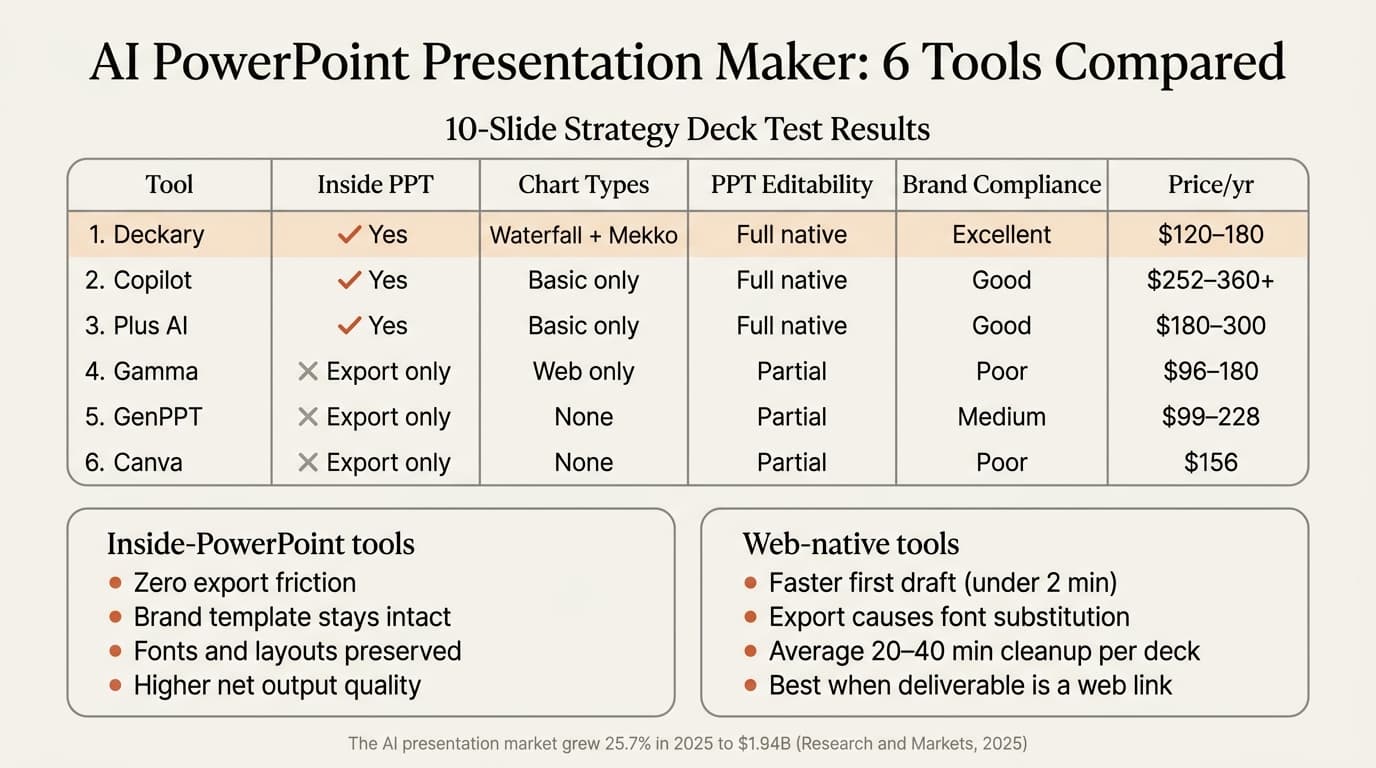
After running each of the six leading AI PowerPoint presentation makers through this exact brief, here's what distinguishes them — and where "AI PowerPoint presentation maker" means something very different depending on whether the tool actually works inside PowerPoint.
| Tool | Works Inside PPT | Chart Support | Generation Time | Price/yr |
|---|---|---|---|---|
| Deckary | Yes | Waterfall, Mekko, bar | 15–20 min (10 slides) | $120–149 |
| Microsoft Copilot | Yes | Basic charts only | 5–7 min | $252–360+ |
| Plus AI | Yes | Basic charts | 4–6 min | $180–300 |
| Gamma | No (export to .pptx) | Web charts, no PPT native | 1–2 min + cleanup | $96–180 |
| GenPPT | No (export to .pptx) | None | Under 1 min + cleanup | $99–228 |
| Canva | No (export to .pptx) | None | 1–2 min + cleanup | $156 |
What "AI PowerPoint Presentation Maker" Actually Means
The category splits into two fundamentally different types of tools.
Inside-PowerPoint tools (Deckary, Copilot, Plus AI) generate slides directly into your open .pptx file. Your existing slide master, fonts, and color scheme stay intact because the AI works inside your template. There is no export step.
Web-native tools (Gamma, Canva, GenPPT) generate slides in a browser environment, then export to .pptx. The export converts the file format, which introduces font substitutions, layout shifts, and broken text boxes. In our testing across 30 export sessions from web-based tools to PowerPoint, font substitution issues appeared on the majority of Gamma exports, and the average cleanup time before a deck was client-ready ran 20–40 minutes.
According to Research and Markets' "Artificial Intelligence (AI) Presentation Generation Global Market Report 2025," the AI presentation generation market grew from $1.54 billion in 2024 to $1.94 billion in 2025 — a 25.7% growth rate. The tool quality spread across that market is enormous. The most important decision isn't which AI presentation tool to use; it's which type.
Test Methodology
We built the same 10-slide strategy presentation brief across all six tools: a market entry recommendation for a mid-market professional services firm. Required slides: executive summary, market overview, TAM/SAM/SOM market sizing, competitive positioning, revenue waterfall, three strategic options, recommended path, implementation roadmap, risks and mitigations, next steps.
Scoring criteria:
- Generation speed — time from prompt to usable first draft
- Chart quality — can it produce a waterfall or Mekko chart inside the slide?
- PPT editability — can the output be edited natively in PowerPoint without conversion issues?
- Brand compliance — does your slide master, font, and color scheme stay intact?
Tool-by-Tool Results
Deckary — Best for Consulting-Grade Output
Deckary is the only AI PowerPoint presentation maker that handles the chart requirements in our test: waterfall charts (revenue bridge), Mekko charts (competitive positioning), and structured framework slides using Pyramid Principle layouts — 2-column and 3-column formats with action-oriented titles.
The workflow differs slightly from other tools. Rather than generating a full 10-slide deck in a single prompt, Deckary's AI Slide Builder works slide by slide from the taskpane. This is slower at first look (15–20 minutes for a 10-slide deck), but the output is client-ready at each step. The waterfall chart for the revenue slide generates with formatted connectors and automatically calculated bars — no manual formatting required after insertion.
What sets it apart: No other inside-PowerPoint AI tool generates waterfall or Mekko charts. For any deck with financial bridge slides or market share visualizations, Deckary is the only option that keeps those charts inside PowerPoint with full editability.
What it doesn't do: Single-prompt full-deck generation. Deckary builds slides individually from the taskpane, not a "generate my 10-slide deck" batch command.
Pricing: $15/month or $120/year for Starter; $19/month or $180/year for Premium, which includes the AI Slide Builder. Mac and Windows.
Microsoft Copilot — Fastest Inside-PowerPoint Draft
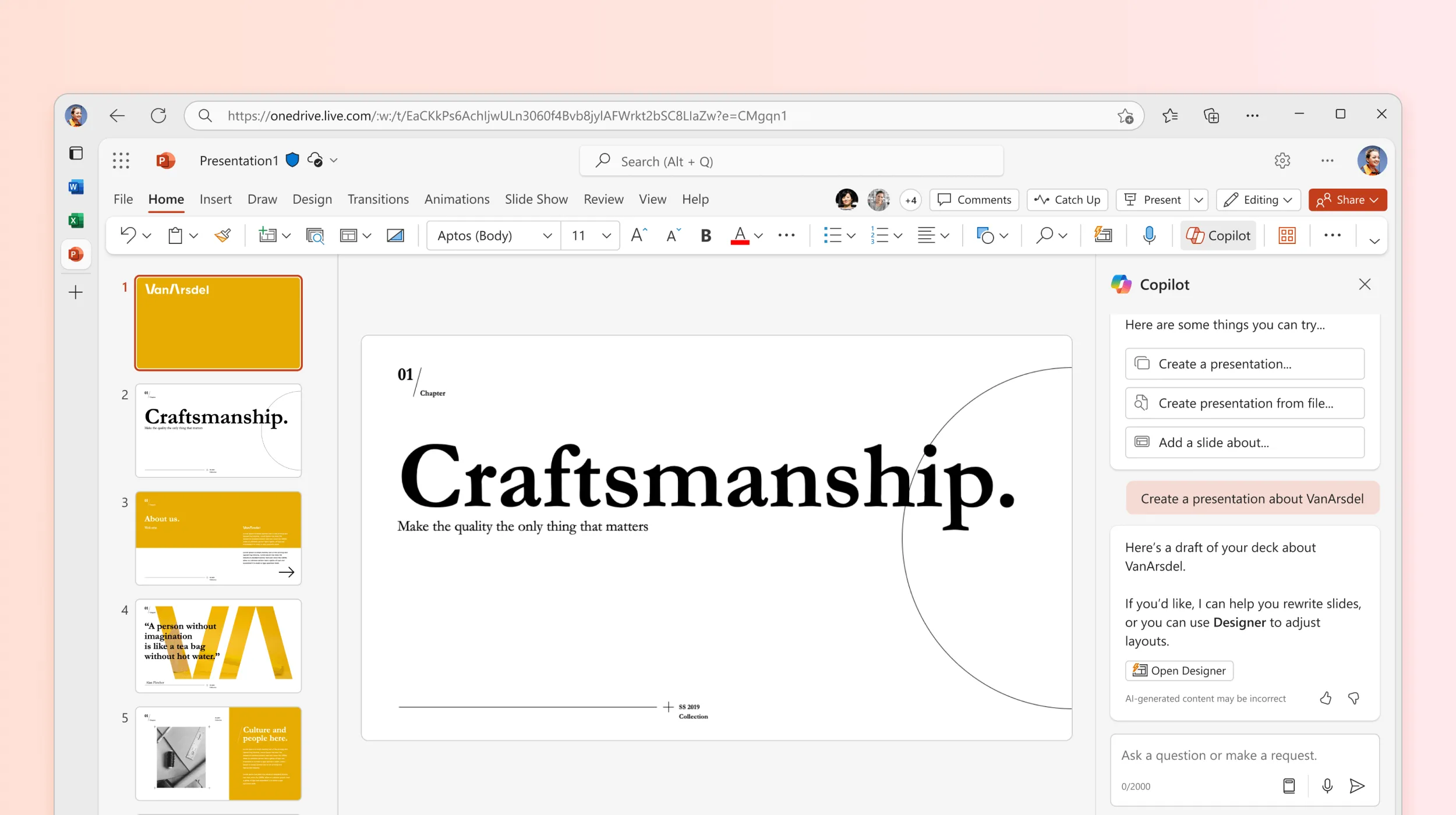
Copilot generates a full 10-slide presentation from a single prompt in 5–7 minutes, working inside PowerPoint for M365 subscribers. It pulls context from linked Word documents (useful if you have an existing analysis brief), applies Designer layout suggestions, and generates inside your existing file with your template intact.
The gap shows up in chart quality and final polish. On our strategy deck test, Copilot produced serviceable title/content slides but defaulted to generic bar charts and bulleted lists. The waterfall chart requirement wasn't met — Copilot generated a standard bar chart instead. Getting the deck to a professional standard required 35 minutes of reformatting: chart replacement, title rewriting to action-oriented format, layout corrections on four slides.
Copilot works well when you need a structured first draft quickly and have time to refine. It's a poor fit when the charts themselves are central to the story.
Pricing: Microsoft 365 Copilot costs $21/user/month (SMB, under 300 users) or $30/user/month (Enterprise), on top of an existing M365 subscription. Note: the free Copilot Chat tier was removed from Office apps on April 15, 2026.
Plus AI — Best for Cross-Platform Teams
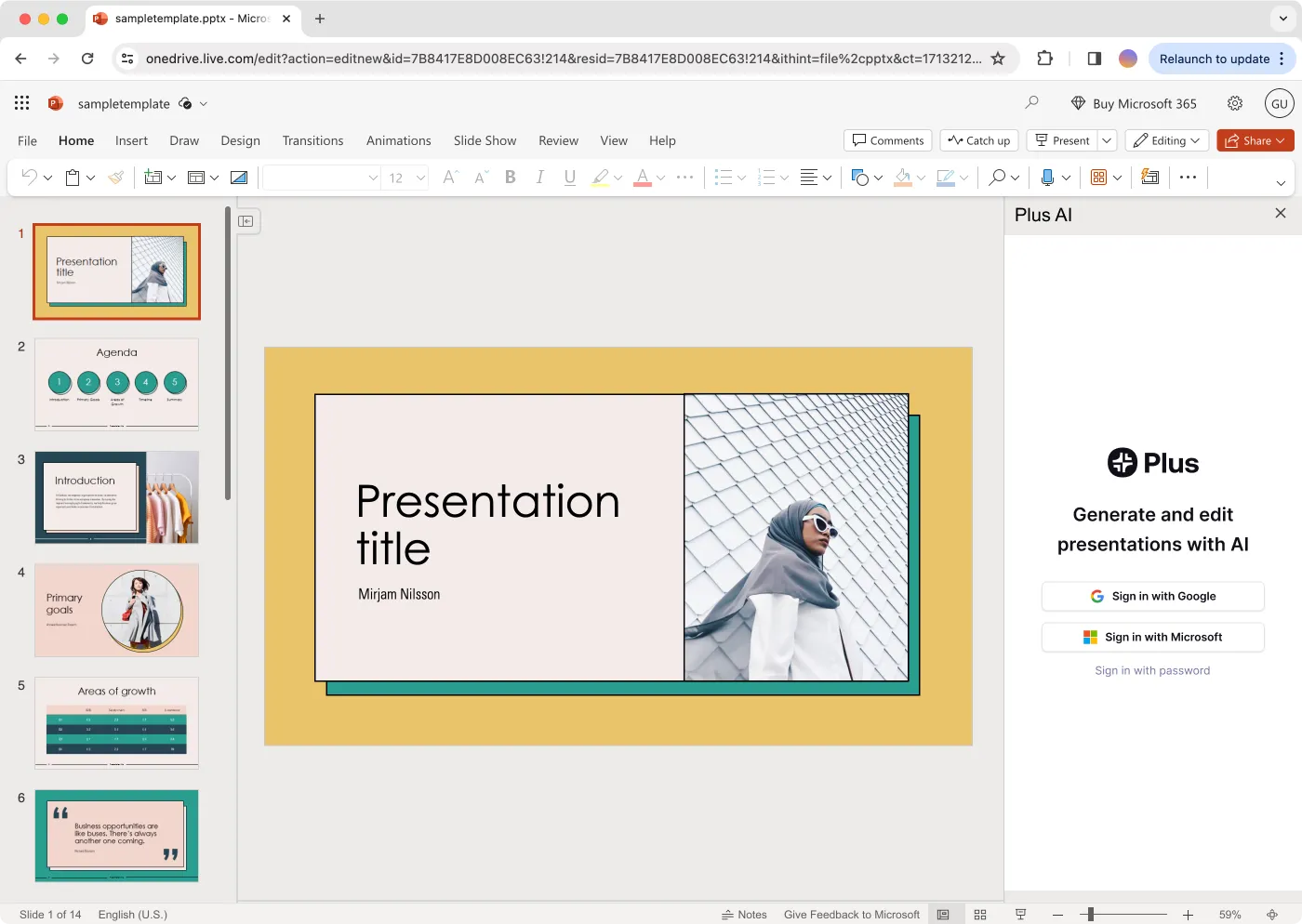
Plus AI generates slides natively in PowerPoint and Google Slides — the clearest choice for teams split across both platforms. For our 10-slide strategy deck, Plus AI generated a reasonable draft in 4–6 minutes including a Remix pass to adjust slide structure. Brand kit enforcement kept fonts and colors consistent.
The limitation for strategy presentations: Plus AI produces basic layouts and generic chart types. It doesn't generate waterfall charts or consulting-specific diagram frameworks. The draft is a solid starting skeleton but requires more editing than Deckary's output for a professional strategy deck.
Pricing: $19/month (Basic), $25/month (Pro), $40/month (Team), billed annually.
Gamma — Best for Shareable Web-First Decks
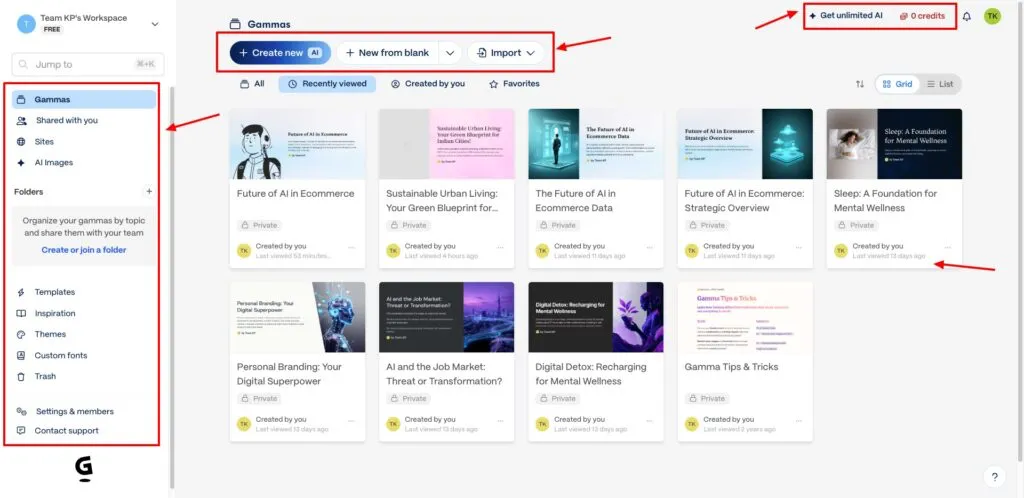
Gamma produces the fastest and most visually polished drafts in this group — a full 10-slide presentation from a detailed prompt in under 2 minutes. For pitch decks, product demos, or any deck where the deliverable is a shared Gamma link, it's the strongest option in this test.
For PowerPoint output: the export introduces real friction. Font substitutions appeared on our test export (Gamma uses web fonts that don't map cleanly to PowerPoint's font stack). Layout shifts affected three slides. The revenue bridge slide, built as a web-native chart, exported as a static image — not an editable PowerPoint chart. Cleanup ran 28 minutes before the deck was presentable in PowerPoint.
Net time (generation + cleanup) was comparable to Deckary's slide-by-slide approach, but Gamma's output after cleanup had fewer specialized chart capabilities.
Pricing: Free tier (limited generations); $8/month (Plus), $19/month (Pro), billed annually.
GenPPT — Fastest Full-Deck Draft, Limited Depth

GenPPT generated a complete 10-slide draft in under a minute — the fastest in this test. For simple decks with standard content (executive summary, market overview, timeline), GenPPT's output was surprisingly clean.
The gaps are apparent on complex slides. Our market sizing slide came back as bullet points instead of a structured visualization. The competitive positioning slide used a generic table rather than a positioning matrix. Export quality was better than Gamma on our test (fewer font issues), but the starting point required more substantive editing to reach a strategy-deck standard.
GenPPT is useful for speed-drafting decks where the structure is simple and the presenter will add depth manually.
Pricing: $9/month (Pro), $19/month (Growth), billed monthly. Annual plans at $99–228/year.
Canva Magic Design — Best for Design-Heavy Non-Strategy Decks
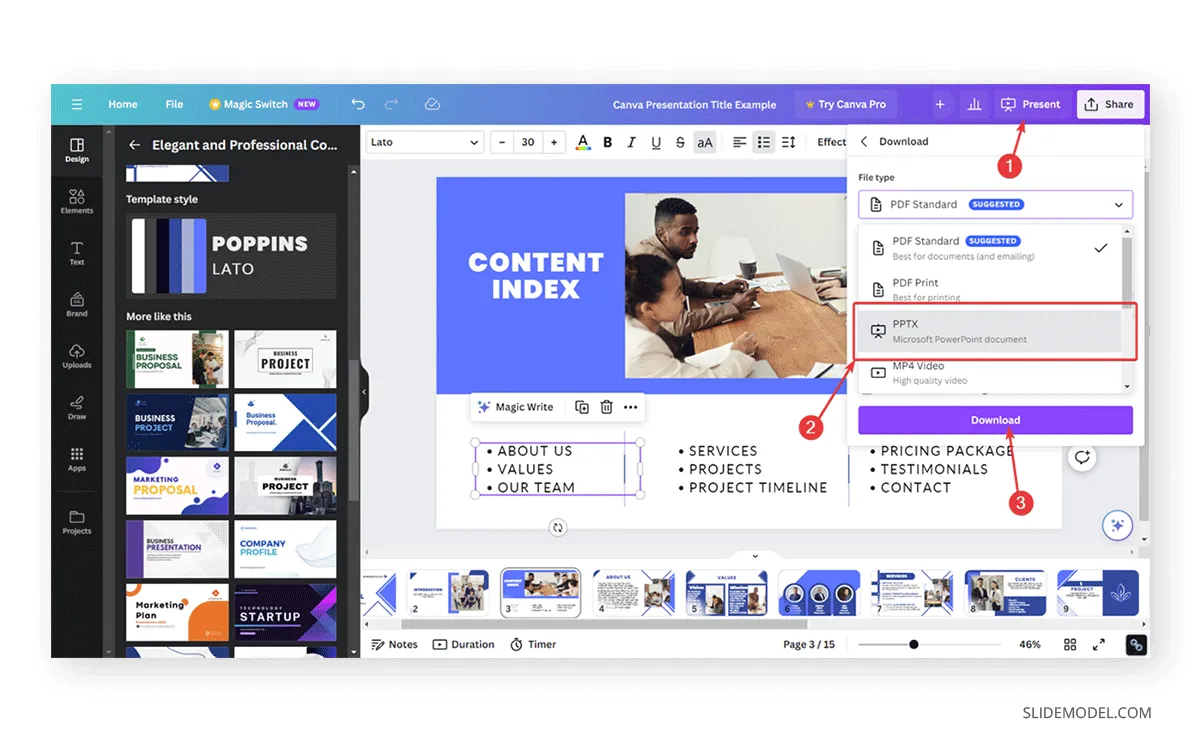
Canva's AI generates presentations with strong visual quality and a large asset library. For marketing decks, product launches, and brand-forward presentations, Canva's output quality is high.
For a strategy deck, the design-first orientation works against you. Our test deck came back visually polished but structurally thin — action-oriented titles were absent, the revenue waterfall was replaced by a generic bar chart, and the slide structure didn't follow a logical consulting narrative.
Export to .pptx had similar issues to Gamma: font substitution required a cleanup pass before the file was SharePoint-ready.
Pricing: Canva Pro at $12.99/month ($156/year).
Continue reading: AI PowerPoint for Finance Teams · PowerPoint to Word · Best AI Presentation Maker for Consultants
Create an editable presentation in your browser
Turn a prompt or source files into slides you can edit and export to PowerPoint. 14-day free trial. No credit card required.
Scoring Summary
| Criteria | Deckary | Copilot | Plus AI | Gamma | GenPPT | Canva |
|---|---|---|---|---|---|---|
| Generation speed | Moderate (15–20 min) | Fast (5–7 min) | Fast (4–6 min) | Very fast + 28 min cleanup | Very fast + cleanup | Fast + cleanup |
| Consulting chart types | Waterfall, Mekko | Basic only | Basic only | None (image export) | None | None |
| PPT editability | Full native | Full native | Full native | Partial (charts as images) | Partial | Partial |
| Brand compliance | Excellent | Good | Good | Poor (font sub) | Medium | Poor |
| Net time to client-ready | 15–20 min | 40–45 min | 30–40 min | ~30 min | ~25–35 min | ~30–40 min |
How to Choose
The decision comes down to three questions.
Do you deliver .pptx files? If yes, start with an inside-PowerPoint tool. Every revision cycle on a web-native export adds 20+ minutes of cleanup.
Do you need waterfall or Mekko charts? If yes, Deckary is the only option. No other AI presentation maker in this category generates those chart types inside PowerPoint.
Do you need a fast first draft across platforms? If the deck is simple and the team uses both Google Slides and PowerPoint, Plus AI is the strongest cross-platform option.
| Scenario | Best Tool |
|---|---|
| Strategy deck with waterfall or bridge charts | Deckary |
| Quick first draft for M365 enterprise team | Copilot |
| Team split across PPT and Google Slides | Plus AI |
| Visual pitch deck, deliverable is a web link | Gamma |
| Fast simple deck, extensive manual editing expected | GenPPT |
| Marketing or brand presentation | Canva |
Our Recommendation
For consultants and business professionals who deliver .pptx files, Deckary is the best AI PowerPoint presentation maker because it's the only tool in this group that generates consulting-grade slides — including waterfall charts, Mekko charts, and structured framework layouts — directly inside PowerPoint with zero export overhead.
For teams that don't need specialized chart types and need a quick full-deck draft, Copilot is the lowest-friction inside-PowerPoint option if an M365 Copilot license is already in play.
Gamma wins only when your deliverable is a shareable link — not a .pptx file.
Sources
Related Guides
Create an editable presentation in your browser
Turn a prompt or source files into slides you can edit and export to PowerPoint. 14-day free trial. No credit card required.