Slide Deck Design: 10 Principles That Make Presentations Work
Master slide deck design with 10 proven principles covering layout, typography, color, and content structure. Make your presentations clear and persuasive.
Slide deck design is not about making presentations look impressive. It is about making your argument clear, your evidence accessible, and your recommendations impossible to misunderstand. Most decks fail not because the content is weak, but because the design buries the message under clutter, inconsistent formatting, and slides that try to communicate three things at once.
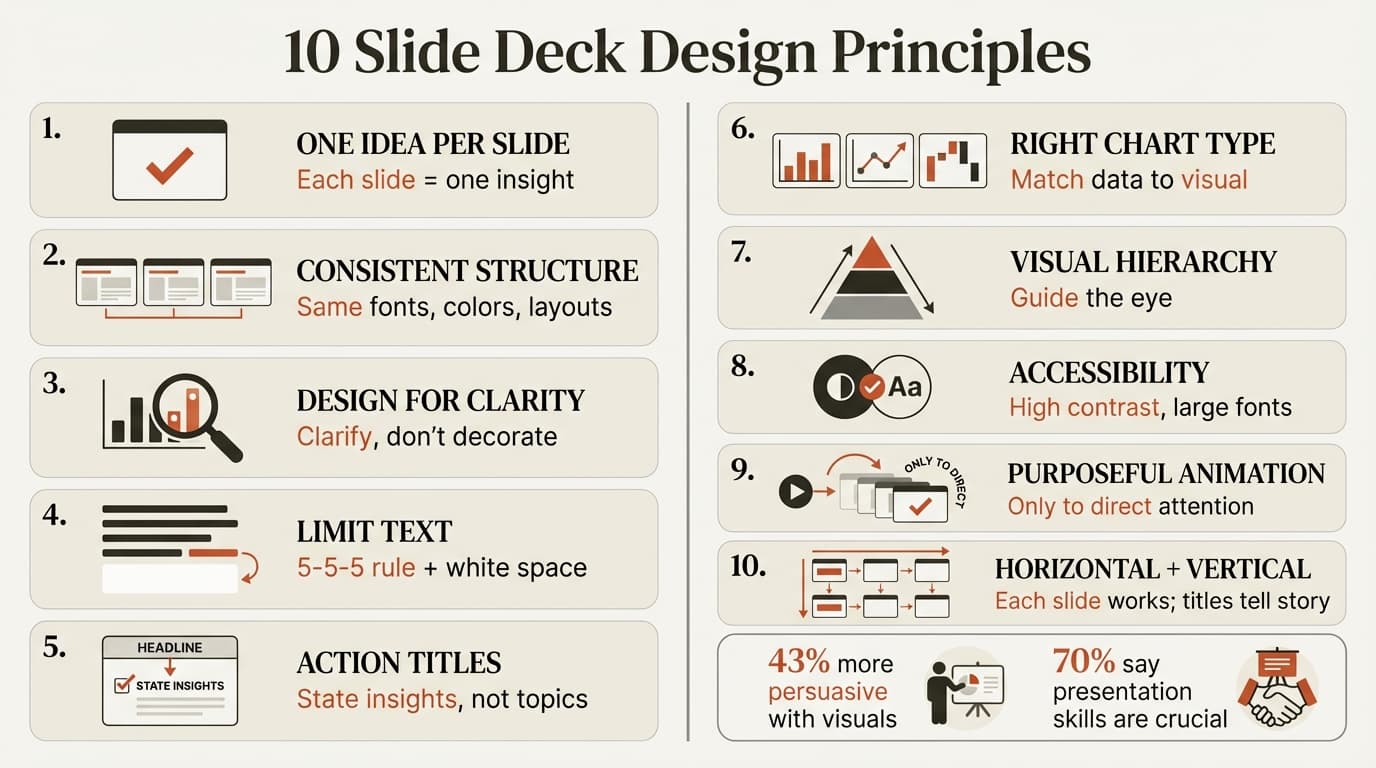
After reviewing 300+ board presentations, client deliverables, and investor decks across strategy, fundraising, and operational reviews, we found that effective decks share structural principles. They follow the one-idea-per-slide rule. They use visuals to clarify, not decorate. They guide the audience through a narrative rather than forcing them to decode each slide independently.
This guide covers the 10 core slide deck design principles that separate professional presentations from amateur ones. Whether you are pitching investors, briefing executives, or delivering client work, these principles make your deck work harder with less friction.
1. One Idea Per Slide
The foundational rule of slide deck design: each slide communicates exactly one insight. If your slide title contains the word "and," you have two slides. This discipline forces clarity and prevents the information overload that causes audiences to disengage.
The test is simple: can someone read only your slide titles and understand your complete argument? If not, your titles are describing topics rather than stating insights.
Weak title: "Q4 Performance Overview" Strong title: "Q4 revenue exceeded forecast by 18%, driven by enterprise upsells"
When slides follow this rule, your deck becomes scannable. Busy stakeholders can flip through and grasp your logic without reading body text. This matters because 70% of American employees believe presentation skills are crucial for career success, yet most presentations waste the audience's time by burying conclusions.
| Slide Purpose | What It Should Communicate |
|---|---|
| Title slide | Topic, audience, date (not your conclusion) |
| Executive summary | Your main recommendation in one sentence |
| Context slides | The baseline, expectation, or status quo |
| Analysis slides | One insight per slide with supporting evidence |
| Recommendation slides | Specific next steps with owners and deadlines |
2. Use Consistent Visual Structure
Create a consistent look across all slides by using the same typography, color palette, and layout patterns. Consistency signals professionalism and reduces cognitive load — audiences spend mental energy understanding your content, not decoding your formatting.
Research shows that a consistent design helps audiences stay focused on content rather than getting distracted by shifting visual patterns. When every slide uses different fonts, colors, or alignment, the deck feels amateurish regardless of content quality.
Typography: Pick two fonts maximum — one for headers, one for body text. Sans-serif fonts work best for presentations because they remain readable on screens and projectors.
Color palette: Use 3-4 colors consistently. Green for positive, red for negative, gray for context, and one accent color for emphasis. Avoid rainbow charts where every data series gets a different color for no reason.
Layout patterns: If your first analysis slide uses a title at the top, a chart on the left, and three bullets on the right, repeat that pattern for similar slides. Audiences learn the structure and can process subsequent slides faster.
3. Design for Clarity, Not Decoration
Presentations with visuals are 43% more persuasive than text-only decks, but the visuals must serve your message. Charts, diagrams, and images should make patterns visible and arguments tangible — not just fill space.
The biggest design mistake is visual clutter: slides with six charts, dense bullet lists, and decorative graphics competing for attention. When everything is emphasized, nothing stands out.
Good design clarifies. A waterfall chart showing revenue drivers is clarifying. A stock photo of a handshake is decorative.
Good design simplifies. A table with three columns and five rows is digestible. A table with twelve columns requires zooming.
Good design guides the eye. Color-coding one bar in a chart red draws attention. Using seven colors creates confusion.
For specific chart design guidance, see our guides on waterfall charts and data storytelling.
4. Limit Text and Embrace White Space
Your audience cannot read and listen simultaneously. If your slide is a wall of text, they will read it and ignore you. Follow the 5-5-5 guideline: no more than 5 lines of text, no more than 5 words per line, and no slide requiring more than 5 minutes to explain.
White space is not wasted space. It improves comprehension by letting key information stand out. Slides packed edge-to-edge with content create cognitive overload — audiences shut down rather than work harder to parse your meaning.
| Text Density | Audience Reaction | When to Use |
|---|---|---|
| Minimal (under 20 words) | High attention, easy to follow | Most slides, especially visuals |
| Moderate (20-50 words) | Readable if well-structured | Context slides, process descriptions |
| Heavy (over 50 words) | Audience reads instead of listening | Never for presentations; use memos instead |
How to cut text:
- Replace paragraphs with bullet points
- Replace bullet points with diagrams
- Replace full sentences with headline phrases
- Move detail to speaker notes or appendix slides
Continue reading: Best Tools for Creating Business Case Presentations in PowerPoint · How to Make a Gantt Chart in PowerPoint (Free Template) · Investment Banking Pitch Book
Create an editable presentation in your browser
Turn a prompt or source files into slides you can edit and export to PowerPoint. 10 free AI prompts. No credit card required.
5. Use Action Titles, Not Topic Labels
Slide titles should state insights, not label topics. This is the difference between a deck that argues and a deck that reports.
Topic label: "Market Analysis" Action title: "Southeast Asian market grew 34% last year, 3x faster than our current markets"
Topic label: "Customer Feedback" Action title: "Enterprise customers cite Excel integration as the top feature request"
Action titles allow busy executives to flip through your deck and understand your argument without reading slide content. When combined with the one-idea-per-slide rule, action titles create what consultants call "vertical alignment" — reading all titles in sequence tells your complete story.
This technique comes from McKinsey's Pyramid Principle and is standard practice in strategy presentations. For more on consulting presentation standards, see our guide on how consultants structure slides.
6. Pick the Right Chart Type for Your Data
Charts clarify patterns that tables hide. But the wrong chart type creates confusion instead of clarity.
| Data Relationship | Chart Type | When to Use |
|---|---|---|
| Comparing categories | Bar chart | Revenue by region, product performance |
| Showing change over time | Line chart | Quarterly growth, trend analysis |
| Illustrating composition | Stacked bar or pie | Market share, budget allocation |
| Demonstrating variance | Waterfall chart | Revenue bridge, cost breakdown |
| Comparing two variables | Scatter plot | Price vs volume, risk vs return |
Never use a pie chart when the audience needs to compare more than three segments. Human eyes struggle with angle comparisons. Use a bar chart instead.
Avoid 3D charts entirely. They distort data and look dated. Flat, two-dimensional charts are clearer and more professional.
Label directly instead of using legends. Place data labels on the chart rather than forcing audiences to match colors to a legend. Direct labeling reduces cognitive work.
For advanced chart types used in consulting, see our guides on Mekko charts and Gantt charts.
7. Maintain Visual Hierarchy
Visual hierarchy guides the audience's eye through the slide in order of importance. The most critical information should be the most visually prominent.
Size: Larger elements attract attention first. Your slide title should be the largest text. Key numbers in a chart should be bigger than supporting labels.
Color: Bold colors (red, blue) draw the eye. Muted colors (gray) recede. Use color strategically to highlight what matters.
Position: Audiences read slides like they read text — top to bottom, left to right in Western contexts. Place your main message at the top, supporting evidence below.
Contrast: High contrast (black on white) demands attention. Low contrast (light gray on white) signals less importance.
When visual hierarchy is broken — when every element competes for attention equally — audiences do not know where to look first. The result is cognitive overload and disengagement.
8. Design for Accessibility
Accessible design improves clarity for everyone, not just users with disabilities. Research shows that accessibility-first presentation design makes slides more readable, inclusive, and usable across contexts.
Contrast: Text must have sufficient contrast against its background. Minimum ratio is 4.5:1 for body text, 3:1 for large text. Avoid light gray text on white backgrounds.
Font size: Minimum 18pt for body text, 28pt for titles. If someone in the back row cannot read your slide on a projector, your font is too small.
Color dependency: Never rely on color alone to communicate meaning. If your chart uses red and green to show positive and negative, add labels or icons so colorblind audiences can still understand.
Alt text: For slides shared digitally, add alt text to charts and images so screen readers can describe visual content.
These principles also make decks more effective in hybrid and remote contexts where audiences view slides on laptops instead of large screens.
9. Use Animation Purposefully, Not Decoratively
Over-animated slides distract and reduce accessibility. Follow the purposeful motion rule: use animation only to direct the eye to a specific data point, show a relationship between two objects, or signal a major shift in the presentation's narrative.
Good use of animation:
- Revealing one bullet point at a time during verbal explanation
- Highlighting a specific bar in a chart while discussing that segment
- Transitioning between major presentation sections
Bad use of animation:
- Every object flying in from different directions
- Text spinning or bouncing for emphasis
- Gratuitous slide transitions between every slide
Most professional decks use minimal animation. When in doubt, remove it. Static slides are better than poorly animated ones.
10. Design Horizontally and Vertically
Effective slide deck design requires two types of alignment: horizontal and vertical.
Horizontal alignment ensures each individual slide functions as a coherent unit. The title states the key takeaway, and visualizations directly support that message. Nothing on the slide contradicts or distracts from the main insight.
Vertical alignment structures the entire presentation so reading all slide titles in sequence tells your complete narrative. This is the storyline test: if someone reads only your titles, they should understand your full argument.
| Alignment Type | What It Ensures | How to Test |
|---|---|---|
| Horizontal | Each slide is internally coherent | Does every visual on this slide support the title? |
| Vertical | The deck tells a complete story | Do the titles in sequence form a logical argument? |
When both types of alignment are present, your deck works as a standalone document. Stakeholders can review it without you and still understand your logic.
Common Slide Deck Design Mistakes
Even experienced presenters make these errors. Recognizing them early prevents credibility loss.
Trying to Fit Everything on One Slide
Slide real estate is cheap. If you have five points to make, use five slides. Cramming everything onto one creates clutter and forces audiences to work harder than necessary.
Inconsistent Formatting
When some slides use Calibri and others use Arial, when title sizes vary between 24pt and 32pt, when colors shift randomly, the deck looks unfinished. Pick formatting standards and apply them to every slide.
Reading Slides Verbatim
If you read bullet points word-for-word, audiences do not need you. Slides should support your spoken narrative, not replace it. Use slides as visual anchors while you provide the context and explanation.
Skipping the Narrative Arc
Slides are not a collection of facts. They are a story with context, tension, and resolution. If your deck does not have a clear beginning, middle, and end, it is a report, not a presentation. For guidance on narrative structure, see our data storytelling guide.
No Rehearsal with the Actual Deck
Design choices that seem clear when you build slides often fail in delivery. Rehearse with your deck at least once before presenting. You will discover slides that take too long to explain, transitions that feel abrupt, or visuals that do not land as intended.
Applying Slide Deck Design Principles
Strong slide deck design is not about aesthetics. It is about structure, clarity, and respect for the audience's time. The 10 principles in this guide work because they align with how people process visual information and make decisions.
Start with these three:
- One idea per slide. Force clarity by limiting each slide to a single insight.
- Action titles, not topic labels. Make your deck scannable by stating insights in titles.
- Design for clarity, not decoration. Every visual should serve your message.
The rest follows. Maintain consistent formatting, limit text, use white space, and design both horizontally and vertically. When the structure is sound, even complex material becomes accessible.
For professionals building presentations regularly, the right tools eliminate production friction. Deckary's slide templates include 143 pre-formatted layouts across business contexts, ensuring consistency without manual formatting. The AI Slide Builder generates complete slides with charts, icons, and structured layouts in seconds. Keyboard shortcuts for alignment and distribution save hours on the mechanical work that otherwise drags.
Tools do not replace design thinking, but they remove the barriers that prevent good design from happening. When you spend less time fixing alignment and more time refining your argument, your decks improve.
Key Takeaways
- One idea per slide. Each slide should communicate exactly one insight with an action title that states the message, not a topic label.
- Maintain visual consistency. Use two fonts maximum, a 3-4 color palette, and consistent layout patterns across all slides.
- Presentations with visuals are 43% more persuasive than text-only decks, but visuals must clarify your message, not decorate it.
- Follow the 5-5-5 rule. No more than 5 lines of text, 5 words per line, and 5 minutes per slide. White space improves comprehension.
- Use action titles. Titles should state insights ("Revenue grew 18%") not label topics ("Revenue Overview").
- Pick the right chart type. Bar charts for comparisons, line charts for trends, waterfall charts for variance. Never use 3D charts.
- Design for accessibility. High contrast, large fonts, and color-independent communication improve clarity for all audiences.
- Animate purposefully, not decoratively. Use animation only to direct attention, show relationships, or signal transitions.
- Horizontal and vertical alignment. Each slide must be internally coherent, and all titles in sequence must tell your complete story.
- Avoid common mistakes. Do not cram multiple ideas onto one slide, read slides verbatim, or skip narrative structure.
Slide deck design is a discipline, not a talent. Apply these principles consistently and your presentations will communicate clearly, persuade effectively, and drive decisions instead of filling calendars.
Sources
Create an editable presentation in your browser
Turn a prompt or source files into slides you can edit and export to PowerPoint. 10 free AI prompts. No credit card required.