KPI Dashboard PowerPoint: How to Present Performance Metrics That Drive Decisions
Learn how to create KPI dashboard slides for PowerPoint. Best practices for board meetings, executive reviews, and monthly performance tracking.
Most KPI dashboards fail because they try to show everything. A slide packed with 15 metrics, each in its own tiny chart, communicates nothing clearly. Executives scan for 10 seconds and move on, having absorbed zero actionable insight.
We have designed KPI dashboards for monthly operating reviews, board presentations, and transformation program tracking across 35+ engagements. The dashboards that drive action share one trait: ruthless prioritization. Five metrics that matter beat fifteen metrics that might matter. A clear red/yellow/green status indicator beats an unmarked trendline. The discipline to exclude is more valuable than the instinct to include.
This guide covers which metrics to feature for different business contexts, the visual hierarchy that makes status instantly clear, the design patterns that survive projection onto conference room screens, and the common mistakes that undermine dashboard credibility.
What Is a KPI Dashboard Slide?#
A KPI dashboard is a visual summary of your organization's most important performance metrics, designed for quick comprehension and decision-making. Unlike detailed reports or spreadsheets, dashboards distill complex data into scannable insights.
Purpose and Function#
| Dashboard Function | What It Answers |
|---|---|
| Performance snapshot | "How are we doing right now?" |
| Trend identification | "Are we improving or declining?" |
| Goal tracking | "Are we on target?" |
| Variance analysis | "Why did results differ from plan?" |
| Decision support | "What should we do next?" |
According to Monday.com's research on KPI dashboards, a KPI dashboard template is a pre-built visual framework that displays key performance indicators in charts, graphs, and metrics to track business performance. It provides a ready-made structure for organizing and presenting data so teams can start measuring results without building dashboards from scratch.

Dashboard vs. Detailed Report#
The distinction matters. A dashboard is not a comprehensive data dump--it's a curated story.
| Aspect | Dashboard | Detailed Report |
|---|---|---|
| Purpose | Quick insights, decisions | Deep analysis, documentation |
| Metrics | 5-7 key indicators | Comprehensive data |
| Time to review | 30 seconds - 2 minutes | 15-30 minutes |
| Audience | Executives, board | Analysts, managers |
| Action | Strategic decisions | Tactical planning |
Smartsheet research emphasizes that by creating the KPI dashboard that you want from an existing template, you can ensure that your dashboard tells the high-level story of your data in a presentation-ready format.
When to Use KPI Dashboard Slides#
Not every meeting needs a dashboard. But when strategic decisions depend on performance data, dashboards become essential.
Board Meetings#
Board members need high-level visibility into company health. MarketingProfs research identifies five essential KPIs for board presentations: Revenue Growth Rate, Gross Margin, Customer Acquisition Cost to Lifetime Value Ratio, Net Promoter Score, and Employee Engagement and Retention.
The board report should serve as a focused and easily digestible document, presenting the KPIs that offer a direct line of sight to the company's financial health and performance.
Monthly Business Reviews#
Operational leaders need to track progress against targets and identify emerging issues before they become crises. Monthly dashboards should:
- Compare actual results to plan and prior period
- Highlight significant variances (both positive and negative)
- Show trends over 3-6 months minimum
- Flag areas requiring intervention
Investor Updates#
Investors expect professional, clear performance communication. Your dashboard signals operational maturity. Sloppy dashboards suggest sloppy management.
Quarterly Strategic Reviews#
Leadership teams use quarterly reviews to assess strategy execution and make course corrections. These dashboards should connect operational metrics to strategic objectives.
Project Steering Committees#
Large initiatives need regular performance tracking. Project dashboards show schedule, budget, and quality metrics against baseline plans.
Essential KPIs by Function#
The right KPIs depend on your business model and strategic priorities. Here are the metrics that matter most by function.
Financial KPIs#
GSquared CFO research identifies seven financial KPIs every CEO should be monitoring:
| KPI | What It Measures | Why It Matters |
|---|---|---|
| Revenue Growth Rate | Period-over-period revenue change | Overall business momentum |
| Gross Margin | Revenue minus COGS, as percentage | Unit economics health |
| Burn Rate | Monthly cash consumption | Runway and sustainability |
| Cash on Hand | Available liquid capital | Operational flexibility |
| Days Sales Outstanding | Average collection period | Cash flow efficiency |
| EBITDA Margin | Operating profitability | Core business performance |
| Free Cash Flow | Cash generated after investments | Self-funding capacity |
For startups and growth companies, add:
- ARR/MRR and growth rate
- CAC and LTV
- Net Revenue Retention
For more on financial metrics in presentations, see our financial projections slide guide.
Sales KPIs#
| KPI | What It Measures | Target Range |
|---|---|---|
| Revenue Attainment | Actual vs. quota | 80-120% |
| Pipeline Coverage | Pipeline / quota | 3-4x minimum |
| Win Rate | Closed won / total opportunities | Industry dependent |
| Average Deal Size | Revenue / deals closed | Trending upward |
| Sales Cycle Length | Days from opportunity to close | Trending downward |
| Rep Productivity | Revenue per sales rep | Trending upward |
Marketing KPIs#
| KPI | What It Measures | Benchmark |
|---|---|---|
| Marketing Qualified Leads (MQLs) | Leads meeting quality criteria | Volume with conversion |
| Customer Acquisition Cost | Marketing spend / customers acquired | Below LTV/3 |
| Marketing ROI | Revenue attributed to marketing / spend | >3x |
| Conversion Rate | Leads to customers | Funnel-stage dependent |
| Brand Awareness | Survey or search volume metrics | Trending upward |
Craig Group research on board reporting notes that board members with finance backgrounds are not familiar with marketing jargon. What's most helpful is a clear look at a customer's conversion journey--from lead to sale.
Operations KPIs#
| KPI | What It Measures | Direction |
|---|---|---|
| On-Time Delivery | Orders delivered by promised date | >95% |
| Quality Rate | Units meeting specifications | >99% |
| Capacity Utilization | Actual output / maximum capacity | 80-90% optimal |
| Inventory Turnover | COGS / average inventory | Industry dependent |
| Cycle Time | Time to complete process | Lower is better |
Customer Success KPIs#
| KPI | What It Measures | Benchmark |
|---|---|---|
| Net Promoter Score (NPS) | Customer advocacy | >50 excellent |
| Customer Satisfaction (CSAT) | Survey scores | >80% |
| Net Revenue Retention | Expansion minus churn | >100%, ideally >120% |
| Churn Rate | Lost customers / total customers | Under 5% monthly for SaaS |
| Time to Value | Days to customer success milestone | Lower is better |
HR KPIs#
| KPI | What It Measures | Benchmark |
|---|---|---|
| Employee Engagement | Survey scores | >70% |
| Voluntary Turnover | Employees leaving by choice | Under 15% annually |
| Time to Hire | Days from requisition to offer | Under 30 days |
| Revenue per Employee | Total revenue / headcount | Trending upward |
| Training Completion | Employees completing required training | 100% |
KPI Dashboard Design Best Practices#
Good design separates dashboards that drive decisions from those that get ignored.
1. Limit to 5-7 KPIs Maximum#
Camphouse research confirms: focus on meaningful metrics. Track five to seven KPIs that align directly with business goals and prompt clear action when results change.
More metrics don't mean more insight. They mean more confusion. As Nulivo's dashboard guide notes: "Make the dashboard easy to navigate and understand--don't dump as much information onto one page as you possibly can."
2. Use Visual Hierarchy#
Not all KPIs are equal. Your most important metrics should be visually prominent.
Hierarchy techniques:
- Size: Larger numbers for primary KPIs
- Position: Most important metrics in top-left (where eyes go first)
- Color: Accent colors for key figures
- Spacing: More whitespace around critical metrics
LinkedIn research on KPI visualization emphasizes: "Don't make objects too similar in size, font, and color, as otherwise, the relevant points won't stand out."
3. Apply Consistent Color Coding#
Use traffic light colors intuitively:
- Green: On target or exceeding goals
- Yellow: Warning, approaching threshold
- Red: Below target, needs attention
- Gray: Neutral or comparative data
SimpleKPI research notes that color-coded alerts highlight metrics in red or green to show where performance is exceeding and where it needs improvement. With warning thresholds, your team can tell at a glance if a number is good or bad.
4. Show Context, Not Just Numbers#
Raw numbers without context are meaningless. Always include:
| Context Element | Purpose |
|---|---|
| Target/goal | Shows gap to objective |
| Prior period | Shows trend direction |
| Year-over-year | Shows annual trajectory |
| Variance | Quantifies the gap |
| Trend indicator | Arrows or sparklines |
A revenue number of "$4.2M" means nothing. "$4.2M vs. $3.8M target (+10.5%)" tells a story.
5. Choose the Right Chart Types#
Different KPIs need different visualizations. Microsoft's Power BI documentation and Geckoboard research recommend:
| Chart Type | Best For | Example Use |
|---|---|---|
| Single number (big font) | Current status | "Revenue: $4.2M" |
| Gauge/dial | Progress toward target | "85% of quota" |
| Bullet chart | Actual vs. target | "Sales vs. plan" |
| Sparkline | Trend over time | "12-month revenue trend" |
| Bar chart | Category comparison | "Revenue by region" |
| Line chart | Time series | "Monthly growth rate" |
| Waterfall chart | Variance explanation | "Revenue bridge analysis" |
For variance analysis showing how you moved from one period to the next, waterfall charts are particularly effective. They break down changes into component drivers that executives understand immediately.

6. Maintain Consistent Formatting#
Inconsistency signals sloppiness. Standardize:
- Number formats ($4.2M, not $4,200,000 or 4.2 million)
- Decimal places (one for percentages, appropriate for context)
- Date formats (Q4 2025, not 4th Quarter of 2025)
- Abbreviations (consistent use of K, M, B)
- Time periods (always same comparison basis)
7. Include Data Timestamp#
Always show when data was last updated. Stale data undermines credibility. Include:
- Reporting period: "Q4 2025"
- Data as of: "Data through December 31, 2025"
- Update frequency: "Updated monthly"
Continue reading: Bullet Charts in PowerPoint · Deloitte Presentation Template · Traction Slide
Build consulting slides in seconds
Describe what you need. AI generates structured, polished slides — charts and visuals included.
Common KPI Dashboard Mistakes#
These errors undermine dashboard effectiveness and credibility.
Mistake 1: Too Many Metrics#
The problem: Cramming every available metric onto one slide.
All Consulting Firms research notes: "Recently a lot of KPI dashboards are more fabricated and decorated than useful, or are so filled with details that it's impossible to read the important information right away."
Why it fails: Executives have limited attention. Cognitive overload leads to no decisions, not better decisions. In one board meeting, a CFO presented 47 metrics across three slides. The CEO interrupted after slide two: "Which three numbers should I actually care about?" The CFO hesitated. The board moved on without any decisions made.
The fix: Force yourself to choose. If everything is important, nothing is. Limit to 5-7 metrics per slide. Put supporting detail in appendix slides.
Mistake 2: Metrics Without Targets#
The problem: Showing numbers without benchmarks or goals.
Why it fails: Without targets, audiences can't assess performance. Is $4.2M revenue good? Depends entirely on what you were trying to achieve.
The fix: Every metric needs context. Show actual vs. target, actual vs. prior period, or actual vs. benchmark.
Mistake 3: Inconsistent Time Periods#
The problem: Mixing monthly, quarterly, and annual data without clear labels.
Why it fails: Comparisons become meaningless. Is that growth rate monthly or annual? It matters by a factor of 12.
The fix: Use consistent time periods within each dashboard. Label all time references explicitly.
Mistake 4: Vanity Metrics#
The problem: Including impressive-sounding numbers that don't drive decisions.
Why it fails: Social media followers, website visits, or app downloads might look good but rarely connect to business outcomes.
The fix: Every metric should answer the question: "What decision does this inform?" If you can't answer that, remove the metric.
Mistake 5: Hiding Bad News#
The problem: Omitting or minimizing negative results.
Why it fails: Experienced executives will notice gaps. Hiding problems destroys trust faster than the problems themselves.
ExecViva research emphasizes: "The numbers will speak for themselves; trying to misrepresent the data will get you nowhere. Full transparency provides the basis for honest discussions about strategy, funding, and the future."
The fix: Present all results honestly. For underperformance, include root cause analysis and action plans.
Mistake 6: No Trend Information#
The problem: Showing only current period data.
Why it fails: A single data point doesn't indicate direction. Are you improving or declining?
ClearPoint Strategy notes: "A one-time KPI result may not be enough to convince a board, but several months of favorable data qualifies as a trend that's difficult to ignore."
The fix: Always show trend data. Minimum 3 periods, ideally 6-12 for meaningful patterns.
Mistake 7: Misaligned Metrics#
The problem: Metrics that don't connect to strategic objectives.
Why it fails: Dashboards should track strategy execution. Operational metrics without strategic connection distract from what matters.
The fix: Start with your 3-5 strategic priorities. Work backward to the KPIs that indicate progress on each.
How to Create KPI Dashboards in PowerPoint#
Building an effective KPI dashboard requires both design skill and analytical clarity. Here's the process we use with consulting clients.
Step 1: Identify Your Audience#
Different stakeholders need different dashboards:
| Audience | Focus | Detail Level |
|---|---|---|
| Board | Strategic health | Very high level |
| C-suite | Performance vs. strategy | High level |
| VPs | Departmental results | Moderate detail |
| Managers | Operational metrics | More granular |
Step 2: Select 5-7 Core Metrics#
For each metric, document:
- What it measures
- Why it matters to this audience
- Target or benchmark
- Data source
- Update frequency
Step 3: Design the Layout#
A standard dashboard layout:
+------------------------------------------+
| [Company Logo] Period: Q4 2025 |
+------------------------------------------+
| |
| +--------+ +--------+ +--------+ |
| | KPI 1 | | KPI 2 | | KPI 3 | |
| | $4.2M | | 127% | | 94% | |
| | +10% | | +15pts | | -2pts | |
| +--------+ +--------+ +--------+ |
| |
| +------------------+ +------------+ |
| | Trend Chart | | Summary | |
| | (6-12 months) | | Commentary| |
| +------------------+ +------------+ |
| |
| +--------+ +--------+ +--------+ |
| | KPI 4 | | KPI 5 | | KPI 6 | |
| +--------+ +--------+ +--------+ |
| |
+------------------------------------------+
Step 4: Build the Visualizations#
For each KPI, choose the right visualization:
Single metric boxes:
- Large number for the value
- Smaller text for label
- Trend indicator (arrow or sparkline)
- Color coding for status
Comparison charts:
- Bullet charts for actual vs. target
- Waterfall charts for variance analysis
- Bar charts for category comparisons
Deckary offers consulting-quality charts including waterfall charts for variance analysis, which are particularly useful for explaining why KPIs moved between periods.
Step 5: Add Context and Commentary#
Dashboards need interpretation. Include:
- Key insight callout (the one thing to know)
- Variance explanation for significant gaps
- Action items or next steps
- Risks or watch items
Board Intelligence research recommends keeping data and narrative separate: "A dashboard is ideally accompanied by a separate narrative explaining where performance excelled or lagged, and the implications."
Step 6: Test with Stakeholders#
Before the big meeting, validate:
- Can your audience read all metrics in 30 seconds?
- Is the most important insight obvious?
- Do they have questions the dashboard doesn't answer?
PowerPoint Tips for Dashboards#
| Element | Best Practice |
|---|---|
| Font size | 20pt minimum for any text |
| Colors | Maximum 3-4 distinct colors |
| Gridlines | Use for alignment, then hide |
| Animations | None--dashboards should be static |
| Charts | Native PowerPoint or Excel-linked |
| Data | Link to source, don't hard-code |
For Excel-linked charts that update automatically when source data changes, add-ins like Deckary provide linking functionality that keeps your dashboard current without manual updates.
KPI Dashboard Templates and Examples#
Learning from proven formats accelerates your dashboard development.
Executive Summary Dashboard#
Purpose: Board or C-suite quarterly review
Structure:
Top row: 3-4 strategic KPIs with large numbers and traffic lights
Middle: 6-month trend chart for primary metric
Bottom row: 3-4 supporting metrics with sparklines
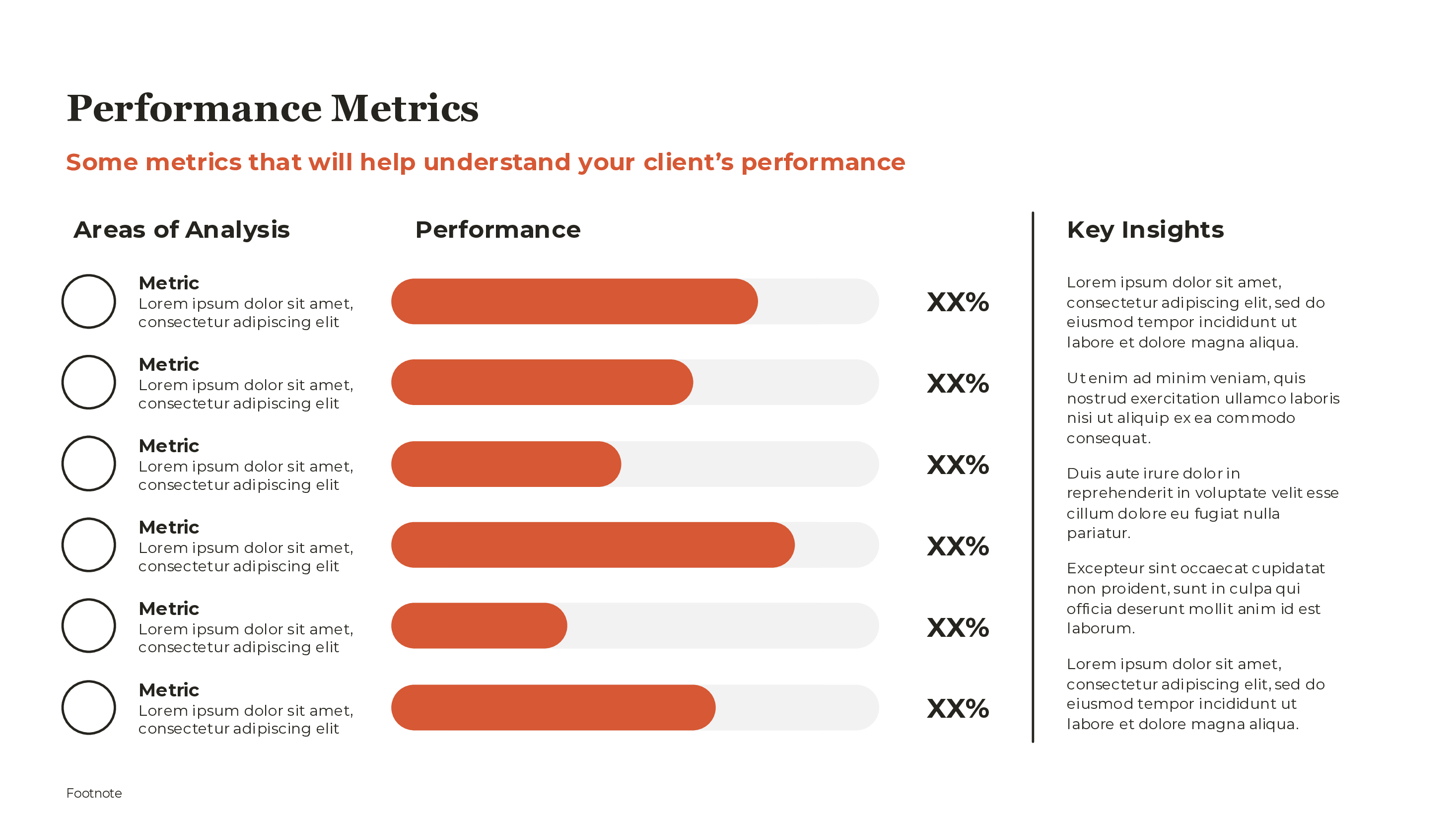
Right sidebar: Key insights and action items
Best for: Quarterly business reviews, investor updates
Departmental Performance Dashboard#
Purpose: Functional leadership review
Structure:
Header: Department name and period
Left column: Primary metrics with targets
Center: Trend charts (line or bar)
Right column: Action items and risks
Footer: Data source and update date
Best for: Monthly team meetings, budget reviews
Variance Analysis Dashboard#
Purpose: Explain period-over-period changes
Structure:
Left: Prior period result (large number)
Center: Waterfall chart breaking down changes
Right: Current period result (large number)
Bottom: Key drivers listed with impact
This format is particularly effective for financial reviews where stakeholders need to understand what drove the change between periods. Waterfall charts excel at this task.
Balanced Scorecard Dashboard#
Purpose: Multi-dimensional performance view
Structure:
Four quadrants:
1. Financial (top left)
2. Customer (top right)
3. Operations (bottom left)
4. Learning & Growth (bottom right)
2-3 KPIs per quadrant with status indicators
Best for: Strategic reviews aligned with balanced scorecard methodology
Project Status Dashboard#
Purpose: Track initiative performance
Structure:
Header: Project name and sponsor
Traffic light: Overall status
Three columns: Schedule | Budget | Quality
Each column: Metric, status, variance
Bottom: Key risks and milestones
Best for: Steering committee meetings, PMO reviews
Presenting KPI Dashboards Effectively#
The dashboard is only as good as how you present it.
Start with the Headline#
Don't make your audience hunt for the insight. Open with the most important takeaway:
Weak: "Here's our Q4 dashboard. Let me walk you through each metric..."
Strong: "Revenue exceeded target by 12%, driven primarily by enterprise expansion. One concern: churn rate increased for the second consecutive quarter."
Separate Leading and Lagging Indicators#
BSC Designer research emphasizes: "In the ideal case, the management team should present both top level leading and lagging indicators. It's important to remember the difference between success factors (quantified by leading indicators) and achieved results (measured by lagging metrics)."
Leading indicators predict future performance; lagging indicators measure past results. Boards need both.
Have the Backup Ready#
Klipfolio research warns: "Nothing derails a presentation faster than not hearing the response you were expecting and then having nothing to offer as an alternative. Always bring a backup plan to KPI conversations."
Prepare for questions by having:
- Detailed data behind each metric (in appendix)
- Root cause analysis for variances
- Action plans for underperformance
- Alternative scenarios if challenged
Show Trends, Not Just Snapshots#
ClearPoint Strategy research emphasizes: "Rather than displaying visuals individually and jumping from one to the next, capture all this data on a single dashboard. This is easier for your audience to follow and provides helpful context for analysis."
Single data points are anecdotes. Trends are evidence.
Tools for KPI Dashboards#
Several tools can accelerate dashboard creation.
Native PowerPoint#
Pros: Universal access, no additional cost Cons: Manual formatting, limited chart types Best for: Simple dashboards with static data
Excel + PowerPoint Linking#
Pros: Dynamic updates, full calculation power Cons: Links can break, formatting challenges Best for: Recurring dashboards with regular updates
Specialized Add-ins#
For consulting-quality charts that update automatically from Excel, tools like Deckary offer:
- Waterfall charts for variance analysis
- Bullet charts for target comparison
- Professional formatting out of the box
- Excel linking that doesn't break
Business Intelligence Tools#
For live dashboards (not static slides):
- Power BI
- Tableau
- Looker
- Domo
These work for live monitoring but require exporting or screenshotting for presentation contexts.
Summary: Key Takeaways#
KPI dashboards are decision-making tools, not data dumps. Effective dashboards share common characteristics:
Focus on what matters. Limit to 5-7 KPIs per slide. Every metric should answer the question "What decision does this inform?"
Provide context. Numbers without targets, comparisons, or trends are meaningless. Always show actual vs. target, period-over-period, and directional indicators.
Design for scanning. Executives spend 30 seconds per slide. Visual hierarchy, color coding, and clear formatting make insights immediately accessible.
Match chart to message. Use bullet charts for target comparison, line charts for trends, and waterfall charts for variance analysis.
Be transparent. Present all results honestly, including underperformance. Have root cause analysis and action plans ready.
Show trends, not snapshots. Single data points are anecdotes. Multiple periods reveal patterns that drive confidence.
Align to strategy. Every metric should connect to a strategic objective. Operational metrics without strategic connection distract from what matters.
Separate data from narrative. Let the dashboard show the numbers; provide interpretation and action items separately.
For professional KPI visualizations including waterfall charts for variance analysis and Excel-linked charts that update automatically, Deckary offers consulting-quality templates designed for exactly this use case.
Build consulting slides in seconds
Describe what you need. AI generates structured, polished slides — charts and visuals included.
Try Free