CAGR Calculator
Calculate Compound Annual Growth Rate instantly. The standard metric used by consultants, analysts, and investors to measure growth.
CAGR Formula:(Ending Value / Beginning Value)1/n - 1
Now visualize it in PowerPoint
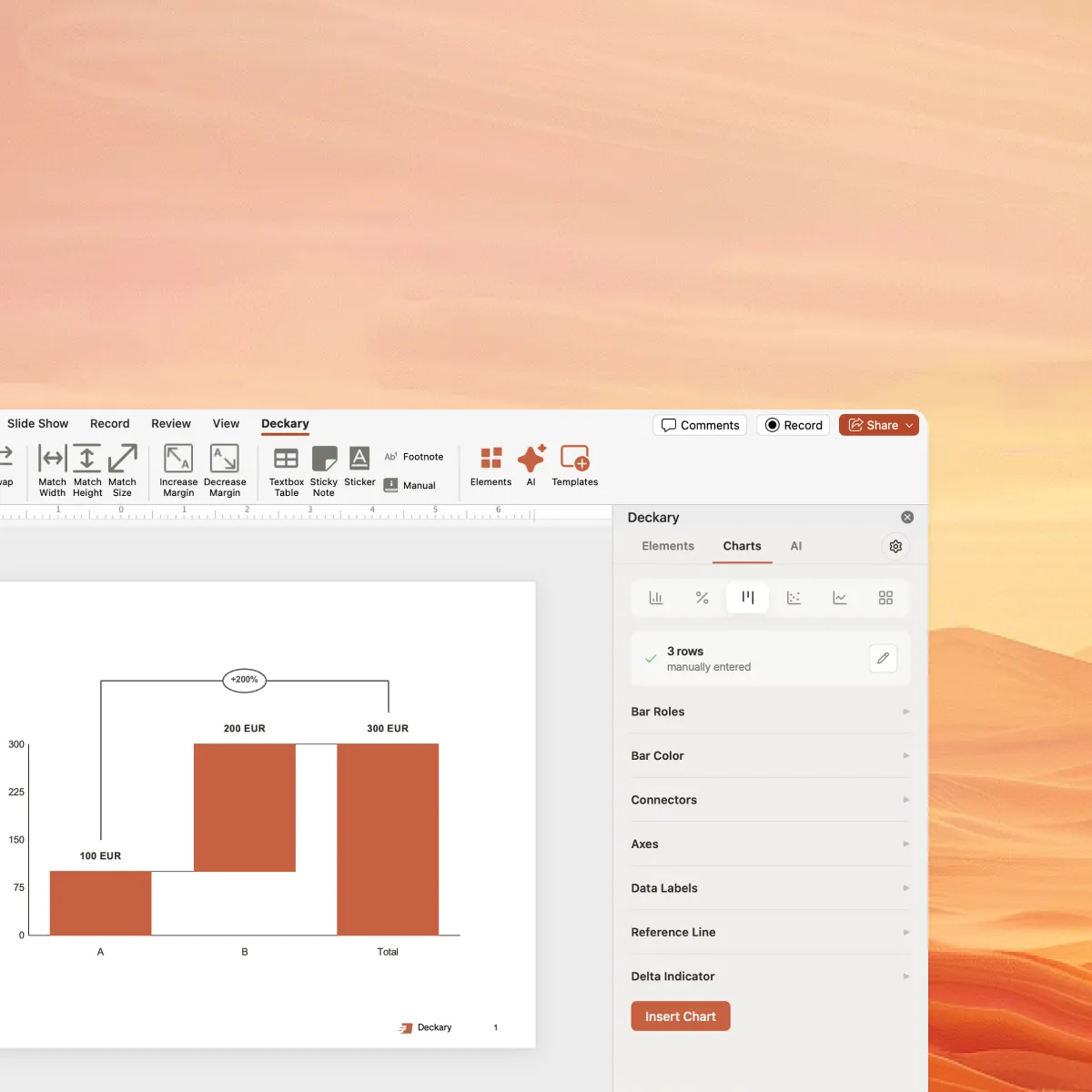
Add CAGR lines to your waterfall charts and bar charts with one click. Deckary automatically calculates and formats growth annotations.
What is CAGR?
CAGR (Compound Annual Growth Rate) is the rate of return that would be required for an investment to grow from its beginning value to its ending value, assuming profits are reinvested at the end of each period.
Unlike simple average returns, CAGR smooths out volatility and gives you a single percentage that represents consistent year-over-year growth. This makes it the go-to metric for:
- Comparing investment performance across different time periods
- Measuring company revenue or profit growth
- Setting growth targets and forecasting
- Benchmarking against industry standards
Example CAGR Calculation
CAGR = (25,000,000 / 10,000,000)1/5 - 1
CAGR = (2.5)0.2 - 1
CAGR = 1.2011 - 1
CAGR = 20.11%
This means the revenue grew at an equivalent rate of 20.11% each year over the 5-year period.
When to Use CAGR
CAGR is the standard growth metric in consulting, finance, and business strategy
Revenue Growth Analysis
Show how revenue grew over multiple years on waterfall charts and bar charts. CAGR lines are standard in consulting presentations.
Investment Returns
Market Sizing & TAM
Project future market size using historical CAGR. Essential for TAM/SAM/SOM slides in pitch decks and strategy presentations.
Financial Forecasting
Build financial projections by applying CAGR to historical data. See the financial modeling guide for model structure and presentation handoff.
CAGR Benchmarks by Industry
| Context | Typical CAGR | Notes |
|---|---|---|
| S&P 500 (Historical) | ~10% | Long-term average including dividends |
| High-Growth SaaS | 20-50% | ARR growth for venture-backed companies |
| Mature Tech | 10-20% | Large cap tech companies |
| Consumer Goods | 3-8% | Established CPG brands |
| Real Estate | 4-7% | Property value appreciation |
| Early-Stage Startups | 50-100%+ | VC expectations for portfolio companies |
How to Calculate CAGR in Excel
While this calculator provides instant results, you may need to calculate CAGR directly in Excel for financial models or presentations. Excel offers several methods:
Method 1: Manual CAGR Formula
=((B2/B1)^(1/A2))-1
Where B2 = Ending Value, B1 = Beginning Value, A2 = Number of Years
Method 2: RRI Function (Excel 2013+)
RRI function calculates equivalent interest rate for growth:=RRI(nper, pv, fv)
Example: =RRI(5, 1000, 2500) returns 20.11% for $1,000 growing to $2,500 over 5 years
Method 3: RATE Function
=RATE(nper, 0, -pv, fv)
Note: The present value (pv) must be negative for proper calculation
Pro Tip: Excel vs. Presentation
Calculate CAGR in Excel for your analysis, but use a tool like Deckary to display CAGR lines on bar charts and waterfall charts in PowerPoint. Manual annotation in PowerPoint is time-consuming and error-prone when data changes.
Ready to build better charts?
Calculate CAGR here, then visualize it instantly in PowerPoint with Deckary's waterfall charts and bar charts.
14-day free trial. No credit card required.
Frequently Asked Questions
Everything you need to know about CAGR calculations
Related Calculators
ROI Calculator
Return on Investment for business cases and project justification.
NPV Calculator
Net Present Value for capital budgeting and investment analysis.
IRR Calculator
Internal Rate of Return to evaluate project attractiveness.
WACC Calculator
Weighted Average Cost of Capital for DCF valuations.
TAM SAM SOM Calculator
Total Addressable Market for strategy and due diligence.