PowerPoint Add-ins for Mac: 7 That Work (2026)
Find PowerPoint add-ins that work on Mac. Compare Deckary and 6 other tools with full Mac compatibility for charts, shortcuts, and productivity.
- Bob · Former McKinsey and Deloitte consultant with 6 years of experience
- August 27, 2025
- 14 min read
Pricing and feature information was accurate at the time of publication. Competitor products change frequently — verify current details on each provider's website.
Most PowerPoint add-ins don't work on Mac. The majority of enterprise tools use VSTO (Visual Studio Tools for Office), a Windows-only technology that simply cannot run on macOS. This leaves Mac users with fewer options—and the tools that do exist vary widely in quality.
Some add-ins work flawlessly cross-platform. Others remain Windows-only. And several offer "Mac support" that's actually a stripped-down version missing key features.
This guide identifies which PowerPoint add-ins truly work on Mac after testing seven tools over three months on both macOS Sonoma and Windows 11. We evaluated chart creation, keyboard shortcuts, Excel linking, and feature parity to separate the genuine Mac-compatible options from the marketing claims. For a comprehensive overview including Windows-only tools, see our complete guide to PowerPoint add-ins for consultants.
Why Mac Users Are Underserved
If you've searched for PowerPoint add-ins on a Mac, you've encountered the frustration: most enterprise tools simply don't work.
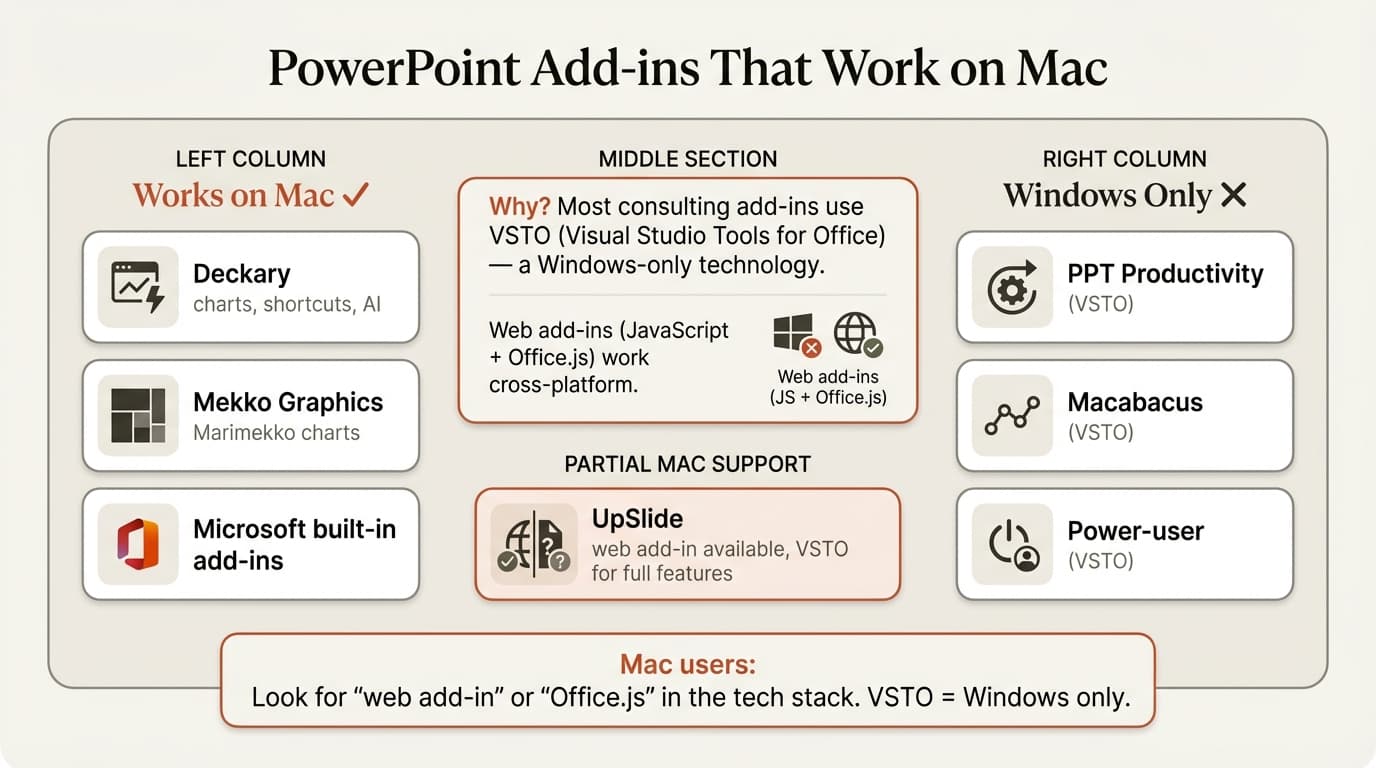
The reason is technical. Most powerful PowerPoint add-ins are built using VSTO (Visual Studio Tools for Office)—a Microsoft technology that only runs on Windows. VSTO add-ins can access the full Office object model, enabling deep integration: custom ribbons, complex automation, and reliable Excel linking.
Mac doesn't support VSTO. Period.
Microsoft's alternative—web-based Office Add-ins—works on Mac, Windows, and browsers. But the API is limited. Developers can't access the same functionality as VSTO, so web add-ins tend to be simpler, less powerful, and sometimes unstable.
This creates a two-tier market:
| Technology | Platform Support | Capability Level | Examples |
|---|---|---|---|
| VSTO (COM) | Windows only | Full Office integration | UpSlide, Macabacus, Office Timeline |
| Office Add-ins (Web) | Mac, Windows, Web | Limited API access | Basic AppSource tools |
| Native apps | Mac, Windows | Varies by implementation | Deckary |
Some vendors have invested in native Mac development—building separate Mac applications that integrate with PowerPoint. This approach delivers Windows-equivalent functionality but requires significant engineering investment. Only a few companies have made this commitment.
Mac Compatibility Overview
Before diving into individual tools, here's the complete picture:
| Tool | Mac Support | Technology | Limitations on Mac |
|---|---|---|---|
| Deckary | Full | Native + Web | None—identical to Windows |
| Zebra BI | Full | Web Add-in | None—works in desktop and online |
| Efficient Elements | Partial | Native | Reduced feature set vs. Windows |
| empower | Most features | Native | Chart creation Windows-only (coming Q2 2026) |
| Power-user | None | VSTO | Windows only (VM workaround) |
| UpSlide | None | VSTO | Windows only |
| Macabacus | None | VSTO | Windows only (Lite version available) |
| Office Timeline | None | VSTO | Desktop Windows only; web version works |
The pattern is clear: VSTO-based tools don't work on Mac, native implementations do, and web add-ins work but with limited features.
7 PowerPoint Add-ins for Mac (Detailed Comparison)
1. Deckary
Mac Support: Full—identical to Windows
Price: Starter is $15/month or $120/year; Premium is $19/month or $180/year
Website: deckary.com
Deckary was built with Mac users in mind from day one. The development team works on both platforms, so parity isn't an afterthought—it's fundamental.
What Works on Mac:
- Waterfall charts with automatic bridges and totals
- Mekko (Marimekko) charts for market sizing
- Gantt charts for project timelines
- Excel linking that actually survives file saves
- Keyboard shortcuts for alignment (Ctrl+Alt+L, etc.)
- 2,000+ searchable icons directly in PowerPoint
- 100% stacked bar charts and scatter plots
Mac-Specific Advantages:
Unlike tools that ported Windows code to Mac, Deckary's architecture treats both platforms equally. We tested the same workflows on macOS Sonoma and Windows 11—identical results, identical performance, identical shortcuts (with Cmd substituting for Ctrl).
Our Testing Results:
| Test | macOS | Windows |
|---|---|---|
| Waterfall chart creation | 41 seconds | 42 seconds |
| Excel link updates | 100% reliable | 100% reliable |
| Shortcut response time | Instant | Instant |
| Installation time | 3 minutes | 3 minutes |
What It Doesn't Do:
- Automatic agenda slides (manual creation required)
- Financial modeling tools (it's not Macabacus)
Best For: Mac consultants who need consulting-grade charts at an affordable price. If you've been frustrated by VSTO tools not working on Mac, Deckary is the answer—full functionality, both platforms, great value.
2. Zebra BI
Mac Support: Full—web add-in works on all platforms
Price: Starts at $28/month per user
Website: zebrabi.com
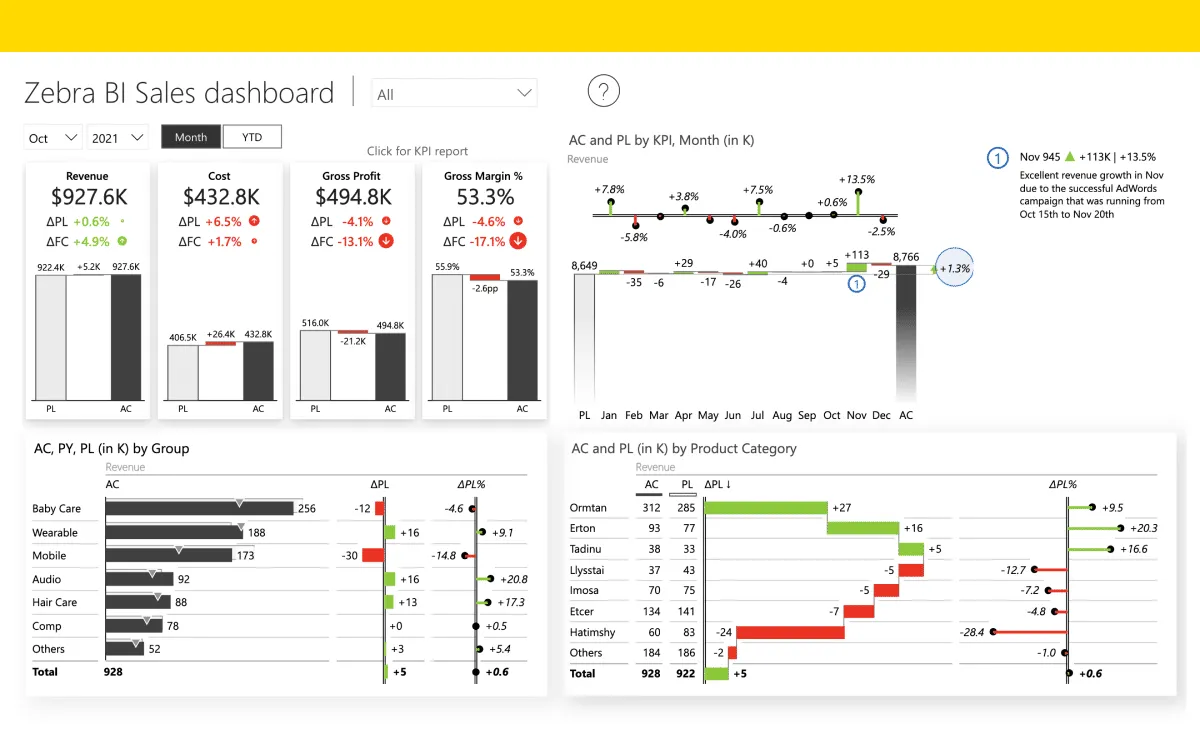
Zebra BI is a web-based add-in that works identically on Mac, Windows, and PowerPoint Online. It focuses on IBCS-compliant charts (International Business Communication Standards) for financial reporting.
What Works on Mac:
- Waterfall and variance charts
- IBCS-compliant formatting
- Excel integration
- Power BI export
- Both Zebra BI Charts and Zebra BI Tables add-ins
System Requirements:
- PowerPoint 2016 or later for Mac
- Or Office 365/Microsoft 365
Mac-Specific Advantages:
Because Zebra BI uses web technology, there's no separate Mac version to maintain. Updates roll out simultaneously across platforms. The tradeoff is less deep PowerPoint integration than native add-ins.
What It Doesn't Do:
- Mekko charts
- Gantt charts
- Productivity shortcuts
- Work offline (requires internet connection)
Best For: Finance teams already using Power BI who need consistent charting in PowerPoint. Less suitable for general consulting work or users who need Mekko charts.
3. Efficient Elements
Mac Support: Partial—reduced feature set
Price: EUR 99/user/year (customization from EUR 199)
Website: efficient-elements.com
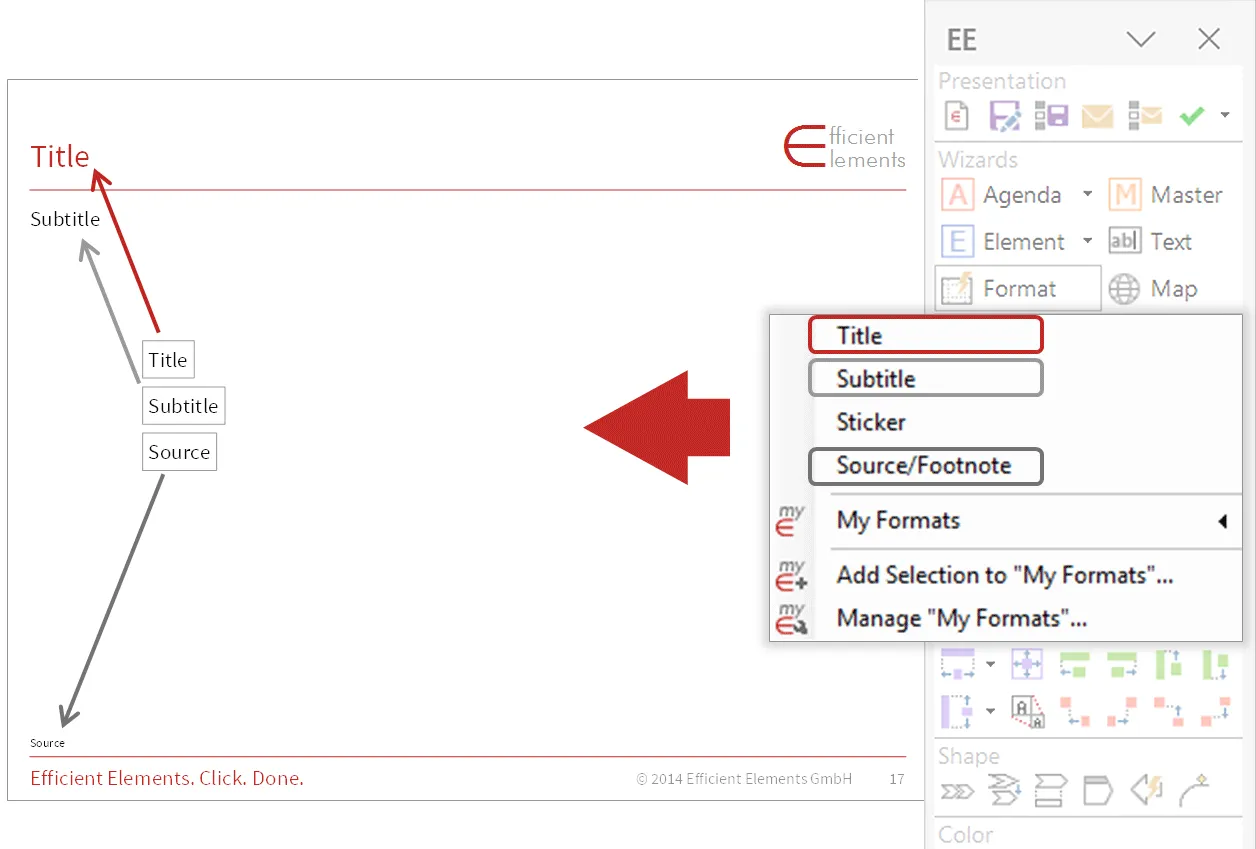
Efficient Elements is a German company serving European consultancies. They've developed a macOS version, but it comes with caveats.
What Works on Mac:
- Formatting automation
- Agenda wizard
- Slide library access
- Brand compliance checking
Mac Limitations:
The company explicitly states: "Due to technical limitations the macOS version does not offer the exact same feature set as the Windows version." They recommend downloading the 30-day trial to evaluate Mac functionality before purchasing.
System Requirements:
- macOS (current or previous version)
- PowerPoint 2021, 2024, or Microsoft 365 (version 16.33+)
- VBA must be enabled
Known Issues:
There was a documented PowerPoint crash issue with version 16.79 that affected Efficient Elements users. Microsoft confirmed this as a bug in their release.
What It Doesn't Do (Even on Windows):
- Advanced charting (no waterfall, no Mekko)
- Excel data linking
- Icon library
Best For: European consultancies with strict brand compliance requirements who use Windows as their primary platform but need basic Mac compatibility for occasional use.
4. empower Suite
Mac Support: Most features supported
Price: empower® Express from €29.99/month (full suite, 1-50 users) | €9.99/month (charts only) | Enterprise pricing on request
Website: empowersuite.com
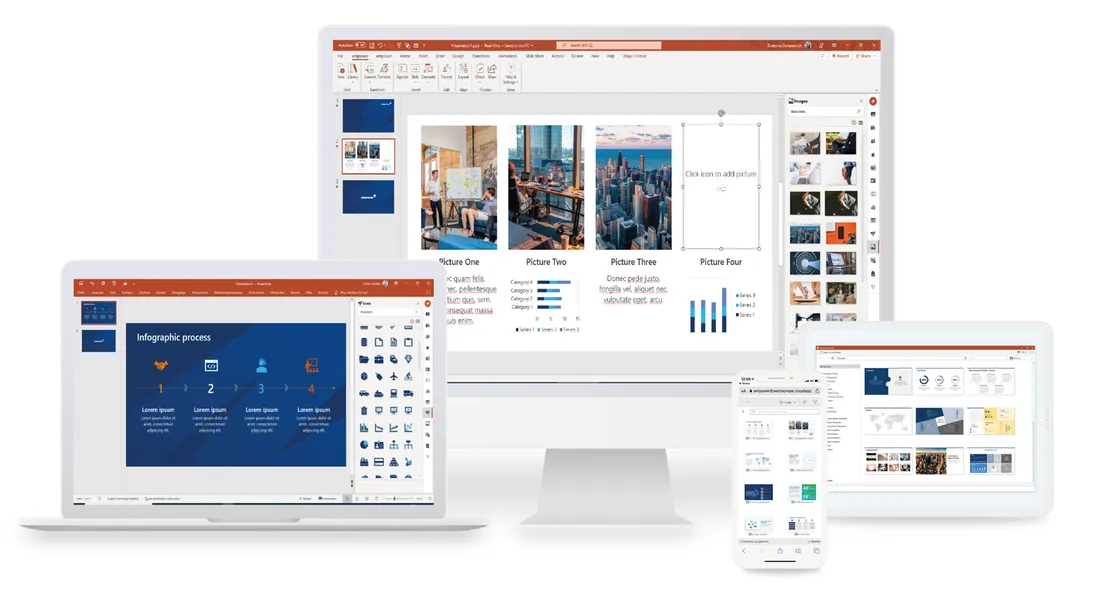
empower supports most of its feature set on Mac, including productivity tools, templates, Design Check, and AI features. The only current Mac limitation is chart creation, which is expected to arrive with full Mac support in Q2 2026.
What Works on Mac:
- Access to the integrated empower Library
- Browsing folders for slides
- Full-text search across content
- Language filters for multilingual presentations
- Offline sync for library content
- Formatting and productivity tools
- Design Check
- AI features
What Doesn't Work on Mac (yet):
- Chart creation (expected Q2 2026)
System Requirements:
- macOS Sonoma or later
- PowerPoint Version Office 365 (latest version)
- VBA must be enabled
The Reality:
empower offers near-complete Mac support, with chart creation as the only remaining gap. Mac users get access to the library, productivity tools, Design Check, and AI features—making it a viable cross-platform solution.
Best For: Cross-platform teams needing an all-in-one solution across Windows and Mac. empower® Express is available for 1-50 users with no setup fees.
5. Power-user (Mac Coming Soon)
Mac Support: None currently
Price: $105/year (~$8.75/month)
Website: powerusersoftwares.com
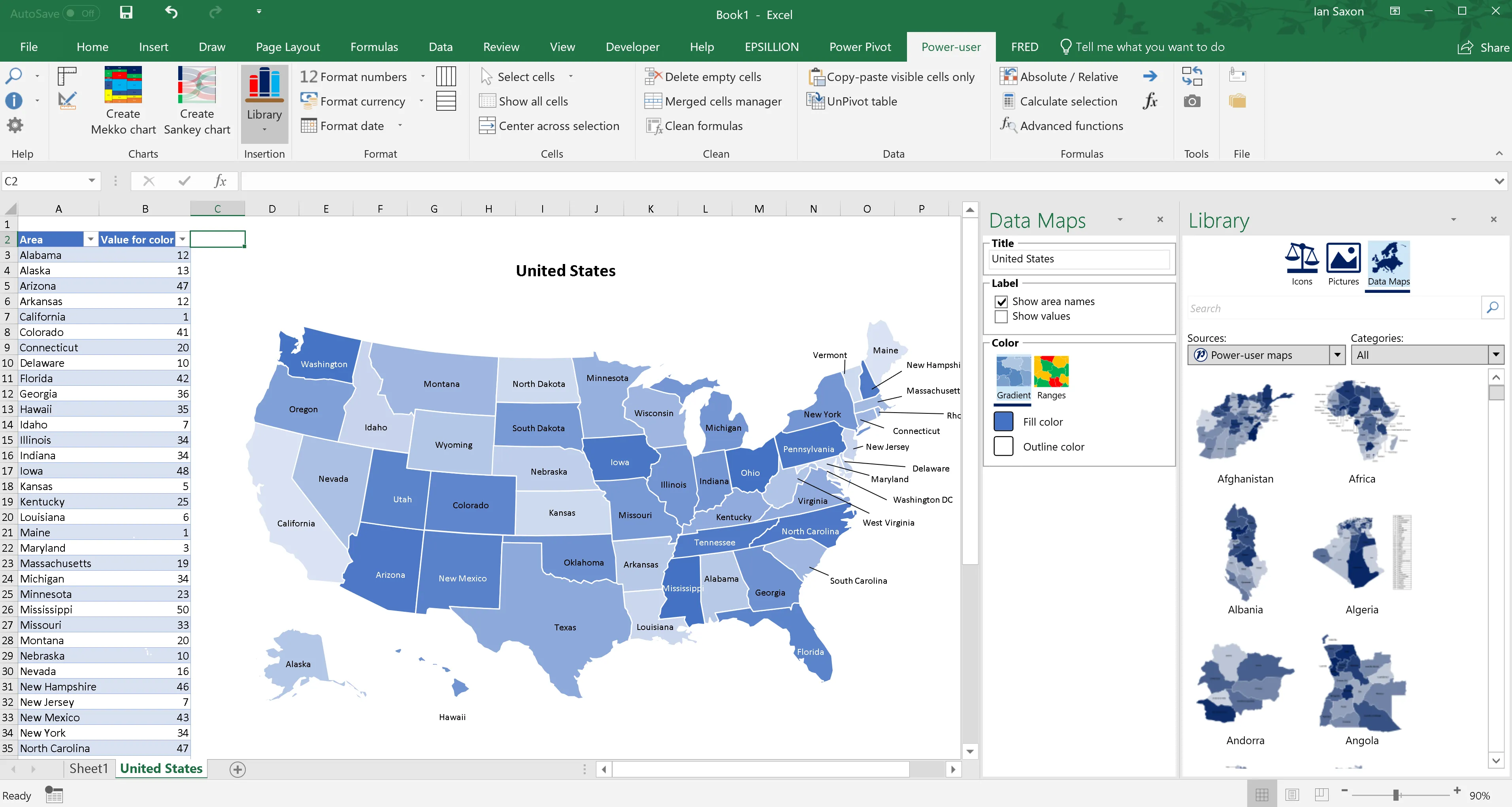
Power-user is a feature-rich add-in with 110+ chart types, 350 editable maps, and 7,000 icons. Unfortunately, it's Windows-only—built on VSTO technology that doesn't run on Mac.
Current Status:
The company states they "plan to release a Mac version eventually, but not in the very near future." They offer an email signup to be notified when Mac support launches.
Workaround for Mac Users:
Power-user works in virtual machines. If you run Parallels Desktop or VMware Fusion on your Mac, you can install Power-user in the Windows environment. This adds complexity and cost but provides access to the full feature set.
What You're Missing on Mac:
- 110+ chart types including waterfall, Mekko, Sankey
- 350 editable maps with Excel linking
- 850 PowerPoint templates
- 7,000 vector icons
- AI translation and text tools
Best For: Windows users who need charts, maps, and templates in one package. Mac users should consider Deckary as the closest alternative with native Mac support.
6. UpSlide (Windows Only)
Mac Support: None
Price: Contact for enterprise pricing
Website: upslide.com
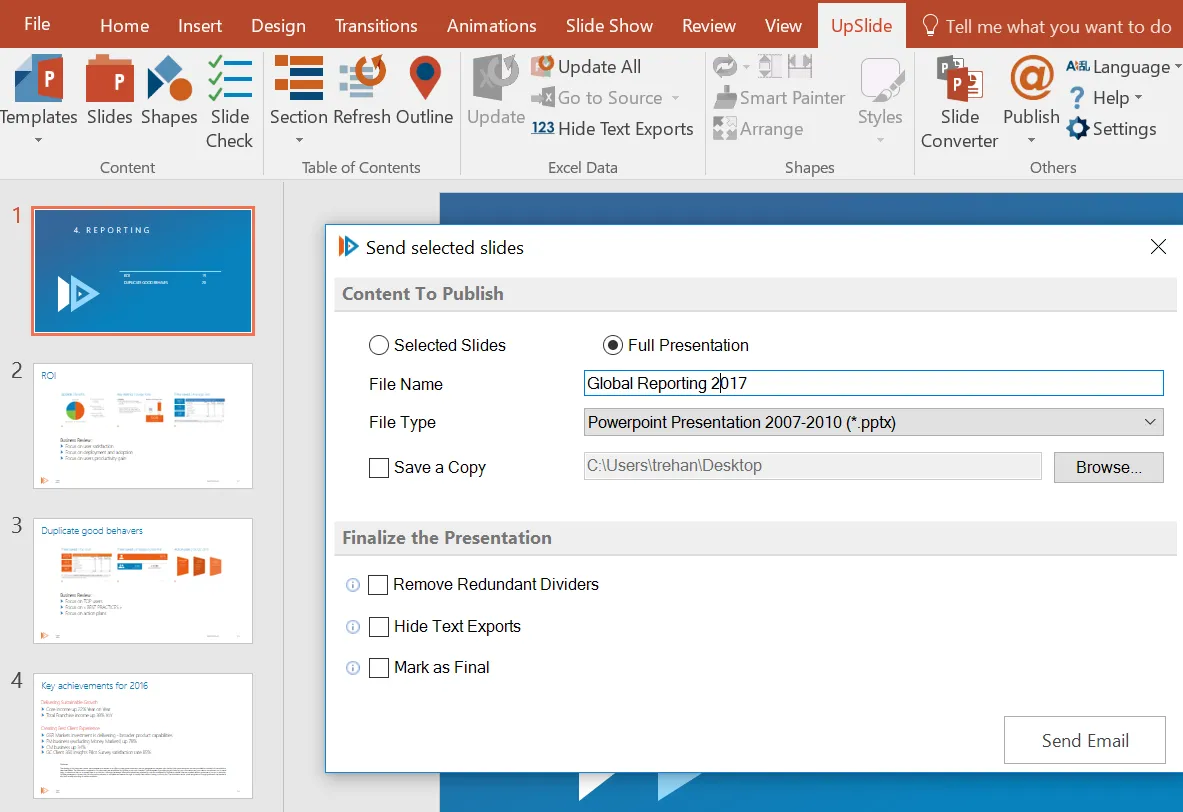
UpSlide is used by KPMG, Rothschild, and Apollo for enterprise document automation. It's built entirely on VSTO and cannot be installed on Mac.
Why No Mac Support:
UpSlide explicitly states in their documentation: "UpSlide is a VSTO add-in and cannot be installed on a Mac." VSTO requires the .NET Framework, which only runs on Windows.
What Mac Users Are Missing:
- Excel-PowerPoint linking that survives file moves
- Centralized content library
- Slide Check for brand compliance
- Track Changes for PowerPoint
- 65+ productivity features
Mac Workaround:
Like Power-user, UpSlide works in Windows virtual machines on Mac. Some enterprise IT departments configure Citrix or VMware environments for this purpose.
Best For: Enterprise finance teams on Windows with standardized document workflows. Not an option for Mac-based teams without virtualization.
7. Macabacus (Windows Only)
Mac Support: None (Lite version available)
Price: $200+/user/year
Website: macabacus.com
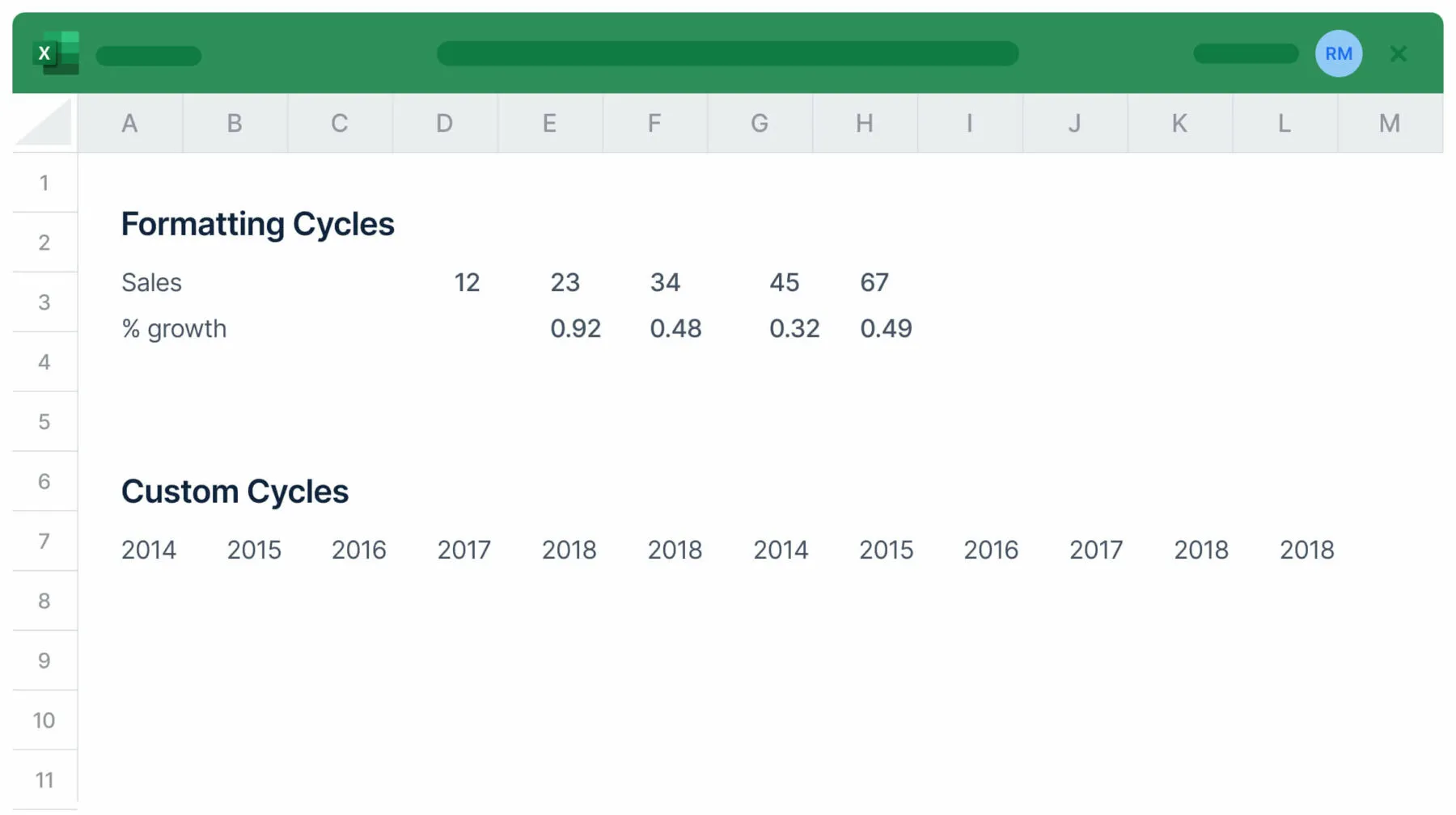
Macabacus is the gold standard for investment banking—Excel and PowerPoint tools specifically designed for financial modeling and pitch books. It does not support Mac natively.
Why Mac Support Is Unlikely:
Macabacus explains: "Office for Mac does not support sophisticated COM add-ins like Macabacus, and Microsoft is not expected to change this." They note that Microsoft's alternative API is "woefully underdeveloped" for professional use.
Mac Options:
- Macabacus Lite — A stripped-down Office Add-in with limited functionality
- Virtual Machine — Run Windows via VMware Fusion or Parallels
What Mac Users Are Missing:
- Financial modeling tools (DCF, LBO, comps)
- Model auditing with 50+ checks
- 100+ Excel shortcuts
- Reliable Excel-PowerPoint linking
- Shared libraries for brand consistency
Best For: Investment bankers and PE professionals on Windows. Mac users in finance should consider Deckary for charting or run Macabacus in a VM for full functionality.
Continue reading: How to Make a Gantt Chart in PowerPoint (Free Template) · How to Align Objects in PowerPoint · Best AI Presentation Maker for Consultants
Office Timeline: The Web Workaround
Mac Support: Desktop version no, web version yes
Price: $108-249/year (desktop); $180/year (Online Premium)
Website: officetimeline.com
Office Timeline's desktop add-in is VSTO-based and Windows-only. However, they offer a web version at online.officetimeline.com that works on Mac.
Web Version Capabilities:
- Create Gantt charts and timelines in browser
- Export to PowerPoint (.PPTX), PNG, or shareable links
- Import from MS Project, Smartsheet, Jira, Excel
Web Version Limitations:
- Not integrated into PowerPoint ribbon
- Requires browser workflow (create online, download, insert)
- Less seamless than desktop add-in experience
Best For: Mac users who occasionally need Gantt charts and can tolerate a browser-based workflow.
Best Add-in for Different Mac Use Cases
Based on our testing across real consulting workflows, here's what we recommend:
For Strategy Consultants on Mac
Best Choice: Deckary ($120-180/year)
Strategy consultants need waterfall charts for financial bridges, Mekko charts for market sizing, and shortcuts for faster formatting. Deckary delivers all three with full Mac support—no compromises, no reduced features, no VBA issues.
For Investment Bankers on Mac
Best Choice: Deckary + VM with Macabacus
Unfortunately, there's no perfect solution. Macabacus's financial modeling tools don't work natively on Mac. We recommend Deckary for charting (works natively) plus Macabacus in a Parallels/VMware Windows VM for Excel modeling.
For Finance Teams on Mac
Best Choice: Zebra BI ($28/month)
If you're in a Power BI environment and need IBCS-compliant charts, Zebra BI works identically on Mac. The web-based architecture means no installation issues and consistent updates.
For Project Managers on Mac
Best Choice: Office Timeline Online (free tier available)
The web version of Office Timeline works on Mac and creates professional Gantt charts. For occasional use, this is simpler than running Windows in a VM.
Alternative: Deckary includes Gantt charts natively in PowerPoint.
For Freelance Consultants on Mac
Best Choice: Deckary Starter ($120/year)
At $120/year (or $15/month), Deckary offers waterfall charts, Mekko charts, Excel linking, and productivity shortcuts—everything a freelancer needs without enterprise pricing.
Tips for Mac PowerPoint Productivity
Beyond add-ins, here are ways to work faster in PowerPoint on Mac:
Native Keyboard Shortcuts Worth Learning
| Action | Mac Shortcut |
|---|---|
| Duplicate slide | Cmd+Shift+D |
| Group objects | Cmd+Option+G |
| Ungroup objects | Cmd+Option+Shift+G |
| Send to back | Cmd+Shift+[ |
| Bring to front | Cmd+Shift+] |
| Align left (with Deckary) | Ctrl+Option+L |
| Distribute horizontally (with Deckary) | Ctrl+Option+H |
Enable VBA Before Installing Add-ins
Many add-ins require VBA to function. Before installation:
- Open System Preferences > Profiles
- Check that "DisableVisualBasicExternalDylibs" is FALSE
- Check that "VisualBasicEntirelyDisabled" is FALSE
- If either is TRUE, contact IT to change these settings
Consider When a VM Makes Sense
Running Windows in Parallels or VMware Fusion adds cost ($80-100/year) and complexity. It makes sense if:
- You need Macabacus for financial modeling
- Your firm requires UpSlide for compliance
- You use Windows-only tools more than occasionally
For occasional chart creation, native Mac tools like Deckary are simpler.
Mac Compatibility Comparison Table
| Tool | Price/Year | Waterfall | Mekko | Excel Link | Shortcuts | Icons | Mac Support Level |
|---|---|---|---|---|---|---|---|
| Deckary | $120-180 | Yes | Yes | Yes | Yes | 2,000+ | Full |
| Zebra BI | $336 | Yes | No | Yes | No | No | Full |
| Efficient Elements | EUR 99 | No | No | No | Limited | No | Partial |
| empower | €120-360 | Limited | No | No | No | No | Most features (charts coming Q2 2026) |
| Power-user | $105 | Yes | Yes | Yes | Yes | 7,000 | None |
| UpSlide | Contact | Yes | Yes | Yes | Yes | No | None |
| Macabacus | $200+ | Yes | Yes | Yes | Yes | No | None |
| Office Timeline | $108-249 | No | No | No | No | No | Web only |
The Honest Take
The PowerPoint add-in market still treats Mac users as second-class citizens. Enterprise tools built on VSTO—the most powerful Office integration technology—simply don't run on macOS. Microsoft's alternative APIs remain underdeveloped for professional use.
But the situation has improved. Deckary was built cross-platform from the start, offering consulting-grade charts and productivity tools at an accessible price point. Zebra BI's web-based approach works anywhere.
If you're a Mac consultant frustrated by Windows-only tools, Deckary is the solution we wish existed when we started. Waterfall charts, Mekko charts, Excel linking, alignment shortcuts, 2,000+ icons—all working identically on macOS and Windows.
The days of running Parallels just to build a bridge chart are over.