8 Best PowerPoint Add-ins for Consultants (2026)
Compare the best PowerPoint add-ins for consultants, from Deckary to Power-user. Detailed breakdown of features, pricing, and which tool fits your workflow—whether you need advanced charting or faster formatting.
- Bob · Former McKinsey and Deloitte consultant with 6 years of experience
- August 25, 2025
- 15 min read
Pricing and feature information was accurate at the time of publication. Competitor products change frequently — verify current details on each provider's website.
PowerPoint add-ins for consultants solve the gap between what native PowerPoint offers and what consulting work demands. Building waterfall charts manually takes 12+ minutes. Alignment requires 4-5 clicks per operation. Formatting consistency across 50-slide decks requires constant vigilance.
The right add-in reduces chart creation to under a minute, provides single-keystroke alignment, and enforces formatting standards automatically. But with dozens of options — think-cell, Deckary, Power-user, Macabacus, and many more — ranging from free to $500/year, choosing the right tool matters.
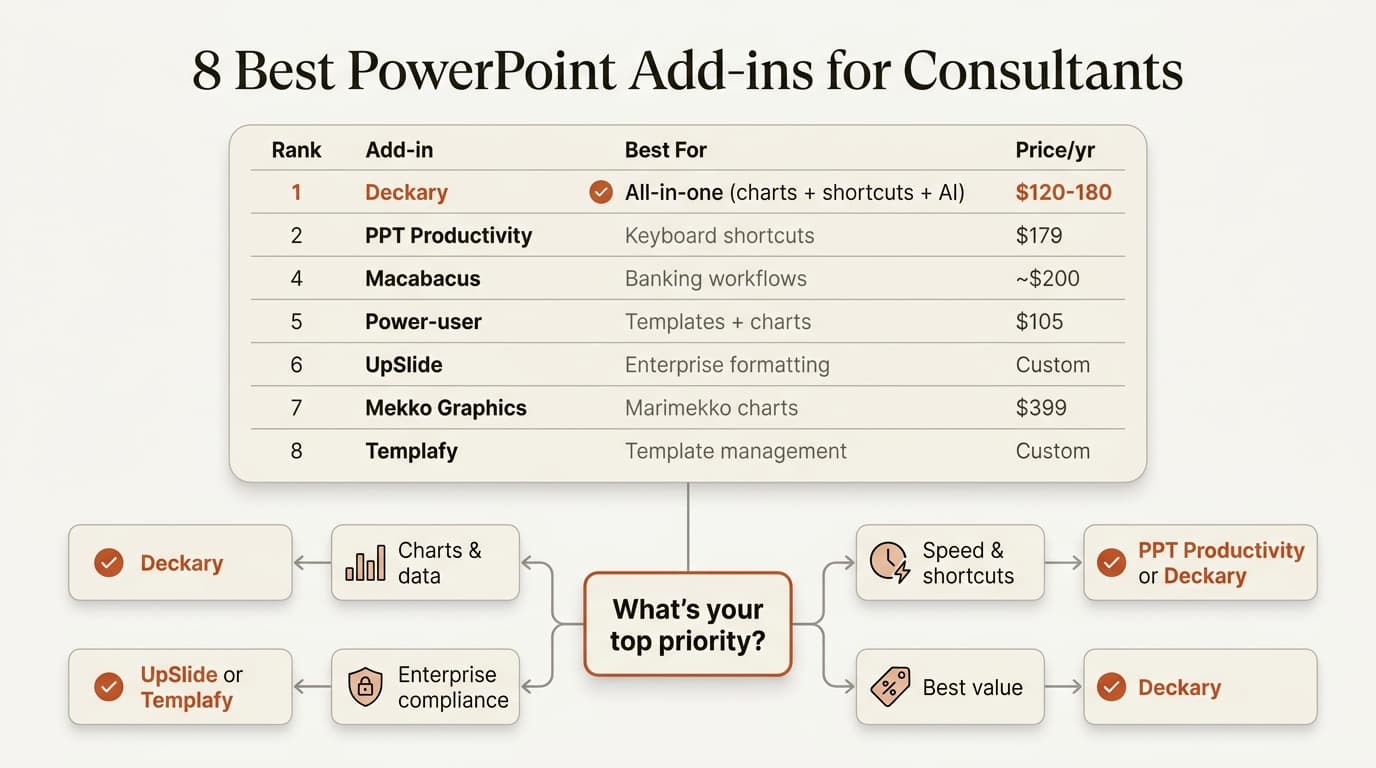
This guide compares the eight best PowerPoint add-ins for consultants. We tested each tool over 8 weeks using real consulting workflows, measuring chart creation speed, productivity feature quality, and Excel link reliability. The rankings reflect hands-on experience, not marketing claims. For an even broader comparison covering 20+ tools across charting, AI, and productivity, see our complete PowerPoint add-ins guide.
How We Evaluated
We tested each add-in over 8 weeks using real consulting workflows—not just feature checklists. Our evaluation included:
| Test | What We Measured |
|---|---|
| Chart creation | Time to build a waterfall chart from Excel data (15 trials per tool) |
| Productivity features | Keystrokes required for common operations (alignment, formatting) |
| Reliability | Link stability over 50+ file saves and reopens |
| Cross-platform | Feature parity between Windows and Mac |
| Learning curve | Time for a new user to complete standard tasks |
Every tool was assessed on five criteria that matter for consulting work:
| Criteria | Why It Matters |
|---|---|
| Productivity features | Alignment shortcuts, formatting tools, slide libraries |
| Charting capabilities | Waterfall, Mekko, data-linked charts from Excel |
| Platform support | Windows, Mac, or both |
| Price | Annual cost per user |
| Learning curve | Time to become productive |
Different consultants need different things. An ex-banker building pitch books needs waterfall charts. A strategy consultant building storylines needs fast formatting. A freelancer needs something affordable that works on Mac.
Quick Comparison Table
| Tool | Price/Year | Best For | Charting | Mac | Free Trial |
|---|---|---|---|---|---|
| Deckary | $120-180 | Productivity + consulting charts | Very Good | Yes | 14-day free trial |
| PPT Productivity | $179 | Ex-consultants | Basic | Yes | 7 days |
| Power-user | $105 | Charts + maps + templates | Good | Yes | 4 months |
| Macabacus | $200+ | Investment banking | Good | No | Yes |
| UpSlide | Contact | Enterprise finance | Good | No | Yes |
| Efficient Elements | €99 | European consultancies | Basic | Yes | Yes |
| Office Timeline | $108-249 | Project timelines | Gantt only | No | 7 days |
| empower Suite | €120-360 | All-in-one platform | Good | Yes (charts Windows-only until Q2 2026) | Yes |
1. Deckary
Best for: Consultants who need consulting-grade charts AND productivity features
Price: $15/month or $120/year for Starter; $19/month or $180/year for Premium
Deckary combines the charting capabilities consultants actually need with the productivity tools that make everyday PowerPoint work faster. It's built specifically for strategy consulting workflows.
What Deckary Does Well
Charting:
- Waterfall charts — One-click waterfall creation with automatic bridges and totals
- Mekko (Marimekko) charts — Variable-width bar charts for market sizing
- Gantt charts — Project timelines with milestones
- 100% stacked bar charts — For share analysis and composition breakdowns
- Scatter, line, and bar charts — Core consulting chart types
- Excel linking — Charts update automatically from spreadsheet data
- CAGR lines — Automatic compound growth rate indicators
- Delta indicators — Show changes between data points
- Reference lines — Add benchmarks and targets to any chart
Productivity:
- True keyboard shortcuts for alignment (Ctrl+Alt+L for Align Left, etc.)—not five-keystroke Alt sequences
- 2,000+ professional icons searchable directly in PowerPoint
- Cross-platform — Works identically on Windows and Mac
- Instant setup — No configuration, works immediately after install
Where Deckary Falls Short
- No agenda automation — You'll build agenda slides manually
- Smaller company — Less enterprise support than UpSlide
The Honest Take
Deckary hits a sweet spot for most consultants: consulting-grade charts (waterfall, Mekko, Excel linking) at an affordable price point, plus the productivity tools you'll use on every slide. Whether you build waterfall charts daily or monthly, Deckary delivers the capability without enterprise pricing.
Our testing results: Average waterfall chart creation time was 42 seconds. The productivity shortcuts (alignment, formatting) saved an additional 8-12 minutes per deck compared to native PowerPoint. Setup time: under 5 minutes.
Best for: Strategy consultants, freelancers, small consulting teams, ex-MBB consultants who need charts and shortcuts without enterprise pricing.
2. PPT Productivity
Best for: Ex-MBB consultants who miss their firm's internal tools
Price: $179/year (non-profit discounts available)
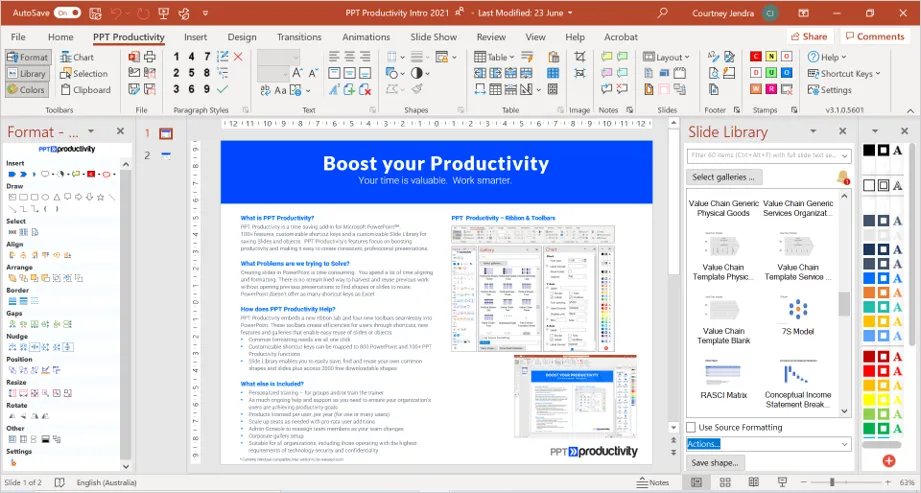
PPT Productivity was built by BCG and Accenture alumni—the same people who created internal consulting toolbars. It's designed to replicate the experience of having firm-grade tools.
What PPT Productivity Does Well
- 100+ custom keyboard shortcuts including McKinsey-style shortcuts
- Slide library for storing and reusing content
- Agenda wizard for building structured agendas
- Formatting toolbar for quick access to common operations
- Color toolbar for managing brand colors
- Proofing tools for catching consistency errors
PPT Productivity is explicitly designed for consulting workflows. The founder wrote many of BCG's original PowerPoint macros.
Where PPT Productivity Falls Short
- No advanced charting — Like Deckary, focuses on productivity over visualization
- Interface density — Four toolbars can feel overwhelming initially
- Price — Higher than some alternatives for individual users
The Honest Take
PPT Productivity is the closest thing to MBB internal tools available commercially. If you left McKinsey, BCG, or Bain and miss the toolbar, this is designed specifically for you. It's overkill if you just need basic shortcuts.
Our testing results: The keyboard shortcuts reduced alignment operations from 4.2 seconds (menu clicking) to 0.8 seconds. For a typical 50-slide deck, this saved roughly 10 minutes on formatting alone.
Best for: Ex-MBB consultants, strategy consulting firms, users who want the full consulting toolbar experience.
Continue reading: Harvey Balls in PowerPoint · PowerPoint Tips and Tricks · Best AI Presentation Maker for Consultants
3. Power-user
Best for: Consultants who need charts, maps, and templates in one package
Price: $8.75/month (~$105/year) — free for academics
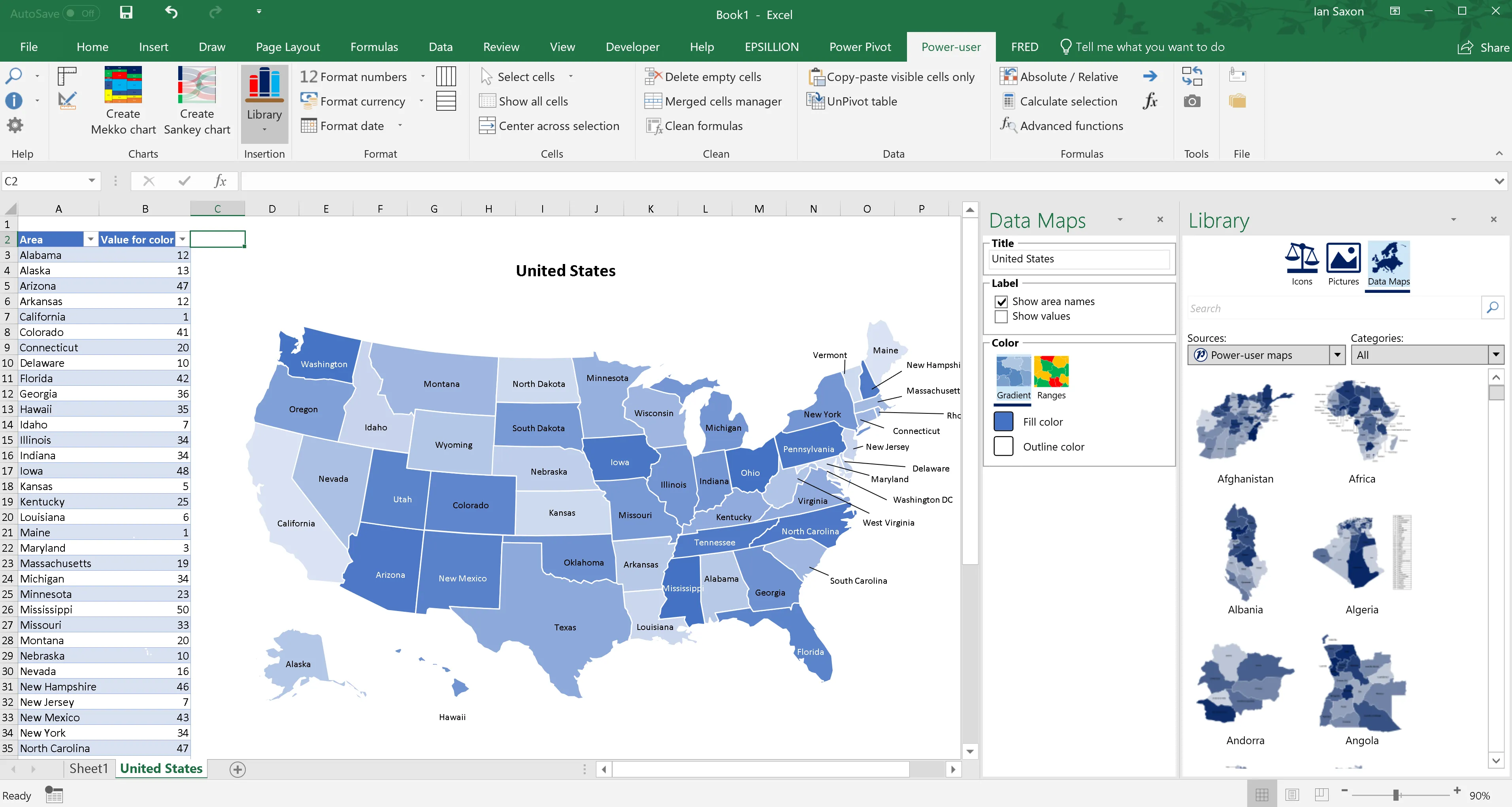
Power-user takes a different approach: instead of focusing on one thing, it bundles charts, maps, templates, icons, and productivity tools into a single add-in.
What Power-user Does Well
- 110+ chart types including waterfall, Mekko, and Sankey diagrams
- 350 editable maps that can connect to Excel data
- 850 PowerPoint templates that adapt to your brand colors
- 7,000 vector icons organized by category
- Excel linking for charts and tables
- AI tools for translation and text refinement
Power-user provides strong charting capabilities at a competitive price, plus maps and templates that many other tools don't offer.
Where Power-user Falls Short
- Jack of all trades — Individual features may not be as polished as specialized tools
- Chart quality — Good but may not match specialized tools for complex financials
- Learning curve — Many features means more to learn
The Honest Take
Power-user is excellent value if you need charts and maps and templates and icons. If you only need one of those things, a specialized tool might serve you better. The free academic license makes it ideal for students and educators.
Our testing results: Chart quality was competitive with dedicated charting tools for most business charts. The map feature—which we didn't expect to use—became valuable for market entry and geographic analysis slides. The template library reduced our "blank slide" starts significantly.
Best for: Consultants who need a broad toolkit, users who work with geographic data, budget-conscious teams.
4. Macabacus
Best for: Investment bankers and private equity professionals
Price: $200+/user/year (volume discounts for enterprise)
Macabacus is built specifically for financial services—investment banking, private equity, venture capital, and FP&A. It spans Excel, PowerPoint, and Word.
What Macabacus Does Well
- Financial modeling tools — DCF, LBO, comps, and merger model support
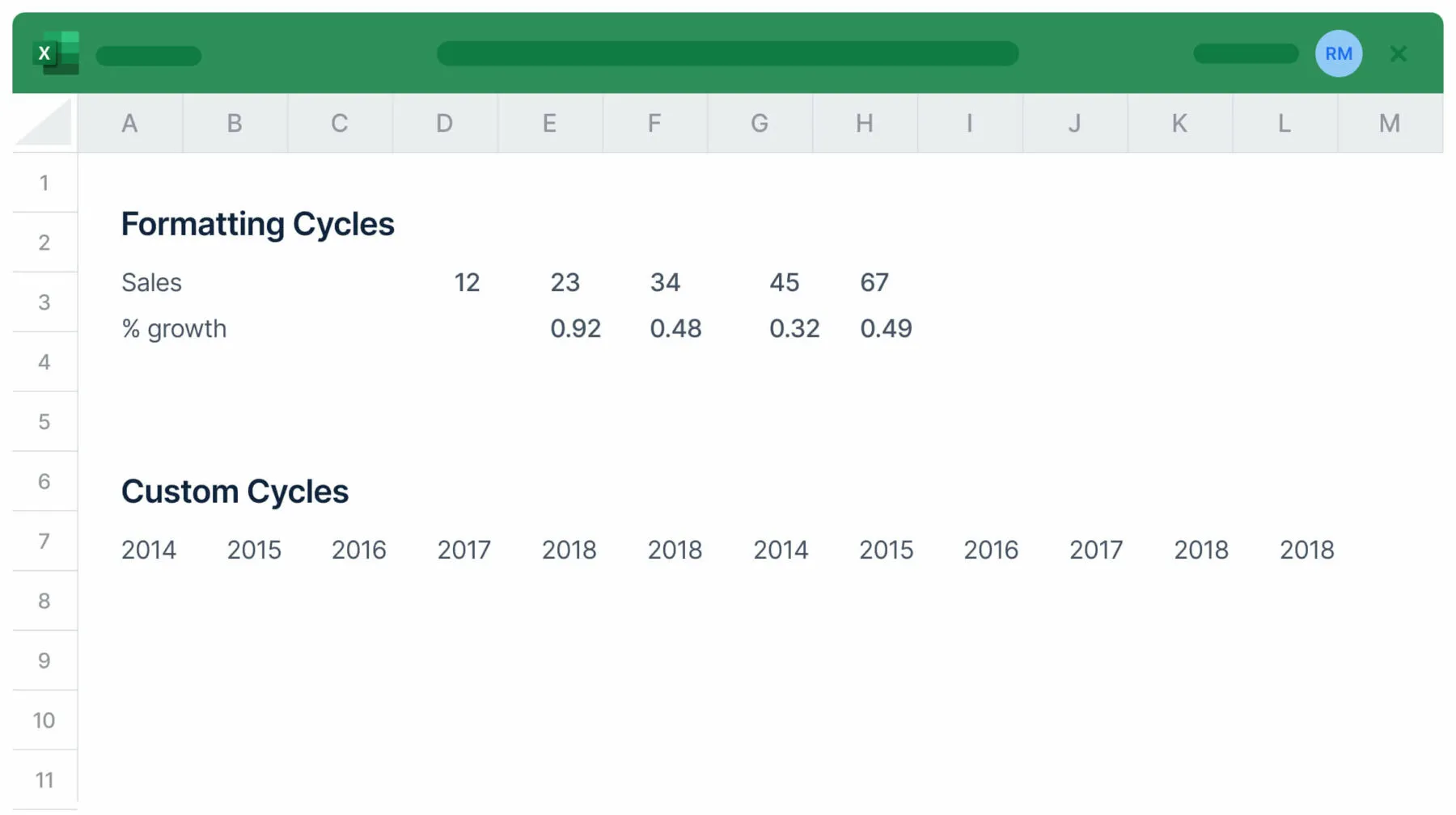
- Excel-PowerPoint linking — Reliable linking that doesn't break
- Model auditing — 50+ checks for formula errors and inconsistencies
- 100+ Excel shortcuts for financial modeling workflows
- Waterfall charts and other financial visualizations
- Shared libraries for brand consistency across teams
Most Macabacus users report saving 3+ hours per week on formatting and modeling tasks.
Where Macabacus Falls Short
- Windows only — No Mac support
- Finance-specific — Features are optimized for financial workflows, less useful for general consulting
- Price — Enterprise-level pricing
The Honest Take
Macabacus is the right choice if your work lives in Excel as much as PowerPoint. The Excel-PowerPoint linking is more reliable than most alternatives. But it's overkill (and unavailable) for Mac-based strategy consultants who don't build complex financial models.
Best for: Investment bankers, PE/VC professionals, FP&A teams, anyone who builds financial models in Excel.
5. UpSlide
Best for: Enterprise finance teams with standardized document workflows
Price: Contact for pricing (enterprise licensing)
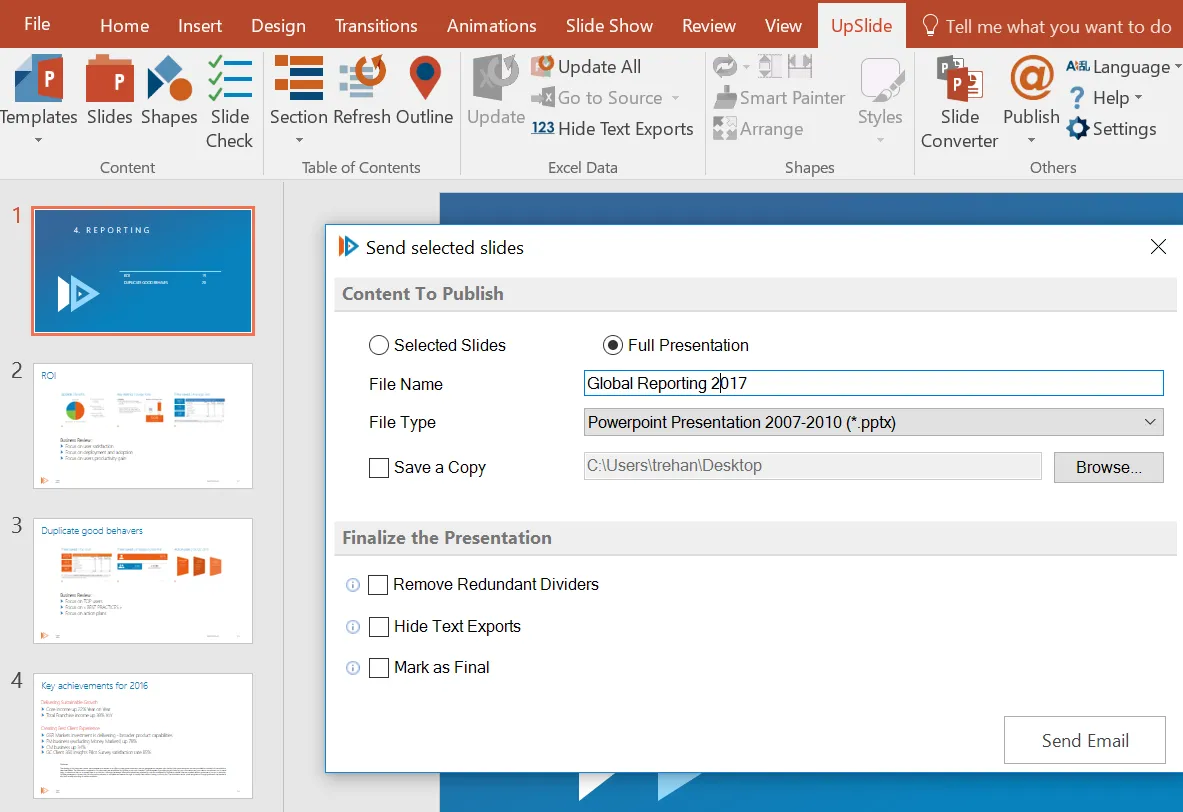
UpSlide is used by firms like KPMG, Rothschild, and Apollo. It's designed for finance teams that need to automate document creation across Excel, PowerPoint, and Word.
What UpSlide Does Well
- Excel-PowerPoint linking — Links survive file moves and renames
- Content library — Centralized access to branded templates, even offline
- Slide Check — Audits presentations against brand guidelines
- Track Changes — Version tracking in PowerPoint like Word
- AI tools — Glossary generation, text refinement, translation
- 65+ features spanning the entire Office suite
UpSlide claims significant time savings for users—meaningful for high-billing professionals.
Where UpSlide Falls Short
- Windows only — VSTO add-in doesn't run on Mac
- Enterprise pricing — Not practical for individuals or small teams
- Learning curve — Extensive features can overwhelm new users
- Customization gaps — Less optimal for highly customized presentations
The Honest Take
UpSlide makes sense for enterprise finance teams with standardized workflows and budget for premium tools. Individual consultants and Mac users should look elsewhere.
Best for: Enterprise finance teams, M&A advisory, firms with standardized document workflows.
6. Efficient Elements
Best for: European consultancies focused on formatting and brand compliance
Price: €99/user/year (customization from €199)
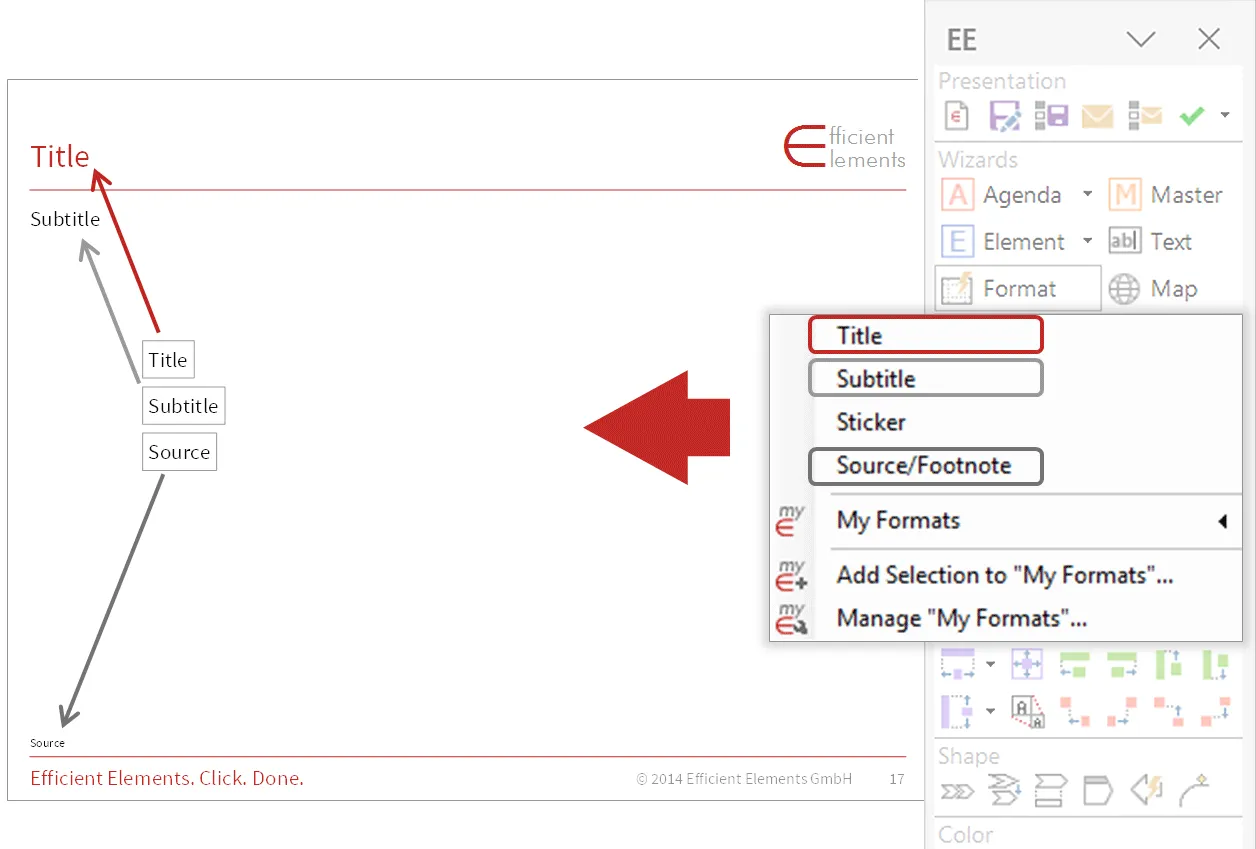
Efficient Elements is a German company serving consulting firms and large enterprises across Europe. It focuses on formatting efficiency and brand compliance.
What Efficient Elements Does Well
- Formatting automation — Quick access to common formatting operations
- Agenda wizard — Automated agenda slide creation
- Slide library — Content storage and reuse
- Brand compliance — Enforce corporate design standards
- Multi-language support — 9 languages including Chinese
Efficient Elements claims 30% time savings on PowerPoint work, with strong adoption among European consultancies.
Where Efficient Elements Falls Short
- Limited charting — Basic charting only, no waterfall or Mekko
- Less known outside Europe — Smaller community than US-based tools
- Customization costs — Corporate design customization adds to price
The Honest Take
Efficient Elements is a solid choice for European firms, particularly those already using German enterprise software. For US-based consultants, PPT Productivity or Deckary may be more familiar options at similar price points.
Best for: European consultancies, firms with strict brand compliance requirements, multilingual teams.
7. Office Timeline
Best for: Project managers and consultants who present timelines and Gantt charts
Price: $108-249/year (Lite $108, Plus $199, Expert $249; Online Premium $180)
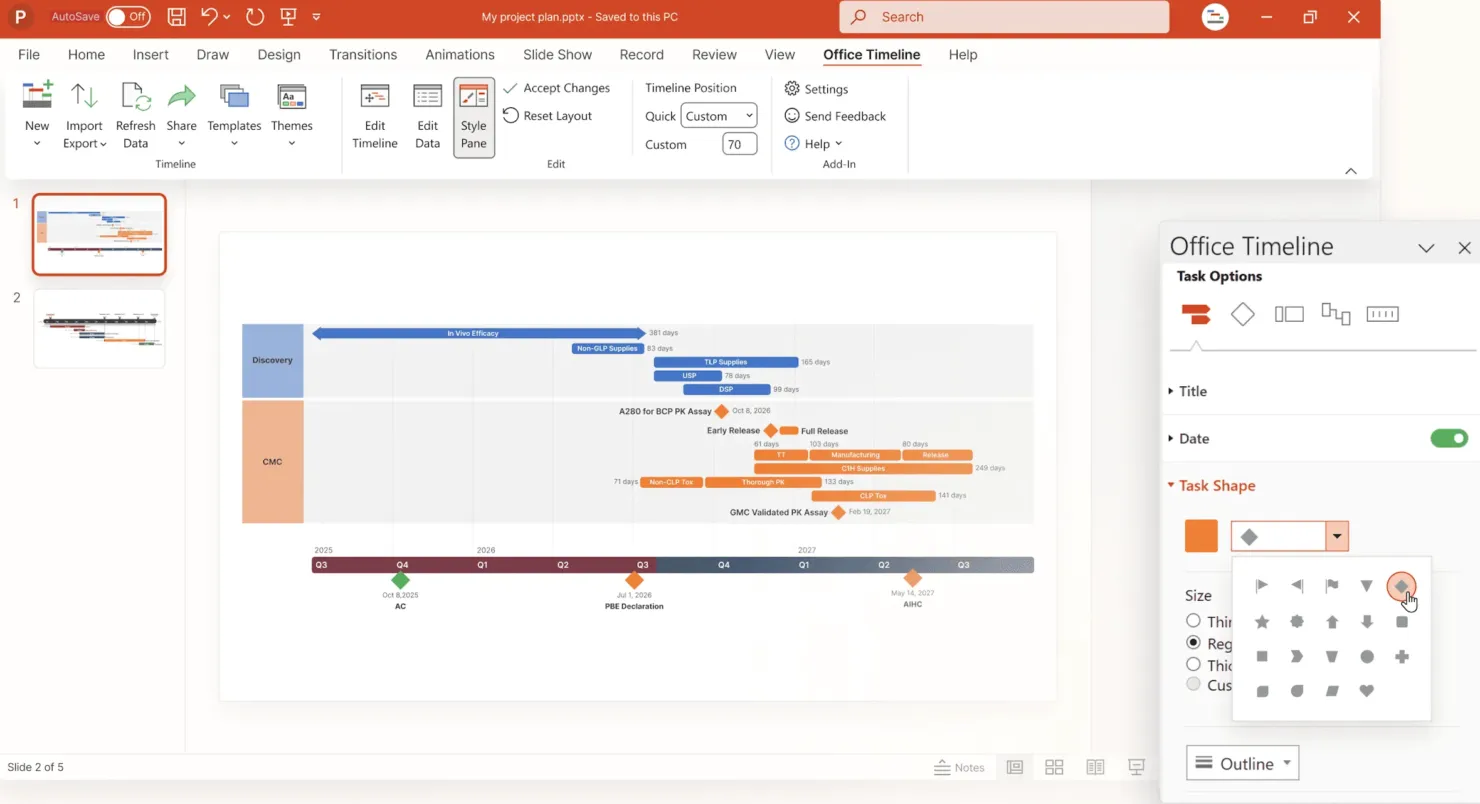
Office Timeline is specialized: it does one thing—timelines and Gantt charts—and does it well.
What Office Timeline Does Well
- Gantt chart automation — Creates professional Gantt charts in minutes
- Swimlane diagrams — Multi-track project visualizations
- Integrations — Imports from MS Project, Smartsheet, Jira, Excel
- Roadmaps — Strategic roadmap visualizations
- Dependencies — Shows task relationships and critical path
Creating Gantt charts manually in PowerPoint is painful. Office Timeline automates the entire process.
Where Office Timeline Falls Short
- Single-purpose — Only useful if you regularly present project timelines
- Windows only — Desktop add-in doesn't run on Mac (web version available)
- No other features — No alignment shortcuts, formatting tools, or general productivity features
The Honest Take
Office Timeline is essential if you regularly present project schedules, implementation roadmaps, or program timelines. If you only occasionally need a Gantt chart, the free tier or a template might suffice.
Best for: Project managers, implementation consultants, anyone who regularly presents timelines.
8. empower Suite
Best for: Teams wanting to consolidate multiple add-ins into one platform
Price: empower® Express from €29.99/month (full suite, 1-50 users) | €9.99/month (charts only) | Enterprise pricing on request
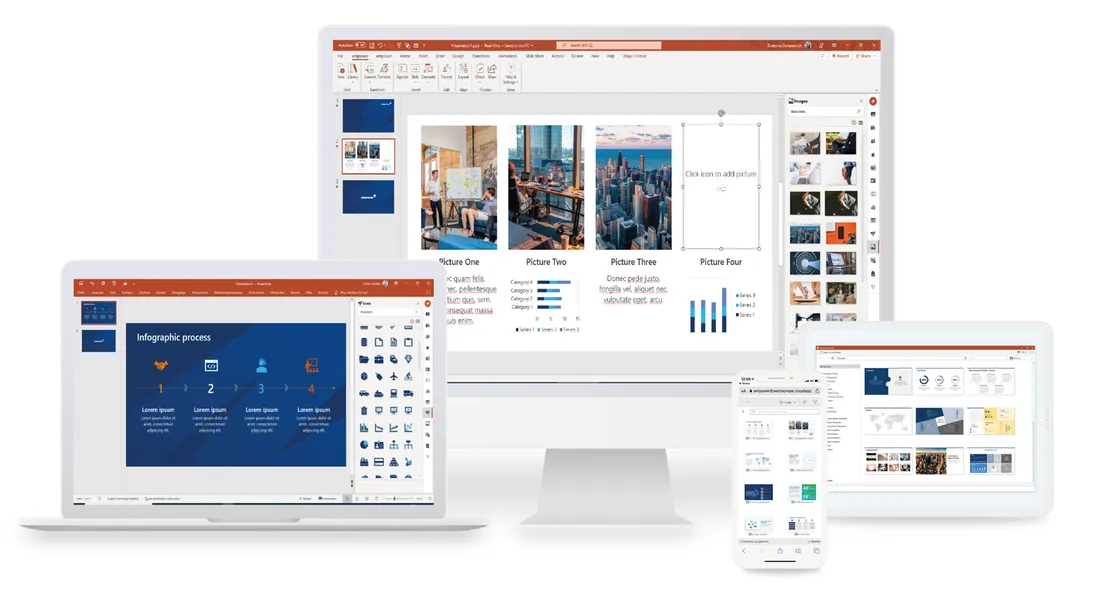
empower Suite is an all-in-one platform that aims to replace multiple specialized tools. It's used by 3+ million users across 1,200 companies.
What empower Suite Does Well
- Content library — Google-like search across all stored content
- Design Check — Auto-corrects brand guideline violations
- Chart creation — Waterfall, Gantt, and complex financial charts
- AI slide generation — Creates slides in corporate design
- Cross-Office integration — Works across PowerPoint, Word, Excel, Outlook
- Modular purchasing — Buy only charts, templates, or content tools as needed
- Consolidation — Replaces multiple add-ins with one platform
empower claims 30% time savings and 407% ROI for enterprise deployments.
Pricing Options
empower offers two paths:
- empower® Express — For 1-50 users. €9.99/month (charts only) or €29.99/month (full suite). Monthly subscription, no setup fees, direct online purchase.
- Enterprise — For larger organizations. Custom pricing with implementation support.
Where empower Suite Falls Short
- Feature density — The broad feature set covers many use cases, though modular rollout helps teams adopt gradually
- Chart creation on Mac — Chart creation is currently Windows-only (full Mac support expected Q2 2026)
The Honest Take
empower works for both small teams (via Express) and large enterprises. The Express option makes it accessible without sales calls or setup costs. For teams that need charts, templates, and brand management in one place, it's a strong consolidated option.
Best for: Teams consolidating multiple tools, organizations wanting one platform across Office apps, firms needing brand compliance.
Which Add-in Is Right for You?
Use this decision tree based on your primary need:
"I need waterfall charts and Mekko charts"
→ Deckary (best value with productivity tools) or Power-user (budget-friendly with maps)
"I need to link Excel data to PowerPoint charts"
→ Deckary, Macabacus (finance-focused), or UpSlide (enterprise)
"I need faster formatting and alignment shortcuts"
→ Deckary (charts + shortcuts + Mac) or PPT Productivity (full consulting toolbar)
"I'm an investment banker or PE professional"
→ Macabacus (Excel + PowerPoint for finance) or UpSlide (enterprise)
"I need maps with data visualization"
→ Power-user (350 editable maps with Excel linking)
"I present project timelines regularly"
→ Office Timeline (specialized Gantt charts)
"I want one platform for charts, templates, and brand management"
→ empower Suite (all-in-one, Express for small teams) or UpSlide (enterprise finance)
"I'm on a budget or freelancing"
→ Deckary ($120/year with charts) or Power-user (free for academics)
"I use Mac"
→ Deckary, Power-user, or Efficient Elements (Avoid: Macabacus, UpSlide, Office Timeline desktop)
What PowerPoint Add-ins Do McKinsey Consultants Use?
A common question: "What tools do McKinsey, BCG, and Bain actually use?"
The answer: proprietary internal tools you can't buy.
- McKinsey has "Marvin Tools"
- BCG has internal macros (originally called "Cool macros")
- Bain has "Bain Toolbox"
These internal tools provide shortcuts, formatting automation, and slide libraries—similar to what PPT Productivity and Deckary offer commercially.
If you're an ex-MBB consultant missing your firm's toolbar and charting capabilities, Deckary combines both in one affordable package. For just the productivity toolbar, PPT Productivity (built by the person who wrote BCG's macros) replicates that experience.
Pricing Summary
| Tool | Individual | Team (10 users) | Enterprise |
|---|---|---|---|
| Deckary | $120-180/year | $1,200-1,800/year | Contact |
| PPT Productivity | $179/year | $1,790/year | Volume discounts |
| Power-user | $105/year | $1,050/year | Free academics |
| Macabacus | $200+/year | $2,000+/year | Enterprise pricing |
| Efficient Elements | €99/year | €990/year | Volume discounts |
| Office Timeline | $108-249/year | $1,080-2,490/year | Enterprise pricing |
| UpSlide | Contact | Contact | Enterprise only |
| empower Suite | €120-360/year | Express available | Enterprise on request |
Try Before You Buy
Most tools offer free trials. Test with your actual workflow:
- Deckary — Free tier, no credit card required
- PPT Productivity — 7-day free trial
- Power-user — 4-month free trial for teams
- Office Timeline — 7-day free trial
Build a real presentation with each tool. The right choice depends on your specific workflow—not feature lists.