Mekko Graphics Review 2026: Pricing, Pros & Cons for Consultants
Honest Mekko Graphics review covering pricing ($399/year), features, and limitations. Plus better alternatives for consultants who need Marimekko charts at lower cost.
- Bob · Former McKinsey and Deloitte consultant with 6 years of experience
- 9 min read
Pricing and feature information was accurate at the time of publication. Competitor products change frequently — verify current details on each provider's website.
Mekko Graphics is a PowerPoint add-in that specializes in Marimekko charts—the variable-width bar charts used for market sizing and share-of-wallet analysis. At $399 per user per year ($299/year on renewal), it's a premium charting tool with additional slide tools on Windows.
The PowerPoint charting add-in space includes Mekko Graphics alongside names like Deckary and Power-user. After using Mekko Graphics and alternatives over three months of hands-on testing with real consulting workflows, this review covers what works, what doesn't, and whether it's worth the investment. For a comprehensive comparison of all PowerPoint charting add-ins, see our complete guide to PowerPoint add-ins for consultants.
What Is Mekko Graphics?
Mekko Graphics is a PowerPoint add-in that specializes in Marimekko charts (also called Mekko charts) and other business visualization tools. Founded in 2007 and now owned by insightsoftware, it's been a go-to solution for consultants who need variable-width bar charts.
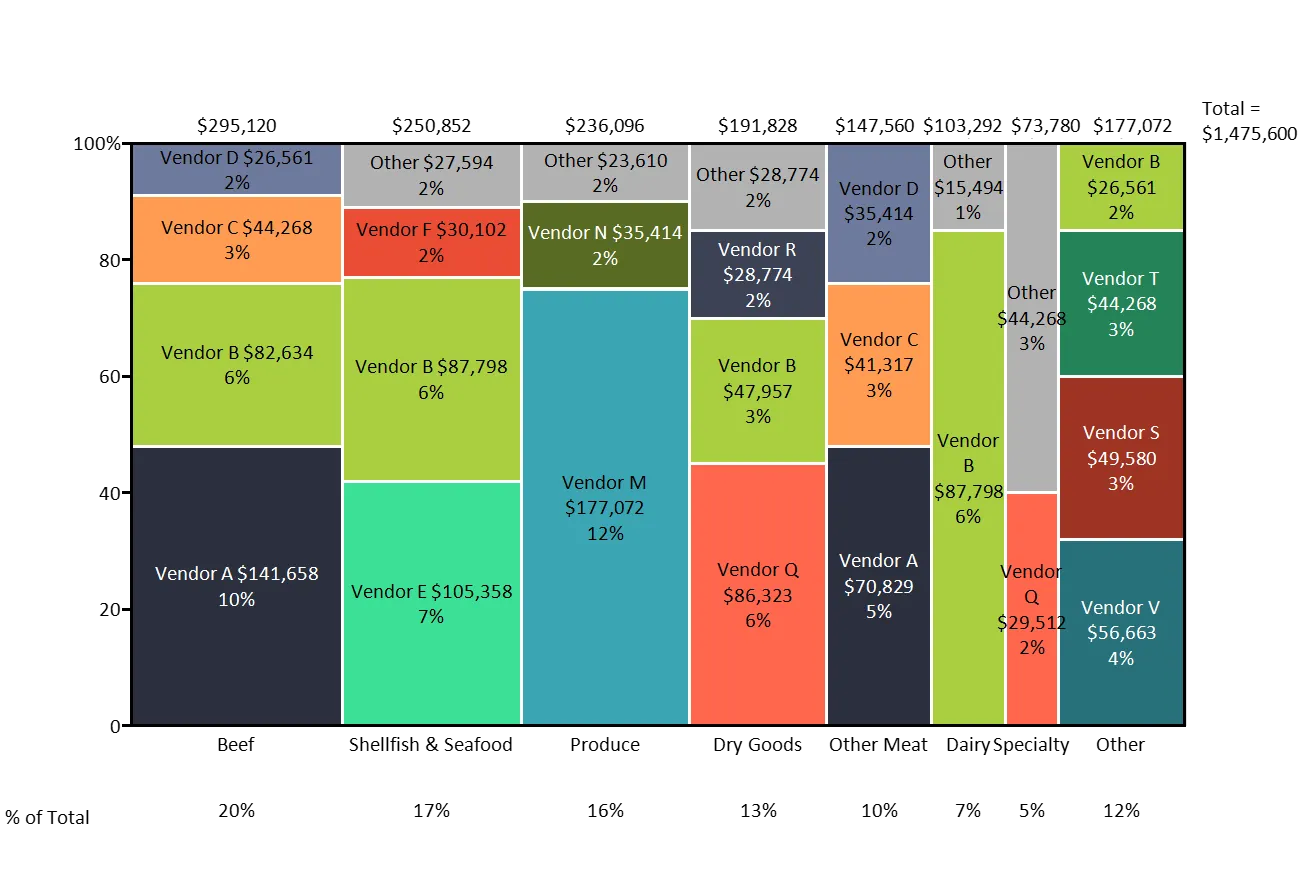
Core capabilities:
- Marimekko charts — Variable-width bars showing size and composition
- Waterfall charts — Bridge charts with automatic connectors
- Bar Mekko charts — Horizontal variable-width bars
- Stacked charts — Standard and 100% stacked variations
- Excel linking — Charts update when data changes
Pricing:
| Plan | Cost | Billing | Notes |
|---|---|---|---|
| Standard (new) | $399/year | Annual only | Per user |
| Standard (renewal) | $299/year | Annual only | Per user |
| Volume (4-100 users) | From $249/year | Annual | Per user |
| Enterprise (101+) | From $180/year | Annual | Per user |
No free tier, no monthly billing.
Mekko Graphics Pros and Cons
What Mekko Graphics Does Well
Marimekko chart specialization: Mekko Graphics excels at one thing: making variable-width charts easy. If you've ever tried to build a market share visualization where bar widths represent market size and segments show composition, you understand the pain this solves.
More chart variations: Mekko Graphics offers bubble Mekko charts, area Mekko charts, and other specialized variations that alternatives don't always match.
Nearly two decades of refinement: Since 2007, they've polished edge cases and enterprise workflows that newer tools are still catching up on.
Deep customization: Power users who need granular control over every chart element may find Mekko Graphics more flexible.
Enterprise track record: Large organizations with strict IT requirements may prefer Mekko Graphics' established security and compliance documentation.
Mekko Graphics Limitations
High price ($399/year per user)
At $399/year (new) or $299/year (renewal), Mekko Graphics is a premium-priced tool. Volume pricing starts at $249/user for teams of 4-100. Freelancers and small teams paying list price feel the cost most acutely.
Primarily charting-focused
Mekko Graphics' core strength is charting. It does include Windows-only slide tools (agenda slides, Harvey Balls, value chains, object alignment), but lacks keyboard shortcuts, a general icon library, and slide templates. Mac users only get charting features.
No AI features
Mekko Graphics has no AI slide generation, text polish, or content assistance.
Occasional use cases
Many consultants build Mekko charts for specific deliverables (market sizing, competitive analysis) but don't need specialized charting daily. The annual subscription doesn't scale down for light usage.
How We Tested Mekko Graphics
We evaluated Mekko Graphics and alternatives over three months using real consulting workflows:
- Charts built: 20+ Marimekko and waterfall charts per tool
- Data complexity: Excel datasets from 10 to 5,000 rows
- Platforms tested: Windows 11 and macOS Sonoma
- Use cases: Market sizing, share-of-wallet, financial bridges, segment analysis
We scored each tool on chart quality, ease of use, Excel integration, price, and additional features.
Continue reading: Marimekko Charts in Excel · How to Align Objects in PowerPoint · Best AI Presentation Maker for Consultants
Mekko Graphics vs Competitors
1. Deckary — Best Overall Value
Price: From $10/month billed annually ($120/year Starter, $180/year Premium) | Website: deckary.com
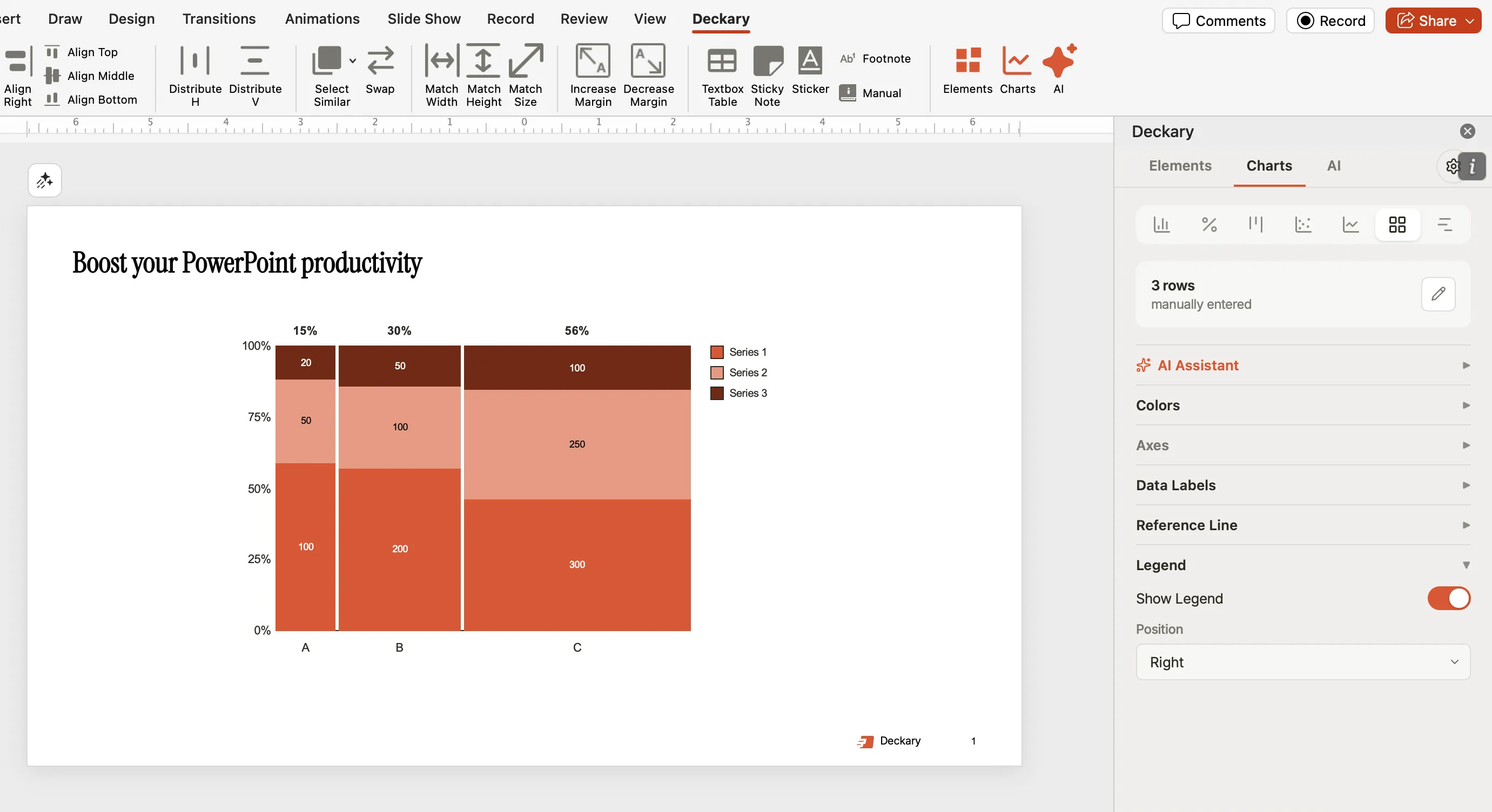
Deckary combines the charting capabilities consultants need with productivity tools that speed up everyday slide work. It's what we wish Mekko Graphics included from the start.
Charting features:
- Marimekko charts with variable-width bars
- Waterfall charts with automatic bridges and subtotals
- Gantt charts with milestones and dependencies
- Stacked bar and column charts
- All charts link to Excel with automatic updates
Productivity features included:
- 20+ keyboard shortcuts for alignment and distribution
- 2,000+ professional icons (business, technology, healthcare, finance)
- AI text polish for slide copy
- Consulting-grade templates
- Full Mac and Windows support
What we liked:
- Same Mekko chart quality at a lower price
- Shortcuts alone save 30+ minutes per deck
- Icon library eliminates stock photo searches
- Monthly billing option for flexibility
What's missing:
- Fewer chart variations than Mekko Graphics (no bubble Mekko, for example)
- Newer product with less enterprise track record
Verdict: Strong value for consultants who need Mekko charts plus productivity features. Lower annual cost than Mekko Graphics, and you get shortcuts, icons, and AI included.
2. PowerPoint Built-in Charts — Best for Simple Needs
Price: Included with Microsoft 365
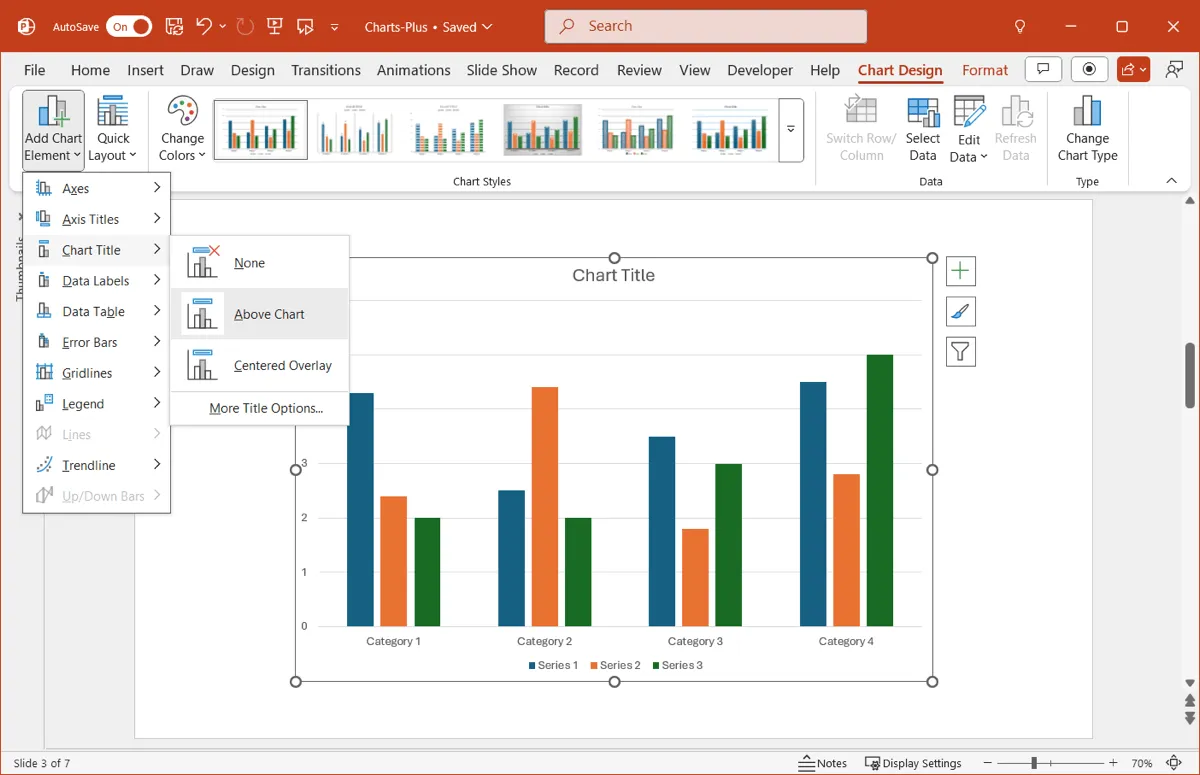
PowerPoint's native charting has improved significantly. For basic needs, it might be enough.
What it offers:
- Stacked bar and column charts
- Basic waterfall charts (since Office 2016)
- Combo charts
- Standard formatting options
Pros:
- Free with Microsoft 365
- No additional software to learn
- Familiar interface
- Good enough for simple visualizations
Cons:
- No true Marimekko charts (can't vary bar widths)
- Waterfall charts require manual formatting
- Limited customization for consulting-grade output
- Time-consuming for anything complex
Verdict: Suitable for occasional, simple charts. Not practical for market sizing, competitive analysis, or regular consulting work where you need variable-width bars.
3. Excel Charts (Exported to PowerPoint) — Best for Excel Power Users
Price: Included with Microsoft 365
You can build Mekko-style charts in Excel using stacked area charts with creative data manipulation, then paste into PowerPoint.
What it offers:
- Complete flexibility (if you know the tricks)
- Any visualization Excel supports
- Native Microsoft format
Pros:
- Free with Microsoft 365
- Full control over every element
- No learning curve for Excel experts
Cons:
- Very time-consuming (30-60 minutes per Mekko chart)
- Requires workarounds and formula gymnastics
- Difficult to update when data changes
- Charts often break when pasted into PowerPoint
- Not practical for regular use
Verdict: A fallback option for one-off charts, not a real alternative. The time cost makes this impractical for anyone building Mekko charts regularly.
4. Zebra BI — Best for Power BI Users
Price: $28/month ($336/year) | Website: zebrabi.com
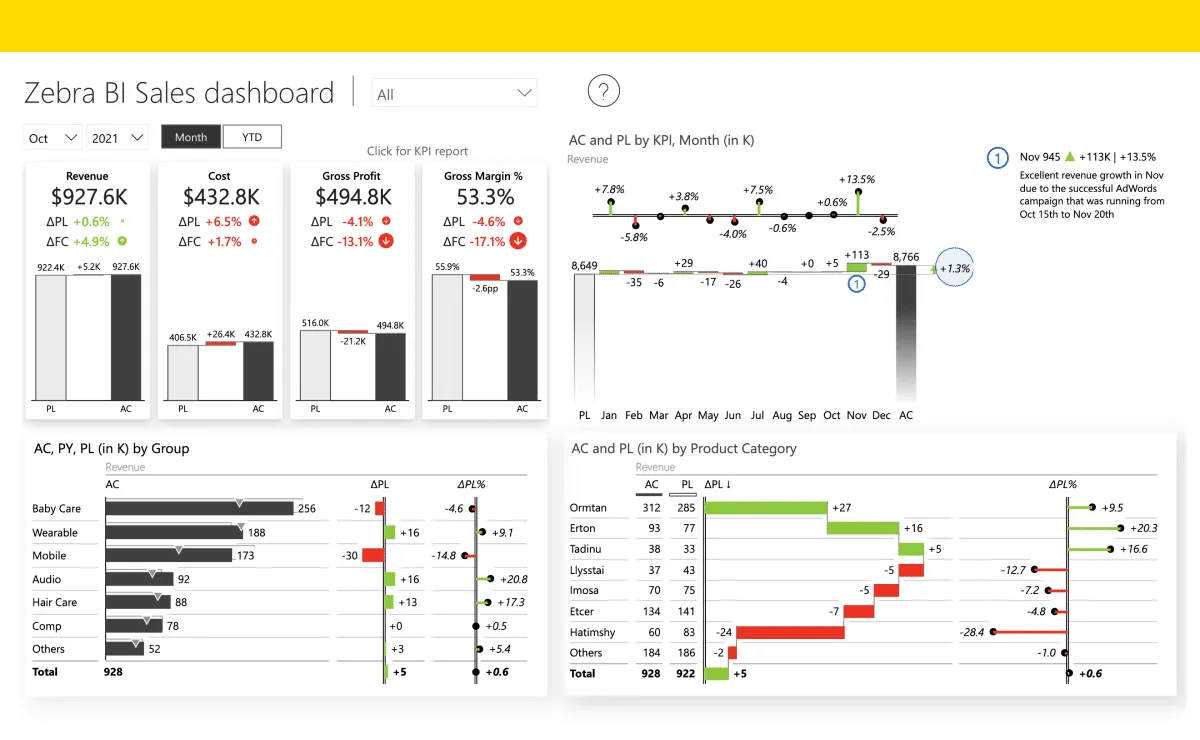
Zebra BI specializes in IBCS-compliant charts for financial reporting and business intelligence.
What it offers:
- Waterfall and variance charts
- IBCS-standard formatting
- Power BI integration
- Excel add-in for financial charts
Pros:
- Excellent for CFO presentations and financial reporting
- IBCS compliance for standardized visuals
- Strong Power BI and Excel integration
- Good for variance analysis
Cons:
- No Marimekko charts
- More expensive than Deckary ($336/year)
- Focused on BI, not consulting workflows
- Overkill for occasional charting
Verdict: Best for finance teams using Power BI who need IBCS-compliant charts. Not ideal for market sizing or consulting-style Mekko visualizations.
Feature Comparison Table
| Feature | Deckary | Mekko Graphics | PowerPoint | Zebra BI |
|---|---|---|---|---|
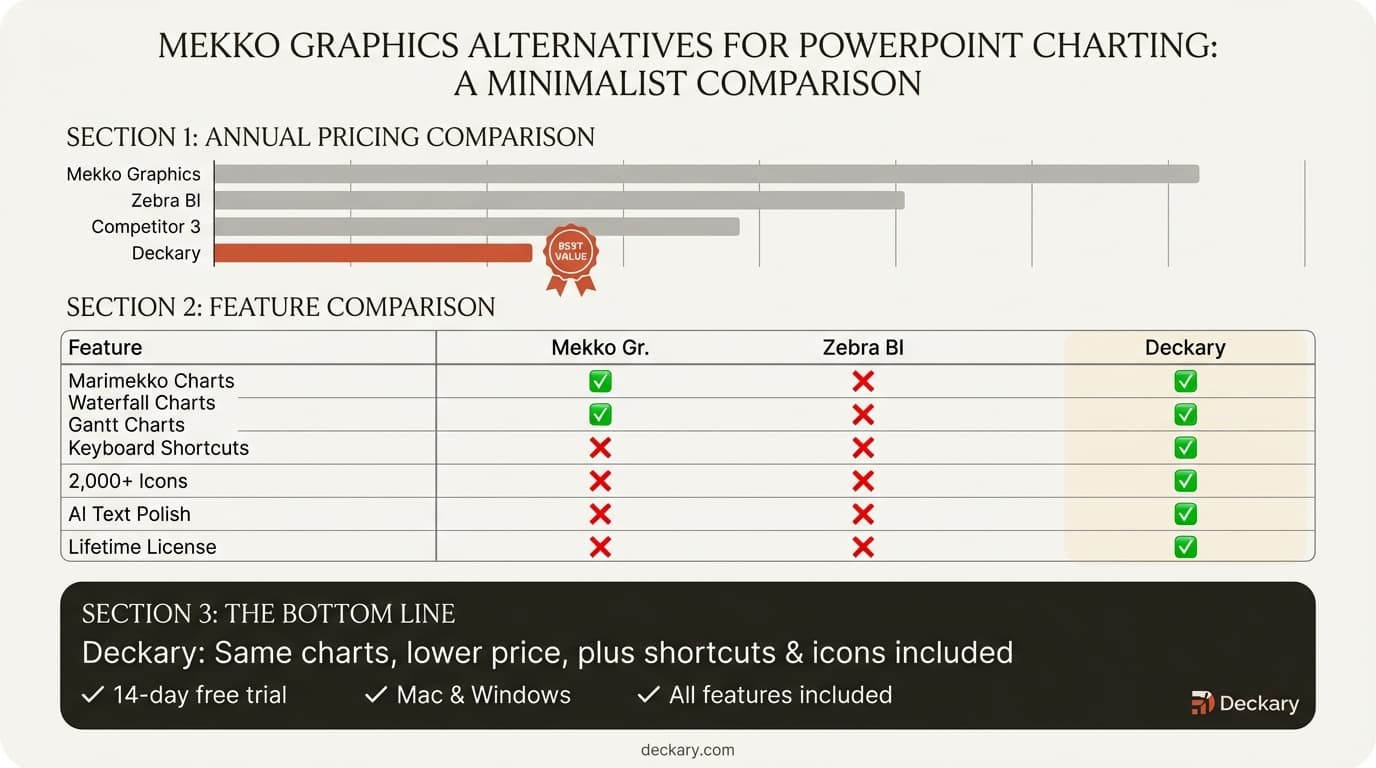
| Price/year | $180 | $399 ($299 renewal) | Free | $336 |
| Marimekko charts | Yes | Yes | No | No |
| Waterfall charts | Yes | Yes | Basic | Yes |
| Gantt charts | Yes | Yes | No | No |
| Excel linking | Yes | Yes | Limited | Yes |
| Keyboard shortcuts | 20+ | No | Limited | No |
| Icons included | 2,000+ | Harvey Balls (Win) | Basic | No |
| AI features | Yes | No | Copilot | No |
| Monthly billing | From $15/mo | No | N/A | No |
| Mac support | Full | Charts only | Full | Limited |
Who Should Use Mekko Graphics?
Mekko Graphics is worth it if:
- You build specialized Mekko chart variations daily
- You need every chart customization option available
- Your organization has established Mekko Graphics workflows
- Enterprise IT support and compliance documentation matter
- Budget is not a primary concern
Consider alternatives if:
- You want Mekko charts at a lower price than Mekko Graphics
- You value shortcuts, icons, and AI features
- You're a freelancer or paying out of pocket
- You build Mekko charts weekly or monthly, not daily
The Real Cost Calculation
Let's break down the numbers for a team of 5 consultants:
| Tool | Annual Cost (5 users) | 3-Year Cost | Features Included |
|---|---|---|---|
| Mekko Graphics (new) | $1,995 | $4,785* | Charts + slide tools (Windows) |
| Mekko Graphics (volume) | From $1,245 | From $3,735 | Charts + slide tools (Windows) |
| Deckary | $595 | $1,785 | Charts + shortcuts + icons + AI |
*Mekko Graphics renewal is $299/year after year 1, reducing years 2-3 cost.
The Honest Assessment
Mekko Graphics pioneered Marimekko charting in PowerPoint, and for specialists who need every chart variation, it remains a solid choice.
But for most consultants, analysts, and corporate strategists:
- Deckary offers the same core Mekko charts at a lower price, with shortcuts, icons, and AI included
- PowerPoint alone works for occasional, simple needs that don't require variable-width bars
If you build specialized Mekko chart variations daily and need every option available, the $399/year premium may be worth it. But for weekly or monthly usage, the alternatives deliver the same results at significantly lower cost.