UpSlide vs Think-Cell vs Deckary: Which PowerPoint Add-in Is Right for You?
Detailed comparison of UpSlide, Think-cell, and Deckary. Compare features, pricing, and find the best PowerPoint add-in for your consulting or finance workflow.
UpSlide and Think-cell are both premium PowerPoint add-ins for finance and consulting, but they solve different problems. UpSlide focuses on document automation and brand compliance for enterprise finance teams. Think-cell specializes in advanced data visualization—waterfall, Mekko, and Gantt charts.
The confusion comes from their overlapping user base: both are used by major financial services firms, both integrate with Excel, and both command premium pricing. But choosing between them requires understanding what each tool actually does.
This comparison covers UpSlide, Think-cell, and Deckary (a lower-cost option combining charts with productivity features) to help you determine which fits your workflow.
Quick Comparison: UpSlide vs Think-cell vs Deckary#
Before diving into details, here's the essential comparison:
| Feature | UpSlide | Think-cell | Deckary |
|---|---|---|---|
| Primary Focus | Productivity & brand compliance | Advanced data visualization | Charts + productivity |
| Waterfall Charts | Basic | Excellent | Very Good |
| Mekko Charts | No | Excellent | Yes |
| Gantt Charts | No | Excellent | Yes |
| Excel Linking | Excellent | Excellent | Yes |
| Keyboard Shortcuts | Yes | Limited | Extensive |
| Icon Library | Via content library | No | 600+ built-in |
| Mac Support | No (Windows only) | Yes | Yes |
| Price | Enterprise (contact) | $189-327/year | $49-119/year |
| Minimum Purchase | 5+ users | 5 users | 1 user |
| Best For | Enterprise finance teams | Data-heavy presentations | Individual consultants & small teams |
Now let's break down each tool in detail.
UpSlide: Enterprise Productivity for Finance#
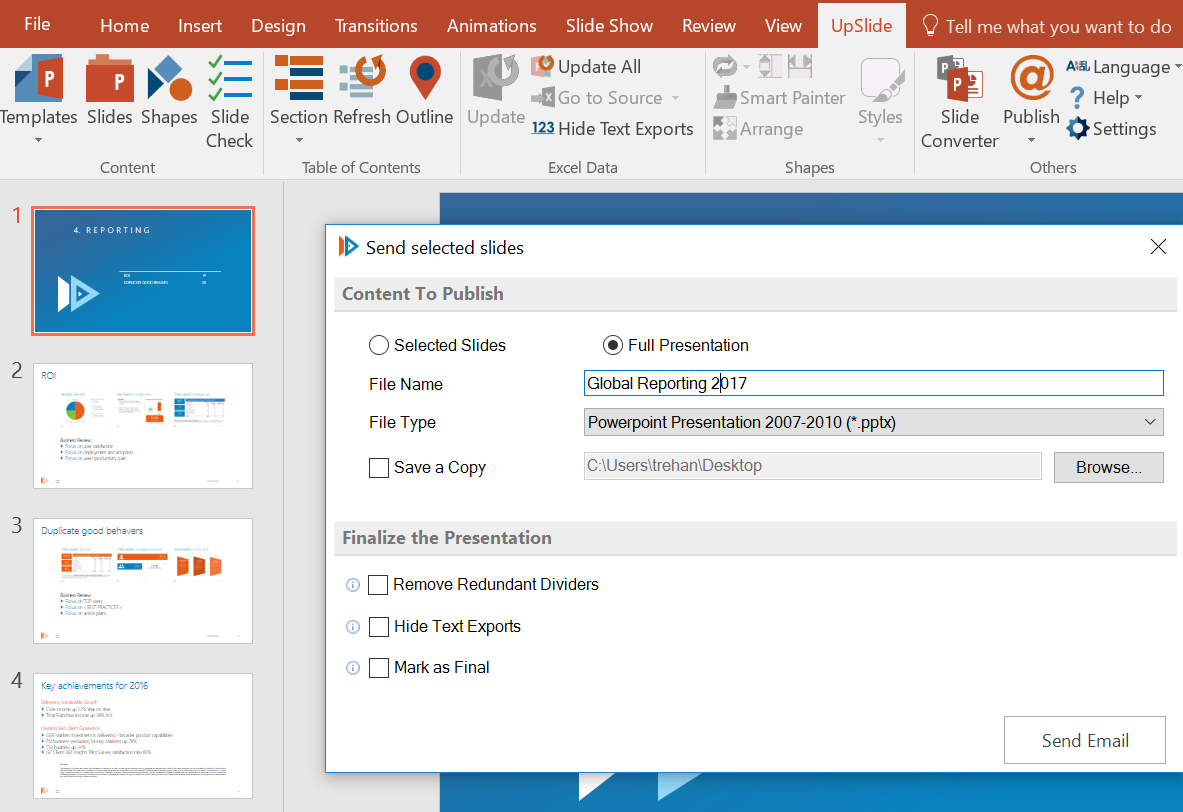
UpSlide is a document automation platform designed for investment banking, private equity, and advisory firms. It's not primarily a charting tool—it's a productivity suite that happens to include some charting capabilities.
What UpSlide Does#
UpSlide spans PowerPoint, Excel, Word, and Power BI with 65+ features:
Excel-to-PowerPoint Linking: UpSlide's strongest feature is its Excel linking capability. Links survive file moves and renames, which is critical for investment banking workflows where source files move constantly. You can link tables, charts, or text blocks and update everything with a single click.
Content Library: Centralized access to branded templates, tombstones, case studies, CVs, and approved content—directly within Office applications. Teams can share and reuse materials without hunting through file servers.
Slide Check: Automated auditing that catches brand guideline violations, incorrect fonts, misaligned shapes, and empty placeholders. For firms with strict compliance requirements, this eliminates manual review.
PowerPoint Track Changes: Track, review, and manage presentation changes like you would in Word. Useful for collaborative pitch book development with multiple contributors.
AI Tools: Automated glossary generation, text refinement, translation, and commentary assistance. Newer features that extend the platform beyond traditional productivity.
UpSlide Pricing#
UpSlide uses enterprise pricing—you won't find a price list on their website. According to industry sources, pricing starts around $45 per user per month, but actual costs depend on:
- Number of licenses (minimum 5 users)
- Customization requirements
- Deployment model
- Optional modules (like Financial Modeling Tools)
For a typical 50-user deployment at a financial services firm, expect significant annual investment. Implementation takes 4-6 weeks with UpSlide's professional services team.
UpSlide Pros#
- Robust Excel linking — Best-in-class for maintaining links across file moves
- Content library — Centralizes approved materials for team consistency
- Enterprise support — 14+ years serving firms like KPMG, BNP Paribas, and Citi
- 98% retention rate — Clients stay once they've implemented
- Compliance features — Slide Check ensures brand consistency
UpSlide Cons#
- Windows only — Built as a VSTO add-in, no Mac support whatsoever
- Enterprise pricing — Not accessible for individuals or small teams
- Minimum 5 users — No single-user licenses available
- Limited charting — Not a replacement for Think-cell's visualization capabilities
- Implementation required — Not a download-and-go solution
Who Should Use UpSlide#
UpSlide makes sense for:
- Investment banking teams with 50+ users
- Advisory firms with strict brand compliance requirements
- Organizations standardized on Windows
- Teams that prioritize Excel-PowerPoint linking over advanced charts
UpSlide does not make sense for:
- Mac users (no support at all)
- Individual consultants or freelancers
- Teams that primarily need advanced charting
- Organizations without budget for enterprise software
Think-cell: The Gold Standard for Data Visualization#
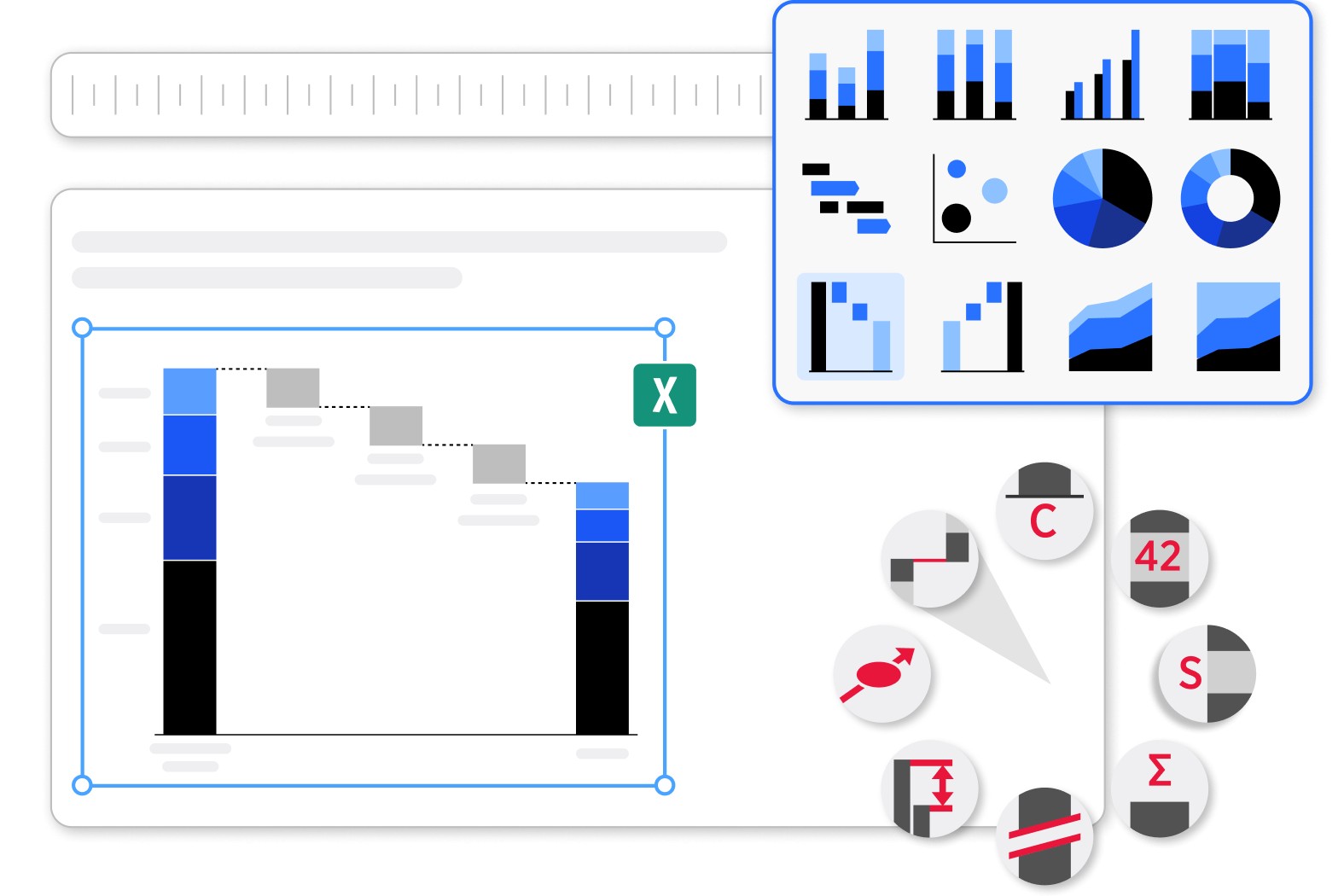
Think-cell is a PowerPoint add-in focused on creating professional charts and data visualizations. It's the most widely used charting tool in consulting and investment banking.
What Think-cell Does#
Think-cell offers 40+ chart types with a focus on the complex visualizations that are difficult or impossible to create in native PowerPoint:
Waterfall Charts: Think-cell made its name on waterfall charts. What takes 10-15 minutes of workarounds in native PowerPoint takes 30-45 seconds in Think-cell. Positive values build up, negative values build down, and subtotals calculate automatically.
Mekko (Marimekko) Charts: Two-dimensional charts where column width represents market size and height represents share. Essential for market sizing and competitive analysis. Think-cell handles these natively with automatic width calculations.
Gantt Charts: Project timelines with a built-in calendar, dependencies, milestones, and automatic time scale adjustments. Unlike most tools, Think-cell creates Gantt charts directly in PowerPoint rather than requiring export from project management software.
Excel Integration: Charts link to Excel data and update automatically when the source changes. You can choose automatic or on-demand updates.
Smart Labeling: Automatic data label positioning that avoids overlaps. Think-cell handles the tedious work of making labels readable.
Agenda Slides: Automatic agenda generation that updates when you add or remove sections. A minor feature that saves significant time on long presentations.
Think-cell Pricing#
Think-cell pricing is transparent and tiered by volume:
- 1-4 users: $26.90/month ($323/year)
- 5-49 users: $22.50/month ($270/year)
- 50+ users: $19.20/month ($230/year)
Minimum purchase is 5 licenses, so the entry point is approximately $1,350/year for a small team. Enterprise organizations negotiate custom pricing.
All subscriptions include software, training materials, updates, and technical support.
Think-cell Pros#
- Best-in-class charting — Waterfall, Mekko, and Gantt charts that work properly
- 1.3 million users — Used by all top 10 consulting firms
- Native output — Charts remain editable in standard PowerPoint
- Cross-platform — Works on both Windows and Mac
- Reliable Excel links — Data connections that don't break
Think-cell Cons#
- Price — $300+/year is steep for occasional users
- Learning curve — Powerful interface takes time to master
- Collaboration issues — Charts can lose functionality if edited by non-users
- Overkill for many — Paying for waterfall/Mekko if you don't use them
- Minimum 5 users — No single-user option at standard pricing
Who Should Use Think-cell#
Think-cell is worth the investment if you:
- Build waterfall or Mekko charts regularly (weekly or more)
- Work with complex data visualizations from Excel
- Need Gantt charts with dependencies
- Value automatic labeling and chart formatting
- Already have budget for premium tools
Think-cell is overkill if you:
- Rarely build complex charts
- Primarily need productivity features (shortcuts, icons)
- Are budget-constrained
- Only need basic bar and line charts
Continue reading: Bullet Charts in PowerPoint · Duplicate Shortcut in PowerPoint · Deloitte Presentation Template
Build consulting slides in seconds
Describe what you need. AI generates structured, polished slides — charts and visuals included.
Deckary: Charts + Productivity at a Lower Price Point#
Deckary combines consulting-grade charting with everyday productivity features—keyboard shortcuts, icons, and formatting tools. It's designed for consultants who need both capabilities without paying for two separate tools.
What Deckary Does#
Charting: Deckary includes the chart types consultants actually use:
- Waterfall charts — One-click creation with automatic bridges and totals
- Mekko charts — Variable-width bar charts for market sizing
- Gantt charts — Project timelines with milestones
- 100% stacked bar charts — For share analysis
- Excel linking — Charts update from spreadsheet data
- CAGR lines — Automatic compound growth indicators
- Delta indicators — Show changes between data points
Productivity: Beyond charting, Deckary includes tools you'll use on every slide:
- True keyboard shortcuts — Ctrl+Alt+L for Align Left, not five-keystroke Alt sequences
- 600+ professional icons — Searchable directly within PowerPoint
- Quick formatting tools — Speed up everyday operations
- Cross-platform support — Works identically on Windows and Mac
Deckary Pricing#
Deckary offers transparent pricing for individuals and teams:
- Starter: $49/year — Core charting and productivity features
- Premium: $119/year — Full feature set including advanced charts
- Lifetime: $199 one-time — Perpetual license option
No minimum user requirements. Individual licenses available. 14-day free trial with no credit card required.
For comparison:
- Deckary Premium ($119/year) vs Think-cell ($327/year) = 64% savings
- Deckary Premium ($119/year) vs UpSlide (enterprise pricing) = Significantly less
Deckary Pros#
- Best value — Consulting-grade charts at one-third Think-cell's price
- Charts + productivity — Don't need two separate tools
- Mac support — Full feature parity across platforms
- No minimums — Single-user licenses available
- Easy to learn — Works immediately after install
- Icon library — 600+ icons built into PowerPoint
Deckary Cons#
- No agenda automation — Manual agenda slide creation
- Smaller company — Less enterprise support infrastructure
- Newer tool — Less established than Think-cell or UpSlide
Who Should Use Deckary#
Deckary is the right choice if you:
- Need waterfall and Mekko charts but build them weekly or monthly, not daily
- Want productivity shortcuts alongside charting
- Use Mac, or have a mixed Windows/Mac team
- Are budget-conscious ($49-119/year vs $300+)
- Are an individual consultant, freelancer, or small team
- Want a single tool for charts and productivity
Head-to-Head: UpSlide vs Think-cell vs Deckary#
Feature Comparison#
| Capability | UpSlide | Think-cell | Deckary |
|---|---|---|---|
| Waterfall Charts | Basic | Excellent | Very Good |
| Mekko Charts | No | Excellent | Yes |
| Gantt Charts | No | Excellent | Yes |
| Excel Linking | Excellent | Excellent | Yes |
| Content Library | Yes | No | No |
| Slide Check/Audit | Yes | No | No |
| Track Changes | Yes | No | No |
| Keyboard Shortcuts | Yes | Limited | Extensive |
| Icon Library | Via library | No | 600+ built-in |
| Agenda Automation | No | Yes | No |
| Power BI Integration | Yes | No | No |
| AI Features | Yes | Via partner | No |
Platform Support#
| Platform | UpSlide | Think-cell | Deckary |
|---|---|---|---|
| Windows 10/11 | Yes | Yes | Yes |
| macOS | No | Yes | Yes |
| Office 365 | Yes | Yes | Yes |
| Office 2019/2021 | Yes | Yes | Yes |
| Web (Office Online) | No | No | No |
Pricing Comparison#
| Pricing Factor | UpSlide | Think-cell | Deckary |
|---|---|---|---|
| Starting Price | ~$540/year | $323/year | $49/year |
| Team (10 users) | Contact | $2,700/year | $490-1,190/year |
| Enterprise | Contact | Volume discounts | Contact |
| Minimum Users | 5 | 5 | 1 |
| Free Trial | Yes | 30 days | 14 days |
| Lifetime Option | No | No | $199 |
Use Case Comparison#
| Use Case | Best Choice | Why |
|---|---|---|
| Investment banking pitchbooks | UpSlide | Excel linking + content library |
| Complex data visualizations | Think-cell | Best waterfall/Mekko charts |
| Strategy consulting | Deckary | Charts + shortcuts + value |
| Mac-based teams | Think-cell or Deckary | UpSlide has no Mac support |
| Freelance consultants | Deckary | Single-user license, best price |
| Enterprise finance (50+ users) | UpSlide | Built for enterprise deployment |
| Budget-conscious teams | Deckary | $49-119/year vs $300+ |
Decision Framework: Which Tool When?#
Choose UpSlide if:#
- You're an enterprise finance team with 50+ users
- Excel-to-PowerPoint linking is your primary pain point
- You need centralized content libraries and brand compliance
- Your organization is standardized on Windows
- You have budget for enterprise software and implementation
- PowerPoint Track Changes would be valuable
Choose Think-cell if:#
- You build waterfall and Mekko charts regularly (weekly or more)
- Data visualization quality is critical to your work
- You need Gantt charts with dependencies and automatic updates
- Your firm already has Think-cell licenses
- You want the established industry standard
Choose Deckary if:#
- You need consulting-grade charts but build them monthly, not daily
- You want productivity shortcuts AND charting in one tool
- You use Mac, or have a mixed Windows/Mac environment
- Budget matters ($49-119/year vs $300+/year)
- You're an individual consultant, freelancer, or small team
- You want to try before committing with a free trial
Consider Using Multiple Tools if:#
- UpSlide + Think-cell: Enterprise finance teams that need both document automation and advanced charting. This is common at large investment banks.
- Think-cell + PPT Productivity: Users who need top-tier charting plus the full MBB-style toolbar experience.
Most individual consultants and small teams, however, find that a single tool covers their needs. Deckary specifically addresses this by combining charts and productivity features.
Real-World Use Cases#
Use Case 1: Investment Banking Analyst#
Workflow: Building pitch books with financial models, tombstones, and market analysis. Heavy Excel usage. Windows-only environment. Team of 100+ in the M&A group.
Best choice: UpSlide + Think-cell
UpSlide handles the Excel linking, content library, and brand compliance. Think-cell handles the waterfall charts for financial bridges and valuation analysis. At this scale, the combined cost is justified by productivity gains.
Use Case 2: Strategy Consultant at a Boutique Firm#
Workflow: Market sizing, competitive analysis, growth strategies. Mixes Mac and Windows. Team of 8 consultants.
Best choice: Deckary
The team builds waterfall and Mekko charts 2-3 times per month—frequent enough to need the capability, not frequent enough to justify Think-cell pricing. Deckary's keyboard shortcuts save time on every deck. Mac support means no one is left out.
Use Case 3: Freelance Management Consultant#
Workflow: Solo practitioner building client presentations. Uses Mac. Price-sensitive but needs professional output.
Best choice: Deckary
At $49-119/year, Deckary provides consulting-grade charts without the Think-cell price tag. Single-user licensing available. Works on Mac. The icon library replaces the need for separate subscriptions.
Use Case 4: Private Equity Associate#
Workflow: Deal memos, investment committee presentations, portfolio company updates. Heavy Excel modeling. Windows environment.
Best choice: Macabacus or UpSlide
For PE workflows where Excel modeling is as important as PowerPoint, Macabacus offers specialized financial modeling tools alongside presentation features. UpSlide provides similar capabilities with stronger brand compliance tools.
Use Case 5: Corporate Finance Manager#
Workflow: Monthly reporting, budget presentations, board decks. Needs consistent formatting. Team of 12 across two offices.
Best choice: Deckary or Power-user
Neither UpSlide (too expensive for the use case) nor Think-cell (charting overkill) fits well. Deckary provides the charts needed for financial bridges at an accessible price point. Power-user offers an alternative with maps and templates if geographic analysis is important.
The Honest Assessment#
After extensive use of all three tools, here's the straightforward conclusion:
UpSlide is an enterprise product priced for enterprise buyers. It excels at document automation for large finance teams but makes little sense for individuals, small teams, or anyone on a Mac. If you're at a firm with 50+ users and standardized Windows deployment, UpSlide delivers genuine productivity gains. For everyone else, it's not accessible.
Think-cell remains the gold standard for complex data visualization. If you build waterfall charts daily, nothing else matches its chart quality and automation. But at $300+/year with a 5-user minimum, it's expensive for occasional use. Many consultants buy Think-cell and mainly use it for basic formatting—features available in much cheaper tools.
Deckary occupies the middle ground that makes sense for most consultants. It offers waterfall and Mekko charts comparable to Think-cell at one-third the price, plus productivity shortcuts Think-cell doesn't include. For consultants who build complex charts weekly or monthly (not daily), Deckary delivers the capability without the Think-cell price tag.
The right choice depends on your specific workflow:
- Heavy charting daily? Think-cell is worth the investment
- Enterprise finance team on Windows? UpSlide for document automation
- Charts occasionally + productivity always? Deckary offers the best value
Try Before You Decide#
All three tools offer trials:
- Deckary — 14-day free trial, no credit card required
- Think-cell — 30-day free trial
- UpSlide — Demo available on request
Build a real presentation with each tool. The right choice becomes obvious when you test your actual workflow.
Build consulting slides in seconds
Describe what you need. AI generates structured, polished slides — charts and visuals included.
Try Free