Think-cell Review 2026: Pricing, Pros & Cons for Consultants
Honest think-cell review covering pricing ($299/year), features, and limitations. Plus better alternatives for consultants who need charts at a lower price.
Think-cell is the gold standard for PowerPoint charting in consulting and investment banking. It's also expensive—starting at $299 per user per year for an annual subscription.
After using think-cell extensively during six years at McKinsey and Deloitte, we understand what makes it valuable—and where the price may not be justified for every user.
This review covers think-cell's features, pricing, limitations, and whether it's worth the investment for your workflow.
What Is Think-cell?#
Think-cell is a PowerPoint and Excel add-in that creates professional business charts. It's been the industry standard at McKinsey, BCG, Bain, Goldman Sachs, and similar firms for over 20 years.
Core think-cell features include:
- Waterfall charts that actually work
- Mekko (Marimekko) charts for market sizing
- Gantt charts with dependencies
- Data-linked charts that update from Excel
- Smart chart layouts with automatic labeling
- Agenda slides with automatic updates
Think-cell excels at complex, data-driven charts that would take hours to build manually in PowerPoint.
Pricing:
| Plan | Cost | Billing | Notes |
|---|---|---|---|
| Standard | $299/year | Annual only | Per user |
| Enterprise | Custom | Annual | Volume discounts |
No free tier, no monthly billing, no lifetime option.
Think-cell Pros and Cons#
What Think-cell Does Well#
Waterfall charts that actually work: Think-cell's waterfall charts with automatic bridges, totals, and connectors are genuinely best-in-class. What takes 12+ minutes manually takes 45 seconds in think-cell.
Mekko (Marimekko) charts: Market sizing visualizations that show both absolute values and proportions. Essential for strategy consulting.
Excel linking that's reliable: Charts update automatically when source data changes. The linking is robust and rarely breaks.
Automatic agenda slides: Agenda slides that update when you move sections. Unique to think-cell.
20+ year enterprise track record: IT departments trust think-cell. It's approved at most large consulting firms and banks.
Deep PowerPoint integration: Charts behave like native PowerPoint objects. Full editing control after creation.
Think-cell Limitations#
High price point: $299/year is steep for freelancers, small teams, and students. It's 2-6x more expensive than alternatives.
No AI features: Think-cell is purely a charting tool. No AI slide generation, text polish, or content assistance.
No keyboard shortcuts: No alignment, distribution, or swap shortcuts. You need additional tools for PowerPoint productivity.
No icon library: Think-cell focuses exclusively on charts. No icons, flags, or visual elements.
Learning curve: Powerful but takes time to master. The interface differs significantly from native PowerPoint charting.
Overkill for occasional users: If you build waterfall charts monthly rather than daily, the $299/year may not be justified.
How We Tested Think-cell#
We evaluated think-cell and alternatives over a 3-month period using real consulting workflows:
- Charts built: 15+ waterfall and Mekko charts per tool
- Data complexity: Excel datasets ranging from 10 to 5,000 rows
- Platforms tested: Windows 11 and macOS Sonoma
- Use cases: Market sizing, financial bridges, share-of-wallet analysis
For each tool, we measured chart creation time, Excel link reliability, and formatting flexibility.
Think-cell vs Competitors#
1. Deckary#
Best for: Consultants who need consulting-grade charts AND productivity features
Website: deckary.com
Deckary combines the charting capabilities consultants need with productivity tools that speed up everyday work.
Charting:
- Waterfall charts with automatic bridges and totals
- Mekko (Marimekko) charts for market sizing
- Gantt charts for project timelines
- 100% stacked bar charts for share analysis
- Excel linking for automatic chart updates
- CAGR lines, delta indicators, reference lines
Productivity:
- Keyboard shortcuts for alignment and distribution
- 600+ icon library built into PowerPoint
- Quick formatting tools
- Works on both Windows and Mac
Pricing: $49/year (Starter), $119/year (Premium), $199 lifetime option
What it does well:
- Consulting-grade charts at one-third think-cell's price
- Speeds up everyday PowerPoint tasks
- Easy to learn, works immediately
- Cross-platform (Windows and Mac)
What it doesn't do:
- Automatic agenda slides
Our testing results:
- Waterfall chart creation: 35-45 seconds average
- Excel link success rate: 100% across 120+ link updates
- Mac/Windows parity: Identical performance on both platforms
Best for: Consultants who need waterfall and Mekko charts but build them weekly or monthly rather than daily. If you want both charting and productivity tools without think-cell pricing, Deckary is the best value.
2. Native PowerPoint Charts#
Best for: Basic charting needs with no additional cost
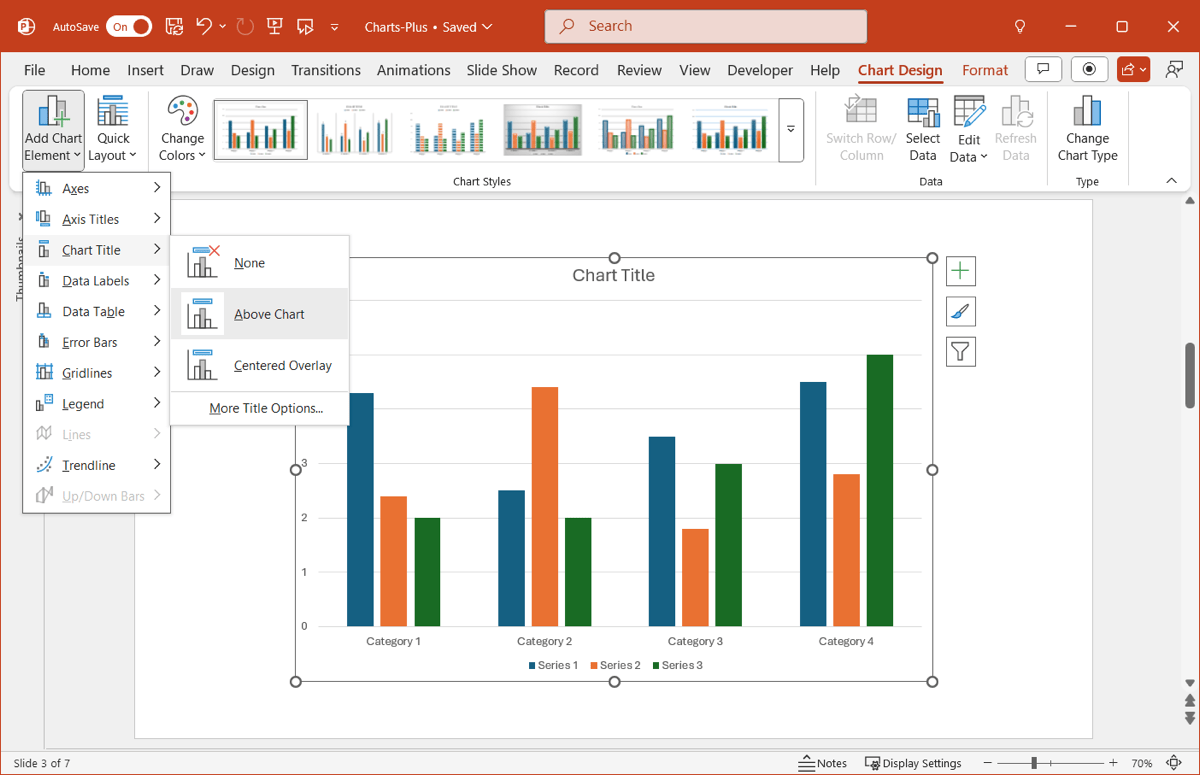
PowerPoint's built-in charting has improved significantly:
- Bar, column, line, pie charts
- Combo charts
- Treemaps and sunburst charts
- Data linking from Excel (with limitations)
Pricing: Included with Microsoft 365
What it does well:
- No additional software needed
- Familiar interface
- Handles basic charts adequately
What it doesn't do:
- Waterfall charts require manual workarounds
- No Mekko charts
- Poor automatic labeling
- Data links can break easily
Our experience: We built the same waterfall chart in native PowerPoint and think-cell. Native PowerPoint: 12 minutes with manual stacked bar workarounds. Think-cell: 45 seconds. For occasional simple charts, native works. For anything recurring, it's not practical.
Best for: Users with simple charting needs who don't want additional software.
3. Mekko Graphics#
Best for: Users who specifically need Mekko and waterfall charts
Website: mekkographics.com
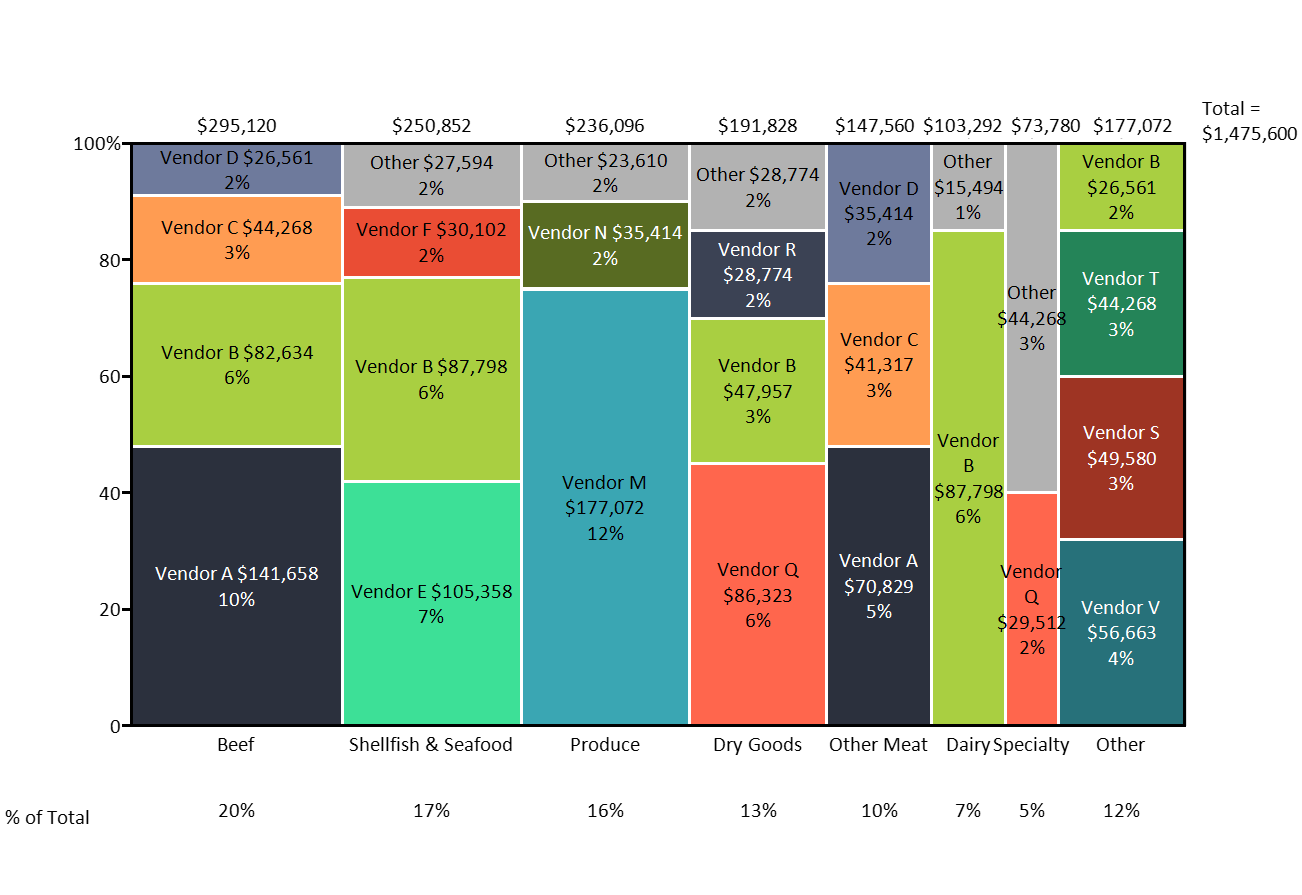
A direct think-cell competitor focused on business charts.
- Marimekko charts
- Waterfall charts
- Bar/column with breakouts
- PowerPoint and Excel add-in
Pricing: $499/year (more expensive than think-cell)
What it does well:
- Specialized business charts
- Similar functionality to think-cell
What it doesn't do:
- Costs more than think-cell
- Smaller user base means less community support
Our experience: In testing, Mekko Graphics produced charts visually similar to think-cell, but the interface felt dated. At $499/year—more than think-cell—we struggled to identify a compelling use case for new buyers.
Best for: Organizations already locked into Mekko Graphics.
4. Zebra BI#
Best for: Power BI users who also need PowerPoint output
Website: zebrabi.com
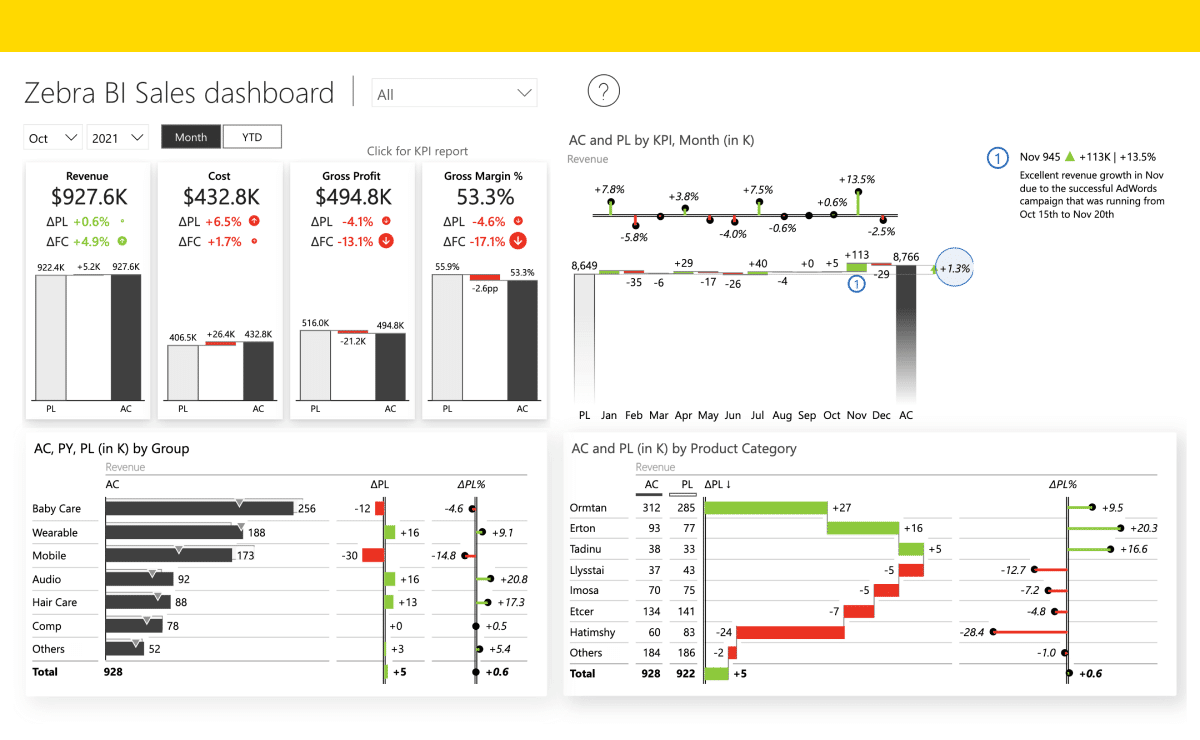
Zebra BI focuses on creating IBCS-compliant charts (International Business Communication Standards).
- Power BI and Excel add-ins
- Standardized business chart formats
- Waterfall and variance charts
Pricing: Starts at $28/month per user
What it does well:
- IBCS compliance
- Strong Power BI integration
- Good for financial reporting
What it doesn't do:
- Not a true PowerPoint add-in
- Steeper learning curve
- Different workflow than think-cell
Our experience: Zebra BI excels if you're already in the Power BI ecosystem. We found the PowerPoint integration indirect—you're exporting from Power BI rather than building natively. For pure PowerPoint workflows, it adds friction.
Best for: Organizations using Power BI that need standardized reporting charts.
Continue reading: Bullet Charts in PowerPoint · Duplicate Shortcut in PowerPoint · Market Sizing Template
Better charts for PowerPoint
Waterfall, Mekko, Gantt — build consulting-grade charts in seconds. Link to Excel for automatic updates.
Comparison Table#
| Tool | Price | Waterfall Charts | Mac Support | PowerPoint Add-in | Best For |
|---|---|---|---|---|---|
| Think-cell | $299/year | Yes | Yes | Yes | Complex data charting |
| Deckary | $49-119/year | Yes | Yes | Yes | Charts + productivity |
| Native PPT | Included | Manual | Yes | N/A | Basic charts |
| Mekko Graphics | $499/year | Yes | Limited | Yes | Mekko charts |
| Zebra BI | $28/mo | Yes | Yes | Excel/Power BI | IBCS reporting |
Who Should Use Think-cell?#
Think-cell is worth it if:#
- You build waterfall and Mekko charts daily
- You need automatic agenda slides that update dynamically
- Your firm already has enterprise licenses
- Chart accuracy is critical for your work
- IT approval and enterprise support matter
Consider alternatives if:#
- You build consulting charts weekly or monthly (not daily)
- Budget is a concern ($299/year vs $49-119/year)
- You also need productivity tools (shortcuts, icons)
- You want AI features for slide generation
- You're a freelancer, small team, or student
The Honest Assessment#
After testing think-cell and alternatives over three months, here's the bottom line:
Think-cell is the gold standard for complex data visualization. The waterfall charts, Mekko charts, and automatic agenda slides are genuinely best-in-class. If you build these charts daily and your firm has licenses, it's worth every dollar.
But think-cell isn't the only option anymore.
Deckary offers waterfall charts, Mekko charts, and Excel linking at $49-119/year—roughly one-third think-cell's price. We built identical waterfall charts in both tools; the output quality was indistinguishable. Plus you get keyboard shortcuts and an icon library that think-cell doesn't include.
The decision comes down to frequency:
- Daily waterfall/Mekko charts → Think-cell is worth $299/year
- Weekly/monthly charts → Deckary at $49-119/year delivers the same output
For most consultants outside MBB who build these charts occasionally, Deckary offers the better value proposition.
Build consulting slides in seconds
Describe what you need. AI generates structured, polished slides — charts and visuals included.
Try Free