Think-Cell Pricing in 2025: Complete Cost Breakdown & Alternatives
How much does Think-cell cost? Complete pricing breakdown including license types, volume discounts, and more affordable alternatives for consultants.
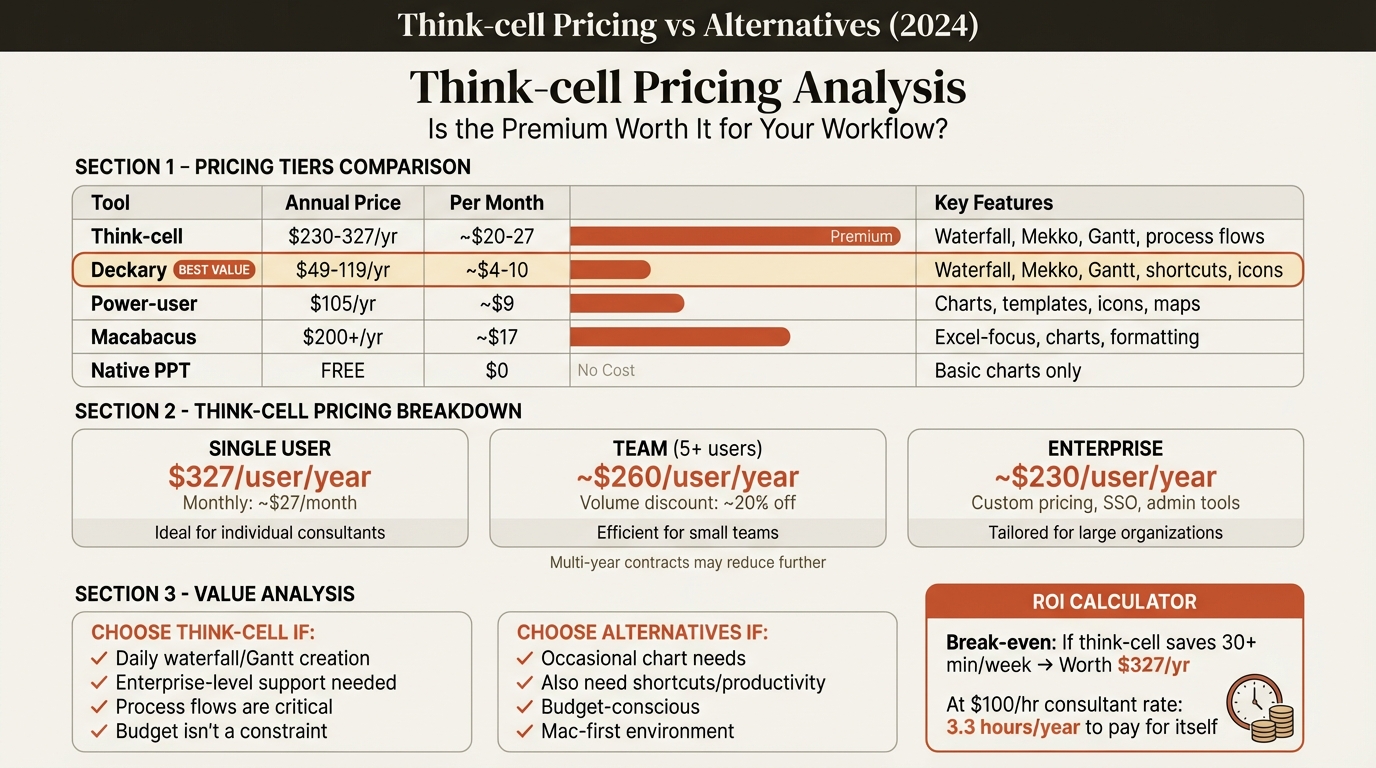
Think-cell pricing starts at approximately $327/year for individuals (1-4 licenses), dropping to around $230/year with volume discounts for 50+ users. All licenses include the full feature set—there are no tiers. European pricing starts at 189 EUR per user per year for small teams.
The question isn't just what Think-cell costs—it's whether the cost matches your usage pattern. For consultants building waterfall and Mekko charts daily, Think-cell is worth the investment. For those building complex charts weekly or monthly, alternatives like Deckary offer similar capabilities at $49-119/year.
This guide breaks down Think-cell's pricing structure, explains what you're actually paying for, and helps you decide whether it's worth the investment for your specific situation.
Think-Cell Pricing Overview#
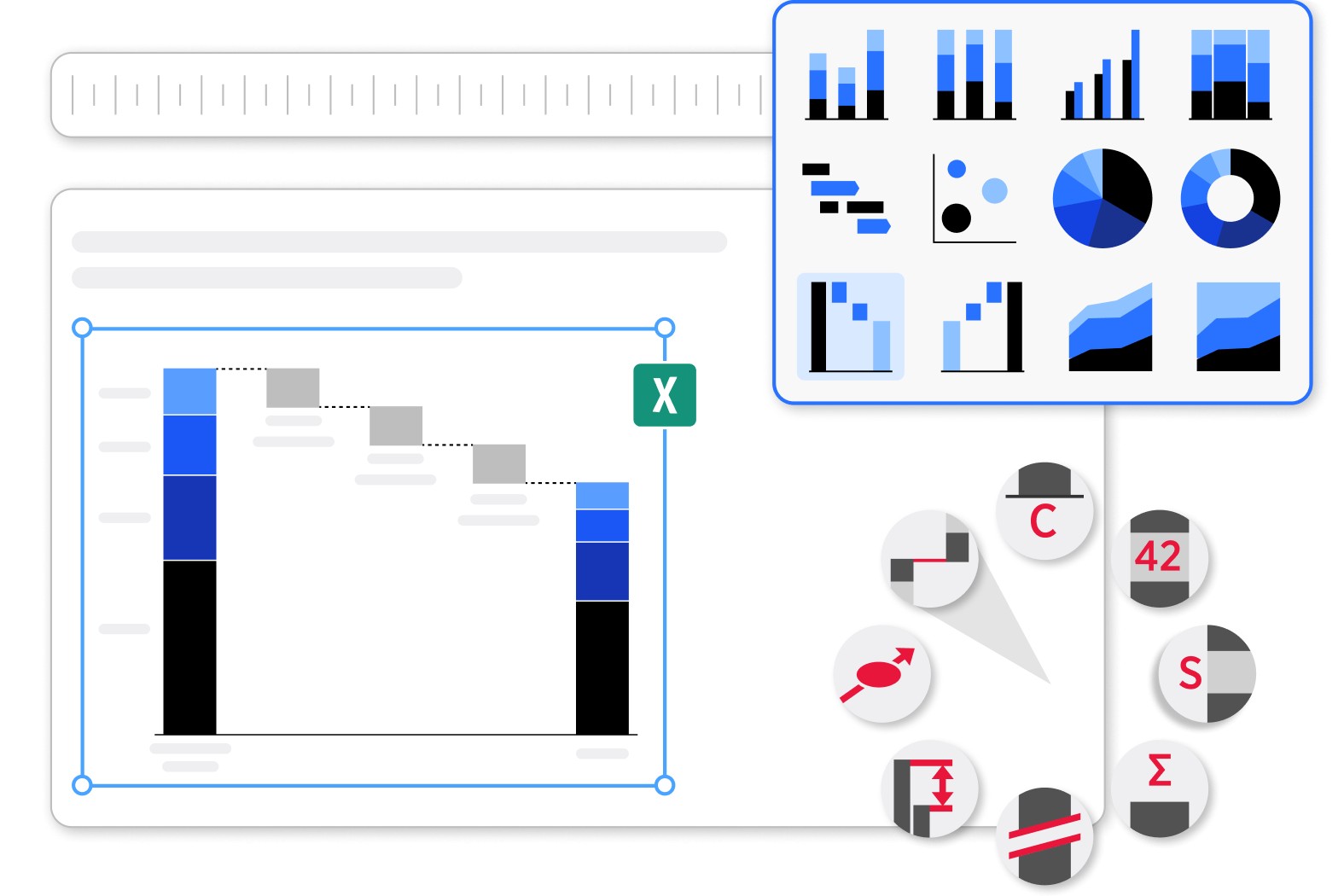
Think-cell uses a per-user annual subscription model. Unlike some software with tiered feature sets, Think-cell has a single product—you get all features regardless of how much you pay. The only variable is volume discounts based on license count.
Here's the current pricing structure:
| License Volume | Monthly Cost Per User | Annual Cost Per User |
|---|---|---|
| 1-4 users | ~$27/month | ~$327/year |
| 5-9 users | ~$24/month | ~$290/year |
| 10-24 users | ~$22/month | ~$265/year |
| 25-49 users | ~$20/month | ~$245/year |
| 50+ users | ~$19/month | ~$230/year |
European pricing: The lowest tier starts at 189 EUR per user per year for up to 5 users.
Important: These prices are approximate and based on third-party sources including G2, Capterra, and software procurement platforms. Think-cell doesn't publish exact pricing on their website—you need to log into their customer portal or contact sales for precise quotes.
What's Included in Your Think-Cell License#
Every Think-cell subscription includes:
- Full software access — All 40+ chart types including waterfall, Mekko, and Gantt
- Excel linking — Connect charts to spreadsheet data with automatic updates
- Training resources — Online tutorials and documentation
- All updates — New features and improvements released during your subscription
- Technical support — Help from the Think-cell team when issues arise
- Multi-device use — Use on both work and home computers (per-user licensing, not per-machine)
There are no tiers or feature gates. A solo consultant paying $327/year gets the same software as an enterprise team paying $230/user/year.
Think-Cell License Types#
Individual Licenses#
For freelance consultants and individuals purchasing Think-cell independently, expect to pay approximately $327/year at full price. This is the baseline before any discounts.
Individual licenses make sense if:
- Your employer doesn't provide Think-cell
- You're a freelance consultant billing Think-cell to clients
- You need Think-cell for personal projects
Team Licenses#
Teams of 5-49 users receive modest volume discounts. The per-user cost drops progressively:
| Team Size | Approximate Annual Savings vs. Individual |
|---|---|
| 5 users | ~11% discount ($37/user/year) |
| 10 users | ~19% discount ($62/user/year) |
| 25 users | ~25% discount ($82/user/year) |
Enterprise Licenses (50+ Users)#
Large organizations purchasing 50+ licenses should contact Think-cell directly. At this volume:
- Per-user costs drop to approximately $230/year
- Custom invoicing and procurement support available
- Dedicated account management for larger deployments
Think-cell also notes that orders above 50 users require direct contact rather than online purchasing.
Academic and Nonprofit Licenses#
Think-cell offers free licenses to qualifying academic institutions and nonprofits. The catch: your organization must add a link to Think-cell's website on your organization's webpage.
This program covers:
- Students and professors for educational use
- Nonprofit organizations for core operations
- Public research institutions
Students and professors can apply through Think-cell's dedicated academic license page. These licenses are typically valid for 12 months and can be renewed.
Hidden Costs to Consider#
The annual license fee isn't your only expense. Budget for these additional costs:
Training Time#
Think-cell has a learning curve. In our testing, it took approximately 2 hours of practice before new users felt comfortable with the interface. For a team of 10, that's 20 hours of productivity cost.
Some organizations bring in Think-cell trainers or purchase additional training packages. Think-cell includes basic training resources, but complex enterprise deployments often require more.
Collaboration Friction#
Here's a cost that doesn't appear on any invoice: Think-cell charts can cause problems when shared with people who don't have Think-cell installed.
If someone without Think-cell opens your presentation and tries to edit a chart:
- The chart may become uneditable
- Formatting can break
- Data links may disconnect
In practice, this means everyone who touches your presentations needs Think-cell—or you need strict workflows to prevent non-users from editing charts.
Mac vs. Windows Considerations#
Think-cell works on both Mac and Windows, though historically the Windows version has been more feature-complete. If you're running a mixed Mac/Windows team, verify that all features you need work equally well on both platforms.
Annual Renewal#
Unlike perpetual licenses (buy once, own forever), Think-cell subscriptions must be renewed annually. If you let your subscription lapse:
- You lose access to the software
- Charts you created remain in your presentations but can't be edited
- You'll need to pay the current year's rate to regain access
Plan Think-cell as an ongoing expense, not a one-time purchase.
Continue reading: Bullet Charts in PowerPoint · Duplicate Shortcut in PowerPoint · Deloitte Presentation Template
Build consulting slides in seconds
Describe what you need. AI generates structured, polished slides — charts and visuals included.
Is Think-Cell Worth the Price?#
After years of using Think-cell at top consulting firms, here's our honest assessment:
Think-Cell Is Worth It If You:#
- Build waterfall charts weekly or daily — Think-cell's waterfall implementation is the best in the industry
- Create Mekko charts for market sizing — Nearly impossible to build manually in PowerPoint
- Link charts to Excel data that changes frequently — The automatic update feature saves hours
- Work at a firm that already provides it — If your employer pays, there's no decision to make
- Bill clients at rates where $27/month is trivial — For a consultant billing $300/hour, Think-cell pays for itself in minutes
Think-Cell Is NOT Worth It If You:#
- Build waterfall or Mekko charts monthly or less — Cheaper alternatives exist for occasional use
- Mainly need alignment shortcuts and formatting tools — Think-cell doesn't include these
- Are a student or early-career professional — $327/year is steep on a limited budget
- Only need basic bar, line, and pie charts — Native PowerPoint handles these adequately
- Work solo with no one else touching your files — You're paying for enterprise features you won't use
Cheaper Think-Cell Alternatives#
If Think-cell's pricing doesn't fit your budget, several alternatives offer similar capabilities at lower price points:
| Tool | Annual Price | Waterfall Charts | Mekko Charts | Excel Linking | Mac Support |
|---|---|---|---|---|---|
| Think-cell | $230-327/year | Yes | Yes | Yes | Yes |
| Deckary | $49-119/year | Yes | Yes | Yes | Yes |
| Power-user | $105/year | Yes | Yes | Yes | Yes |
| Mekko Graphics | $499/year | Yes | Yes | Yes | Limited |
| Native PowerPoint | Included | Manual | No | Limited | Yes |
Deckary ($49-119/year)#
Deckary offers waterfall charts, Mekko charts, and Excel linking at roughly one-third Think-cell's price. It also includes productivity features Think-cell lacks—keyboard shortcuts for alignment, a 600+ icon library, and quick formatting tools.
Best for: Consultants who need consulting-grade charts but build them weekly or monthly rather than daily. You get the same chart types with Excel linking, plus productivity tools, at $49-119/year.
We've built identical waterfall charts in both Think-cell and Deckary. The output quality was indistinguishable. The main differences:
- Think-cell has more chart types (40+ vs. Deckary's core consulting charts)
- Think-cell has automatic agenda slides (Deckary doesn't)
- Deckary includes productivity shortcuts Think-cell lacks
- Deckary costs 65-85% less
If you're choosing between the two, the question is frequency: daily complex charting favors Think-cell; weekly or monthly charting favors Deckary's value proposition.
Power-user ($105/year)#
Power-user bundles 110+ chart types with 350 editable maps, 850 templates, and 7,000 icons. It's a Swiss Army knife approach—good at many things but not as specialized as Think-cell for complex financials.
Best for: Users who need charts AND maps AND templates in one package, especially with geographic data visualization needs.
Mekko Graphics ($499/year)#
Mekko Graphics is actually more expensive than Think-cell while offering fewer features. It specializes in Marimekko and waterfall charts but lacks Think-cell's broader chart library.
Best for: Organizations already locked into Mekko Graphics. For new buyers, Think-cell offers better value at a lower price.
Native PowerPoint (Included)#
PowerPoint's built-in charts have improved but still can't match dedicated tools for complex business charts. Creating a waterfall chart manually requires stacked bar workarounds with invisible segments—a 12-minute process compared to 45 seconds in Think-cell or Deckary.
Best for: Users with simple charting needs who don't want additional software.
When to Choose Think-Cell vs. Alternatives#
Choose Think-Cell If:#
- You build complex data visualizations daily
- Your firm has budget for premium tools
- You need the full 40+ chart type library
- Automatic agenda slides are important to your workflow
- You work with teams where everyone has Think-cell
Choose Deckary If:#
- You need waterfall and Mekko charts but not daily
- Budget is a constraint ($49-119/year vs $327/year)
- You want productivity shortcuts Think-cell doesn't include
- You use Mac and Windows (full cross-platform support)
- You're a freelancer or small team
Choose Power-user If:#
- You need geographic data visualization (maps)
- You want a broad toolkit in one add-in
- You're an academic (free licenses available)
- Template libraries are valuable to your workflow
The Total Cost of Think-Cell#
Let's calculate what Think-cell actually costs for different scenarios:
Solo Consultant#
| Cost Item | Annual Amount |
|---|---|
| Think-cell license | $327 |
| Training time (2 hours @ $150/hour) | $300 (first year) |
| Year 1 Total | $627 |
| Year 2+ Total | $327 |
10-Person Team#
| Cost Item | Annual Amount |
|---|---|
| Think-cell licenses (10 @ $265) | $2,650 |
| Training time (20 hours @ $100/hour) | $2,000 (first year) |
| Ongoing training for new hires | $200/year |
| Year 1 Total | $4,650 |
| Year 2+ Total | $2,850 |
50-Person Enterprise#
| Cost Item | Annual Amount |
|---|---|
| Think-cell licenses (50 @ $230) | $11,500 |
| Training and rollout | $5,000 (first year) |
| Ongoing training | $1,000/year |
| Year 1 Total | $16,500 |
| Year 2+ Total | $12,500 |
These numbers help contextualize whether Think-cell makes sense for your organization.
How to Get the Best Think-Cell Price#
If you've decided Think-cell is right for you, here's how to minimize costs:
1. Buy Online to Avoid Handling Fees#
Think-cell adds a 5% handling fee for offline orders (phone, reseller). Ordering through their online customer portal avoids this fee and provides immediate license access.
2. Consolidate Licenses for Volume Discounts#
If multiple people in your organization need Think-cell, consolidate purchases under one account to hit volume discount thresholds. The jump from 4 to 5 licenses saves approximately 11% per user.
3. Check Academic Eligibility#
Students, professors, and researchers can apply for free academic licenses. The requirement is adding a link to Think-cell from your institution's website—a minor ask for free software.
4. Consider the Trial Period#
Think-cell offers a 30-day free trial (no credit card required). Some promotional partners offer extended trials of 45-60 days. Use this time to genuinely evaluate whether Think-cell's capabilities justify the cost for your specific workflow.
5. Time Your Purchase#
Think-cell doesn't offer seasonal discounts or sales. However, if you're adding users to an existing license key, the fees are pro-rated based on remaining validity. Adding users mid-cycle can offer slight savings compared to buying at the start of a new period.
Think-Cell Pricing FAQ#
Q: Can I buy Think-cell monthly?
No. Think-cell only offers annual subscriptions. The per-user monthly cost is calculated for comparison purposes, but you must pay the full year upfront.
Q: Do Think-cell licenses expire?
Yes. Think-cell uses a subscription model, not perpetual licenses. When your subscription expires, you lose access to the software. Charts you created remain in your presentations but become static and uneditable.
Q: Can I transfer a Think-cell license?
Think-cell licenses are per-user, not per-machine. You can use your license on multiple computers (work and home). However, you cannot transfer a license to a different person without contacting Think-cell.
Q: Does Think-cell offer refunds?
Contact Think-cell's support team to inquire about refunds. Their standard policy doesn't advertise refunds, but policies may vary by region and circumstance.
Q: What happens if I cancel Think-cell?
Your existing Think-cell charts remain in your presentations as static graphics. You can still view and present them, but you cannot edit the data or formatting. To edit again, you'd need to renew your subscription.
The Bottom Line#
Think-cell is excellent software with excellent pricing—if you need its full capabilities daily. At $230-327/year, it's one of the more expensive PowerPoint add-ins on the market.
For consultants and professionals who build waterfall, Mekko, and data-linked charts on a daily basis, Think-cell is worth the investment. The time savings compound quickly at high billing rates.
For everyone else—consultants who need these charts weekly or monthly, budget-conscious freelancers, small teams—alternatives like Deckary deliver similar charting capabilities at $49-119/year. That's roughly 65-85% savings with the same waterfall and Mekko output.
Before committing to Think-cell, take advantage of the 30-day trial. Build real presentations with your actual data. Then try a cheaper alternative for comparison. The right tool depends on your specific workflow and budget—not marketing claims.
Build consulting slides in seconds
Describe what you need. AI generates structured, polished slides — charts and visuals included.
Try Free